Applies to SQL Server 2019, 2022 and 2025.
The T-SQL BETWEEN operator tests whether a value falls inside a range, and it’s one of the first things most of us learn. It’s simple, but it has three habits worth knowing: both ends are included, the bounds must be in the right order, and it does exactly what you asked with dates, which isn’t always what you meant.
How the T-SQL BETWEEN operator works
x BETWEEN a AND b is shorthand for x >= a AND x <= b. Both ends are inclusive. NOT BETWEEN is the opposite: x < a OR x > b.
SQL Server doesn’t swap the bounds for you. If the first value is bigger than the second, nothing can be greater than or equal to the top and less than or equal to the bottom at the same time, so you get no rows and no error.
NULL follows the usual rules. If the tested value or either bound is NULL, the comparison is unknown and the row isn’t returned by BETWEEN or by NOT BETWEEN.
A worked example
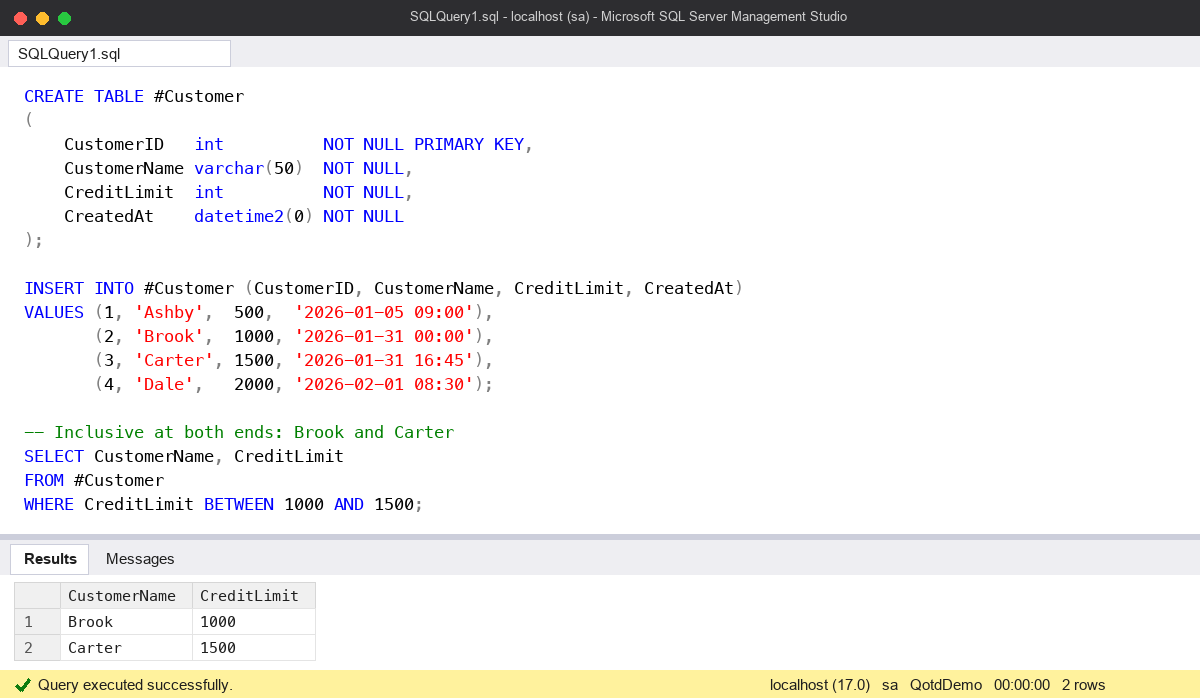
CREATE TABLE #Customer
(
    CustomerID   int          NOT NULL PRIMARY KEY,
    CustomerName varchar(50)  NOT NULL,
    CreditLimit  int          NOT NULL,
    CreatedAt    datetime2(0) NOT NULL
);

INSERT INTO #Customer (CustomerID, CustomerName, CreditLimit, CreatedAt)
VALUES (1, 'Ashby',  500,  '2026-01-05 09:00'),
       (2, 'Brook',  1000, '2026-01-31 00:00'),
       (3, 'Carter', 1500, '2026-01-31 16:45'),
       (4, 'Dale',   2000, '2026-02-01 08:30');

-- Inclusive at both ends: Brook and Carter
SELECT CustomerName, CreditLimit
FROM #Customer
WHERE CreditLimit BETWEEN 1000 AND 1500;

-- Exactly the same rows
SELECT CustomerName, CreditLimit
FROM #Customer
WHERE CreditLimit >= 1000 AND CreditLimit <= 1500;

-- Bounds the wrong way round: no rows, no error
SELECT CustomerName
FROM #Customer
WHERE CreditLimit BETWEEN 1500 AND 1000;

-- Outside the range: Ashby and Dale
SELECT CustomerName
FROM #Customer
WHERE CreditLimit NOT BETWEEN 1000 AND 1500;
When the bounds come from parameters, I check the order before the query runs. A report that silently returns nothing because someone typed the dates the wrong way round wastes a lot of time.
The common mistake: BETWEEN with dates and times
The classic mistake is asking for “everything in January” like this:
-- Looks right, misses Carter
SELECT CustomerName, CreatedAt
FROM #Customer
WHERE CreatedAt BETWEEN '2026-01-01' AND '2026-01-31';

-- Half-open range: every moment in January, nothing from February
SELECT CustomerName, CreatedAt
FROM #Customer
WHERE CreatedAt >= '2026-01-01'
  AND CreatedAt <  '2026-02-01';

DROP TABLE #Customer;
The string ‘2026-01-31’ becomes midnight at the start of 31 January. Brook, created at exactly midnight, is included. Carter, created at 16:45 that afternoon, isn’t, because 16:45 is after the upper bound. The query runs, looks reasonable and quietly drops most of the last day.
People sometimes patch it with an upper bound of ’23:59:59.997′ or ’23:59:59.999′. That depends on the precision of the column: it’s right for datetime, wrong for datetime2 with more decimal places, and it breaks again when someone changes the type. The half-open range (>= the start, < the day after the end) is right for every date and time type, and the optimiser can still seek on an index for it.
If the column is a plain date, BETWEEN is fine, because there’s no time part to lose. I still tend to use the half-open form everywhere so I don’t have to stop and think about the type.
Watch out for
- Strings compare by collation, character by character.
CustomerName BETWEEN 'A' AND 'C'doesn’t return Carter, because ‘Carter’ sorts after ‘C’. Use>= 'A' AND < 'D'if you mean “starts with A to C”. - Bound order. Reversed bounds return nothing rather than failing. Validate parameters, or use
>=and<with clearly named start and end values. - NULLs. A NULL value or bound means the row is excluded by both BETWEEN and NOT BETWEEN.
- Wrapping the column.
CAST(CreatedAt AS date) BETWEEN ...works, but compare the raw column where you can. It’s the same advice as in my T-SQL performance anti-patterns post.
Where it fits
BETWEEN reads well and is perfectly good for whole numbers and plain dates. For anything with a time part, I use a half-open range instead. There’s more everyday T-SQL in my SQL Server DBA Handbook.
Microsoft’s reference page for BETWEEN (Transact-SQL) covers the syntax and the NULL rules.
This topic came up in the SQLServerCentral Question of the Day: The Range of Customers.
Clive Roberts DBA