Applies to SQL Server 2022 and 2025.
The BIT_COUNT function counts how many bits are set to 1 in an integer or binary value. It arrived in SQL Server 2022 with the other bit manipulation functions, and it replaces the loops and lookup tables we used to write to count flags packed into a bitmask.
What the BIT_COUNT function returns
BIT_COUNT(expression) takes a tinyint, smallint, int, bigint, binary(n) or varbinary(n) value and returns a bigint: the number of 1 bits. Large object types such as varbinary(max) aren’t supported.
It doesn’t convert its input first. It counts the bits exactly as the value is stored in its own data type, which matters as soon as a value is negative.
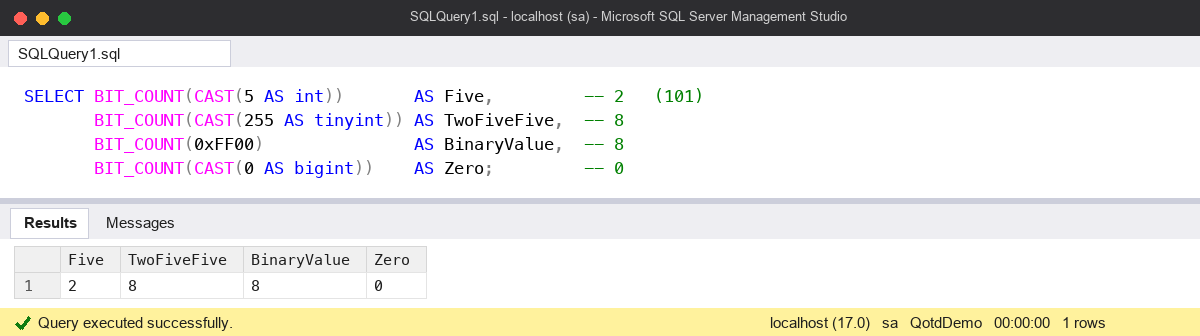
SELECT BIT_COUNT(CAST(5 AS int))       AS Five,         -- 2   (101)
       BIT_COUNT(CAST(255 AS tinyint)) AS TwoFiveFive,  -- 8
       BIT_COUNT(0xFF00)               AS BinaryValue,  -- 8
       BIT_COUNT(CAST(0 AS bigint))    AS Zero;         -- 0
A worked example: working days in a bitmask
A common use is a column that packs a week into one byte: bit 0 for Monday up to bit 6 for Sunday. BIT_COUNT gives the number of days, and its sister function GET_BIT tests one day.
CREATE TABLE #Shift
(
    EmployeeID int     NOT NULL PRIMARY KEY,
    WorkDays   tinyint NOT NULL   -- bit 0 = Monday ... bit 6 = Sunday
);

INSERT INTO #Shift (EmployeeID, WorkDays)
VALUES (1, 31),   -- 0011111: Monday to Friday
       (2, 96),   -- 1100000: Saturday and Sunday
       (3, 85);   -- 1010101: Monday, Wednesday, Friday, Sunday

SELECT EmployeeID,
       WorkDays,
       BIT_COUNT(WorkDays)  AS DaysPerWeek,     -- 5, 2, 4
       GET_BIT(WorkDays, 5) AS WorksSaturday    -- 0, 1, 0
FROM #Shift;

-- Everyone who works at least four days
SELECT EmployeeID
FROM #Shift
WHERE BIT_COUNT(WorkDays) >= 4;

DROP TABLE #Shift;
Before 2022 I’d have written a CASE for every bit, or joined to a little table of 0 to 255 with the counts in it. BIT_COUNT is shorter and clearer. Like any function on a column, it can’t use an index seek in the WHERE clause, so on a large table I’d store the count in a computed column if I filtered on it often.
The common mistake: negative numbers and data types
Because BIT_COUNT counts the stored bits, the same number gives different answers in different types. Negative numbers are stored in two’s complement, so -1 is every bit set:
SELECT BIT_COUNT(CAST(-1 AS smallint)) AS SmallintMinusOne,  -- 16
       BIT_COUNT(CAST(-1 AS int))      AS IntMinusOne,       -- 32
       BIT_COUNT(CAST(-1 AS bigint))   AS BigintMinusOne,    -- 64
       BIT_COUNT(-1)                   AS LiteralMinusOne;   -- 32: a literal is an int
If you’re expecting “one bit, because it’s minus one”, you’ll get 32 and think the function is broken. It isn’t; that’s how the value is stored. If your bitmask can go negative, the top bit is in use, and the column’s type decides how many bits you’re counting. I keep bitmasks in an unsigned-friendly type that’s big enough, such as tinyint for 8 flags, so the question doesn’t come up.
The same thinking applies to literals. A bare number is an int, so it’s counted as 32 bits. Cast it to the type of the column you’re comparing with.
Watch out for
- Version. BIT_COUNT, GET_BIT, SET_BIT, LEFT_SHIFT and RIGHT_SHIFT are SQL Server 2022 and later. On 2019 the code won’t compile.
- Untyped NULL.
BIT_COUNT(NULL)fails;BIT_COUNT(CAST(NULL AS int))returns NULL. - Integer and binary only. Cast a decimal or a string to a supported type first.
- Offsets start at 0. GET_BIT(value, 0) is the lowest bit. Write down which flag each bit means, next to the column.
- bit columns are different. A table of separate bit columns isn’t a bitmask; see my SQL Server bit data type post for adding those up.
Where it fits
BIT_COUNT is handy for permission masks, feature flags and day-of-week patterns stored in one integer. Keep the type in mind and it’s very simple. There’s more on everyday T-SQL in my SQL Server DBA Handbook.
Microsoft’s reference page for BIT_COUNT (Transact-SQL) has the full list of supported types.
This topic came up in the SQLServerCentral Question of the Day: BIT_COUNT() V.
Clive Roberts DBA