Skip to content

Clive Roberts

SQL Server DBA

Menu
  • Setup
  • Performance
  • Health Check
  • Troubleshooting
  • T-SQL
  • Patches
  • News
  • Audit
  • Projects

Category: SQL Server

Finding Special Characters with PATINDEX
November 24, 2026
| No Comments
| Question of the Day, SQL Server, T-SQL
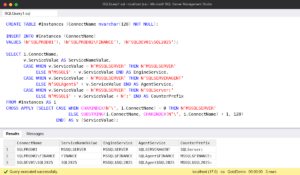
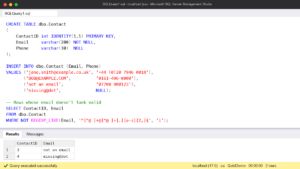
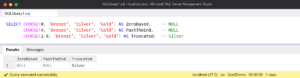
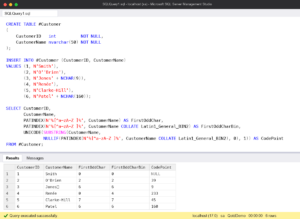
Finding Special Characters with PATINDEX: the T-SQL from this post in SQL Server Management Studio with its results

Applies to SQL Server 2019, 2022 and 2025. Sooner or later every DBA gets asked to find special characters in a column: the stray tab that breaks an export, the apostrophe that upsets a downstream system, or the “space” that isn’t really a space. On SQL Server 2019 and 2022 the tool for the job…
Read More »

Posted in Question of the Day, SQL Server, T-SQL

SQL Server Installs Tested Before and After with dbatools and Pester

November 23, 2026
| No Comments
| Setup, SQL Server
SQL Server Setup: SQL Server Installs Tested Before and After with dbatools and Pester

A dbatools SQL Server install wrapped in Pester tests: the server is proved ready before anything is installed, and the instance is proved configured afterwards. With a second data centre settings file and the bugs I fixed.

Read More »

Posted in Setup, SQL Server

COUNT(*) vs COUNT(1) in SQL Server

November 23, 2026
| No Comments
| Question of the Day, SQL Server, T-SQL
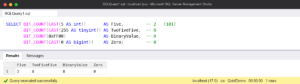
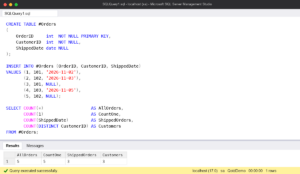
COUNT(*) vs COUNT(1) in SQL Server: the T-SQL from this post in SQL Server Management Studio with its results

Applies to SQL Server 2019, 2022 and 2025. COUNT(*) vs COUNT(1) is one of the oldest arguments in SQL Server, and it still comes up in code reviews. The short answer is that they do exactly the same work. The question that actually matters is what you’re counting: rows, or non-NULL values in a column….

Read More »

Posted in Question of the Day, SQL Server, T-SQL

The T-SQL FORMAT Function

November 22, 2026
| No Comments
| Question of the Day, SQL Server, T-SQL
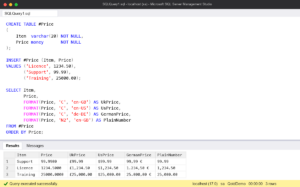
The T-SQL FORMAT Function: the T-SQL from this post in SQL Server Management Studio with its results

Applies to SQL Server 2019, 2022 and 2025. The T-SQL FORMAT function turns a number or date into a string laid out the way a particular country expects. I mostly use it for one job: showing money with the right currency symbol, thousands separator and decimal mark in a report or an email, without writing…
Read More »

Posted in Question of the Day, SQL Server, T-SQL

News: SQL Server 2022 SQLskills Blackbelt Credly badge now available

November 22, 2026
| No Comments
| SQL Server News
SQL Server News: SQL Server 2022 SQLskills Blackbelt Credly badge now available

New from SQLskills on SQL Server 2022 SQLskills. As you may know, anyone who attends one of our courses or self-certifies that they’ve completed watching a purchased course can get a ‘certification badge’ that we issue via Credly/Acclaim (after someone requests them at https://www.sqlskills.com/badgeme/). We’ve just added the… Read the full article at SQLskills
Read More »

Posted in SQL Server News

The Table Value Constructor in SQL Server

November 21, 2026
| No Comments
| Question of the Day, SQL Server, T-SQL
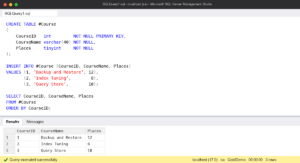
The Table Value Constructor in SQL Server: the T-SQL from this post in SQL Server Management Studio with its results

Applies to SQL Server 2019, 2022 and 2025. The table value constructor is the VALUES clause that lets you write several rows in one statement: VALUES (1, ‘a’), (2, ‘b’), (3, ‘c’). Most people meet it as the multi-row INSERT, but it’s more general than that. It builds a small table on the fly, and…

Read More »

Posted in Question of the Day, SQL Server, T-SQL

CREATE PROCEDURE in SQL Server

November 20, 2026
| No Comments
| Question of the Day, SQL Server, T-SQL
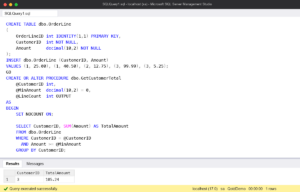
CREATE PROCEDURE in SQL Server: the T-SQL from this post in SQL Server Management Studio with its results

Applies to SQL Server 2019, 2022 and 2025. CREATE PROCEDURE is one of the first statements anyone learns in T-SQL, and most of us stop thinking about it after that. It’s worth a second look, because the rules about batches, parameters and name resolution catch out experienced people too. This is how I write procedures…

Read More »

Posted in Question of the Day, SQL Server, T-SQL

News: [Video] Office Hours: Back from the PASS Summit

November 19, 2026
| No Comments
| SQL Server News
SQL Server News: [Video] Office Hours: Back from the PASS Summit

New from Brent Ozar on Office Hours Back. I’m back from the annual PASS Data Community Summit, so let’s talk industry news before we dive into your 3 top-voted questions from https://pollgab.com/room/brento. Here’s what we covered: 00:00 Start 00:05 News: the vibe at the PASS Summit in Seattle… Read the full article at Brent Ozar

Read More »

Posted in SQL Server News

The T-SQL AVG Function

November 19, 2026
| 1 Comment
| Question of the Day, SQL Server, T-SQL
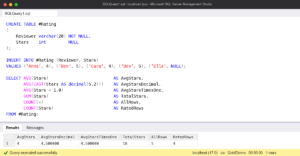
The T-SQL AVG Function: the T-SQL from this post in SQL Server Management Studio with its results

Applies to SQL Server 2019, 2022 and 2025. The T-SQL AVG function looks like the simplest aggregate there is: add the values up, divide by how many there are. Most of the time it is. But it has one habit that catches people out in reports again and again: when you average an integer column,…

Read More »

Posted in Question of the Day, SQL Server, T-SQL 1 Comment

News: Black Friday Sale – Blackbelt for $399!

November 19, 2026
| No Comments
| SQL Server News
SQL Server News: Black Friday Sale – Blackbelt for $399!

New from SQLskills on Black Friday Sale Blackbelt. It’s the time of year again where companies do crazy sales on the day after Thanksgiving in the US, and we’re doing the same – but starting on a bit early. All below details are also in our online shop,… Read the full article at SQLskills

Read More »

Posted in SQL Server News

Capacity Report: When Each Drive Will Be Full

November 18, 2026
| 1 Comment
| Auditing, SQL Server
SQL Server Auditing: Capacity Report: When Each Drive Will Be Full

How fast each SQL Server volume and database is growing, how many months until each drive is full, the per-server totals for the quarterly pack and file settings that make growth unpredictable.

Read More »

Posted in Auditing, SQL Server 1 Comment

SQL Server Security Report: Who Has sysadmin, and What Changed

November 18, 2026
| 2 Comments
| Auditing, SQL Server
SQL Server Auditing: SQL Server Security Report: Who Has sysadmin, and What Changed

Every sysadmin and high-privilege login on every SQL Server, what changed since the last run, weak and blank passwords, password policy, sa, and orphaned users with the fix for each.

Read More »

Posted in Auditing, SQL Server 2 Comments

SQL Server Patch Report: Every Instance Against Its Target Build

November 18, 2026
| 1 Comment
| Auditing, SQL Server
SQL Server Auditing: SQL Server Patch Report: Every Instance Against Its Target Build

Each SQL Server instance’s build, CU and KB against the build you’ve approved, out-of-support versions, availability group replicas on different builds and the monthly compliance figure.

Read More »

Posted in Auditing, SQL Server 1 Comment

Windows Patch Report: Did This Month’s Updates Land?

November 18, 2026
| 3 Comments
| Auditing, SQL Server
SQL Server Auditing: Windows Patch Report: Did This Month's Updates Land?

The independent check that Windows patching worked on every database server: last update, monthly build, pending reboots, unsupported Windows, exceptions and the compliance figure.

Read More »

Posted in Auditing, SQL Server 3 Comments

Integrity Check Report: Proving CHECKDB Actually Ran

November 18, 2026
| 1 Comment
| Auditing, SQL Server
SQL Server Auditing: Integrity Check Report: Proving CHECKDB Actually Ran

When every database last passed DBCC CHECKDB, whether the integrity jobs ran and succeeded, and any suspect pages, for every SQL Server in one report.

Read More »

Posted in Auditing, SQL Server 1 Comment

News: Modernize your apps with Azure SQL Database Hyperscale

November 18, 2026
| No Comments
| SQL Server News
SQL Server News: Modernize your apps with Azure SQL Database Hyperscale

New from Microsoft SQL Server Blog on Azure SQL Database Hyperscale. Learn how Azure SQL Database Hyperscale brings scale, competitive economics, and AI to the apps you already run, and the ones you build next. The post Modernize your apps with Azure SQL Database Hyperscale appeared first on Microsoft SQL Server… Read the full article…

Read More »

Posted in SQL Server News

News: Would Open-Sourcing Microsoft SQL Server Actually Fix Anything?

November 18, 2026
| No Comments
| SQL Server News
SQL Server News: Would Open-Sourcing Microsoft SQL Server Actually Fix Anything?

New from Brent Ozar on Would Open-Sourcing Microsoft SQL. At the PASS Summit last week in Seattle, I was having a discussion with a few people who’d moved on from managing SQL Server over to working with PostgreSQL. They were talking about the advantages of open source – and… Read the full article at Brent…

Read More »

Posted in SQL Server News

SQL Server Certificate Expiry

November 18, 2026
| No Comments
| Question of the Day, Setup, SQL Server
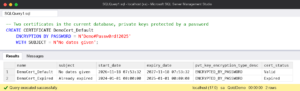
SQL Server Certificate Expiry: the T-SQL from this post in SQL Server Management Studio with its results

Applies to SQL Server 2019, 2022 and 2025. Every SQL Server certificate has an expiry date, whether or not you gave it one. What surprises people is how little SQL Server certificate expiry actually matters for most of what certificates do inside the database engine, and how much it matters for the one or two…

Read More »

Posted in Question of the Day, Setup, SQL Server

News: Make Your Nightly ETL Faster with TABLOCKX

November 17, 2026
| No Comments
| SQL Server News
SQL Server News: Make Your Nightly ETL Faster with TABLOCKX

New from Brent Ozar on Nightly ETL Faster. Let’s say that every night you need to make a completely new copy of a table. Yes, you’ve heard that you’re supposed to detect & track changes, and that you should only be loading the deltas, but for your business… Read the full article at Brent Ozar

Read More »

Posted in SQL Server News

@@SERVICENAME and the SQL Server Service Name

November 17, 2026
| No Comments
| Question of the Day, SQL Server, T-SQL
@@SERVICENAME and the SQL Server Service Name: the T-SQL from this post in SQL Server Management Studio with its results

Applies to SQL Server 2019, 2022 and 2025. Every instance has a SQL Server service name, and @@SERVICENAME is the quick way to ask an instance what its name is from T-SQL. It’s a small function, but I use it in scripts that need to work the same way on default and named instances, and…

Read More »

Posted in Question of the Day, SQL Server, T-SQL

Moving the SQL Server Error Log

November 16, 2026
| No Comments
| Question of the Day, Setup, SQL Server
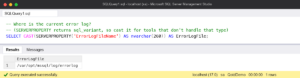
Moving the SQL Server Error Log: the T-SQL from this post in SQL Server Management Studio with its results

Applies to SQL Server 2019, 2022 and 2025. The SQL Server error log location is set when the service starts, by the -e startup parameter. By default it sits under the instance’s MSSQL\Log folder on the system drive, and I usually move it when a build puts that folder somewhere small or awkward. The move…

Read More »

Posted in Question of the Day, Setup, SQL Server

News: FGCB_ADD_REMOVE Latch Investigation Demo

November 16, 2026
| No Comments
| SQL Server News
SQL Server News: FGCB_ADD_REMOVE Latch Investigation Demo

New from SQLskills on FGCB_ADD_REMOVE Latch Investigation Demo. During the PASS Summit last week in Seattle I made a deal with my precon attendees that I’d record a couple of the demos in exchange for more time for questions and only running over ten minutes – sooooo many… Read the full article at SQLskills

Read More »

Posted in SQL Server News

Who Is Really a Sysadmin? Expanding AD Groups in SQL Server with xp_logininfo

November 15, 2026
| No Comments
| SQL Server
SQL Server: Who Is Really a Sysadmin? Expanding AD Groups in SQL Server with xp_logininfo

When you audit who has sysadmin rights on a SQL Server instance, the answer is often an Active Directory group rather than a list of people. A login such as DOMAIN\SQL DBA tells you a group has full control, but not who is actually in it. Many DBAs do not have access to Active Directory…

Read More »

Posted in SQL Server Tagged Audit, Security, SQL Server, sysadmin, xp_logininfo

SSIS Error Report: Finding the Package That Failed

November 15, 2026
| 3 Comments
| Auditing, SQL Server
SQL Server Auditing: SSIS Error Report: Finding the Package That Failed

Applies to SQL Server 2019, 2022 and 2025 with SSIS packages deployed to the SSIS catalog (SSISDB). The script runs in Windows PowerShell 5.1 or PowerShell 7. When an SSIS job fails, the Agent job history usually says something like “The package execution failed” and nothing else. The real error, and the package, task and…

Read More »

Posted in Auditing, SQL Server 3 Comments

Backup Report: Is Every Database Backed Up?

November 15, 2026
| 3 Comments
| Auditing, SQL Server
SQL Server Auditing: Backup Report: Is Every Database Backed Up?

Applies to SQL Server 2019, 2022 and 2025. A backup report proves that every database has a recent backup, across the whole estate, every day. “The backup job succeeded” isn’t the same thing. Jobs skip databases that were added last week, maintenance plans quietly miss one that went offline, and an availability group can take…

Read More »

Posted in Auditing, SQL Server 3 Comments

SQL Server Inventory Report

November 15, 2026
| 2 Comments
| Auditing, SQL Server
SQL Server Auditing: SQL Server Inventory Report

Applies to SQL Server 2019, 2022 and 2025. The script runs in Windows PowerShell 5.1 or PowerShell 7. A server inventory is the list every other report hangs off: which servers exist, what Windows and SQL Server they run, how big they are and when they last restarted. If you can’t produce it in five…

Read More »

Posted in Auditing, SQL Server 2 Comments

Database Inventory Report

November 15, 2026
| 3 Comments
| Auditing, SQL Server
SQL Server Auditing: Database Inventory Report

Applies to SQL Server 2019, 2022 and 2025. The script runs in Windows PowerShell 5.1 or PowerShell 7. The database inventory goes one level below the server inventory: every database on every instance, with its state, settings, owner, size, how full it is and when it was last backed up. It’s the report I use…

Read More »

Posted in Auditing, SQL Server 3 Comments

SQL Server Licensing Report

November 15, 2026
| 3 Comments
| Auditing, SQL Server
SQL Server Auditing: SQL Server Licensing Report

Applies to SQL Server 2019, 2022 and 2025. The script runs in Windows PowerShell 5.1 or PowerShell 7. A SQL Server licensing report tells you which edition runs where, how many cores each instance sits on, and roughly how many core licences that adds up to. It’s the report nobody asks for until an audit…

Read More »

Posted in Auditing, SQL Server 3 Comments

Server Availability Report: Ping and Response Time

November 15, 2026
| 3 Comments
| Auditing, SQL Server
SQL Server Auditing: Server Availability Report: Ping and Response Time

Applies to any Windows server estate. The script runs in Windows PowerShell 5.1 or PowerShell 7 and stores its history in SQL Server 2019, 2022 or 2025. An availability report answers two questions: is the server up right now, and how often has it been up over the last day, week, month and year? Mine…

Read More »

Posted in Auditing, SQL Server 3 Comments

Disk Space Alerts for SQL Server

November 15, 2026
| 4 Comments
| Auditing, SQL Server
SQL Server Auditing: Disk Space Alerts for SQL Server

Applies to SQL Server 2019, 2022 and 2025 on Windows. The script runs in Windows PowerShell 5.1 or PowerShell 7. A full disk is one of the few things that stops SQL Server dead. The log can’t grow, so every write in that database fails, and if it’s tempdb the whole instance goes with it….

Read More »

Posted in Auditing, SQL Server 4 Comments

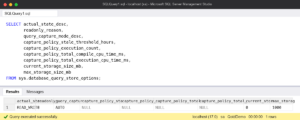
Query Store Capture Mode

November 15, 2026
| No Comments
| Performance, Question of the Day, SQL Server
Query Store Capture Mode: the T-SQL from this post in SQL Server Management Studio with its results

Applies to SQL Server 2019, 2022 and 2025. The Query Store capture mode decides which queries SQL Server bothers to record. Turning Query Store on is only half the job: the capture mode controls whether every statement gets stored, only the ones that matter, or nothing new at all. I’ve seen it set to ALL…

Read More »

Posted in Performance, Question of the Day, SQL Server

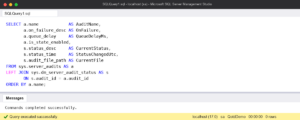
SQL Server Audit Failures

November 14, 2026
| No Comments
| Question of the Day, SQL Server, Troubleshooting
SQL Server Audit Failures: the T-SQL from this post in SQL Server Management Studio

Applies to SQL Server 2019, 2022 and 2025. SQL Server audit failures happen when the instance can’t write audit records to the target: the disk is full, the share has gone, or the service account has lost its permissions on the folder. What happens next is decided by one setting on the server audit, ON_FAILURE….

Read More »

Posted in Question of the Day, SQL Server, Troubleshooting

News: [Video] Office Hours in the Backyard

November 13, 2026
| No Comments
| SQL Server News
SQL Server News: [Video] Office Hours in the Backyard

Brent Ozar answers top-voted questions from his backyard in Las Vegas. My take: Office Hours is one of the easiest ways to keep up with the real problems DBAs are hitting. The questions come from working DBAs, so you get honest answers on performance tuning, licensing, careers and day-to-day SQL Server admin. I pick up something useful from most episodes.

Read More »

Posted in SQL Server News

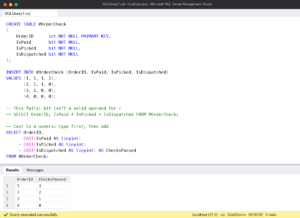
The SQL Server bit Data Type

November 13, 2026
| 1 Comment
| Question of the Day, SQL Server, T-SQL
The SQL Server bit Data Type: the T-SQL from this post in SQL Server Management Studio with its results

Applies to SQL Server 2019, 2022 and 2025. The SQL Server bit data type holds 1, 0 or NULL, and most of us use it for flags: IsActive, IsDeleted, HasShipped. It’s classed as an integer type, so it’s natural to assume you can add bits together or total them. You mostly can’t, and the places…

Read More »

Posted in Question of the Day, SQL Server, T-SQL 1 Comment

News: What Students are Saying About My Latest Classes

November 12, 2026
| No Comments
| SQL Server News
SQL Server News: What Students are Saying About My Latest Classes

My take: Good SQL Server training is hands-on, and that’s what makes Brent’s classes stand out. Reading about index tuning or query plans only gets you so far. You learn it by fixing a slow query yourself and seeing the difference. If your employer has a training budget, labs like these are a much better…

Read More »

Posted in SQL Server News

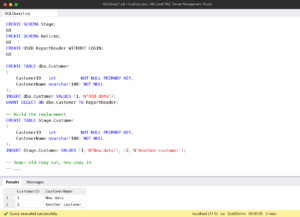
ALTER SCHEMA TRANSFER

November 12, 2026
| No Comments
| Question of the Day, SQL Server, T-SQL
ALTER SCHEMA TRANSFER: the T-SQL from this post in SQL Server Management Studio with its results

Applies to SQL Server 2019, 2022 and 2025. ALTER SCHEMA TRANSFER moves a table, view, type or other schema-scoped object from one schema to another in the same database. It’s a metadata change, so it’s quick even on a huge table, and I use it a lot for reloads: build the new copy of a…

Read More »

Posted in Question of the Day, SQL Server, T-SQL

News: How to Set Background Images & Movies in SSMS v22

November 11, 2026
| No Comments
| SQL Server News
SQL Server News: How to Set Background Images & Movies in SSMS v22

My take: This one’s just for fun, but SSMS is where most of us spend our day, so it’s worth making it comfortable. A word of caution: extensions aren’t officially supported in SSMS 22 yet. Try it on your own machine first, not a locked-down work build, and keep a note of how to remove…

Read More »

Posted in SQL Server News

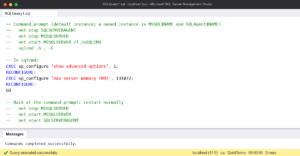
Starting SQL Server with Minimal Configuration

November 11, 2026
| 1 Comment
| Question of the Day, SQL Server, Troubleshooting
Starting SQL Server with Minimal Configuration: the T-SQL from this post in SQL Server Management Studio

Applies to SQL Server 2019, 2022 and 2025. SQL Server minimal configuration, the -f startup option, is how you get into an instance that a bad setting has stopped from starting or from being usable. It’s a recovery tool for a few minutes’ work, not a way to run the server, and the usual trouble…

Read More »

Posted in Question of the Day, SQL Server, Troubleshooting 1 Comment

News: Are Blogs Still Relevant? #tsql2sday

November 10, 2026
| No Comments
| SQL Server News
SQL Server News: Are Blogs Still Relevant? #tsql2sday

My take: I agree with Brent: blogs are still very relevant. Writing up a problem you’ve solved makes you understand it properly, and it leaves a record you can find again a year later when the same error turns up. It’s a big part of why I keep this site going, with SQL Server notes…

Read More »

Posted in SQL Server News

Backing Up the Database Master Key

November 10, 2026
| 1 Comment
| Question of the Day, Setup, SQL Server
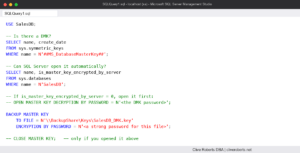
Backing Up the Database Master Key: the T-SQL from this post in SQL Server Management Studio

Applies to SQL Server 2019, 2022 and 2025. If a database uses certificates or symmetric keys, it has a database master key (DMK), and you should back up the database master key as soon as it’s created. It’s a two-line job, but the reason it matters is a little different from what most people assume,…

Read More »

Posted in Question of the Day, Setup, SQL Server 1 Comment

News: Free Webcast: My Favorite Query Hints

November 9, 2026
| No Comments
| SQL Server News
SQL Server News: Free Webcast: My Favorite Query Hints

My take: Query hints are a powerful tool and an easy one to misuse. Hints like OPTION (RECOMPILE) or OPTIMIZE FOR can fix a parameter sniffing problem on a date-range procedure, but a hint fixes one plan and can hurt the next. Test with realistic parameters, document why the hint is there, and look at…

Read More »

Posted in SQL Server News

News: Announcing Microsoft Database Hub: An Incredible Pace of Innovation

November 9, 2026
| No Comments
| SQL Server News
SQL Server News: Announcing Microsoft Database Hub: An Incredible Pace of Innovation

My take: Brent’s being tongue in cheek here, and he has a point. Microsoft has launched a lot of monitoring tools over the years, and many didn’t last. Whatever you use, the basics stay the same: know when a server is down, when a disk is filling up, when backups fail and when blocking builds…

Read More »

Posted in SQL Server News

The BIT_COUNT Function

November 9, 2026
| No Comments
| Question of the Day, SQL Server, T-SQL
The BIT_COUNT Function: the T-SQL from this post in SQL Server Management Studio with its results

Applies to SQL Server 2022 and 2025. The BIT_COUNT function counts how many bits are set to 1 in an integer or binary value. It arrived in SQL Server 2022 with the other bit manipulation functions, and it replaces the loops and lookup tables we used to write to count flags packed into a bitmask….

Read More »

Posted in Question of the Day, SQL Server, T-SQL

Rebuilding All Indexes on a Table

November 8, 2026
| No Comments
| Performance, Question of the Day, SQL Server
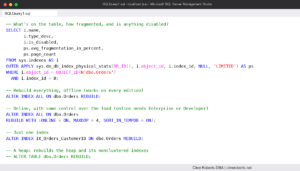
Rebuilding All Indexes on a Table: the T-SQL from this post in SQL Server Management Studio

Applies to SQL Server 2019, 2022 and 2025. When I want to rebuild all indexes on a table in one go, I use ALTER INDEX ALL … REBUILD. It’s one statement instead of one per index, but it does a bit more than people expect, and a bit less on a heap. How to rebuild…

Read More »

Posted in Performance, Question of the Day, SQL Server

The STRING_ESCAPE Function

November 7, 2026
| No Comments
| Question of the Day, SQL Server, T-SQL
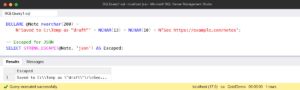
The STRING_ESCAPE Function: the T-SQL from this post in SQL Server Management Studio with its results

Applies to SQL Server 2019, 2022 and 2025. The STRING_ESCAPE function takes a piece of text and escapes the characters that would break it inside a JSON string: quotes, backslashes, forward slashes and control characters such as tabs and line breaks. It’s useful when you build JSON by hand, and easy to misuse when you…

Read More »

Posted in Question of the Day, SQL Server, T-SQL

The T-SQL BETWEEN Operator

November 6, 2026
| No Comments
| Question of the Day, SQL Server, T-SQL
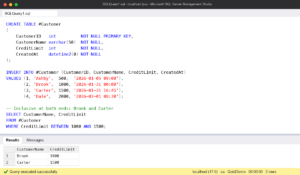
The T-SQL BETWEEN Operator: the T-SQL from this post in SQL Server Management Studio with its results

Applies to SQL Server 2019, 2022 and 2025. The T-SQL BETWEEN operator tests whether a value falls inside a range, and it’s one of the first things most of us learn. It’s simple, but it has three habits worth knowing: both ends are included, the bounds must be in the right order, and it does…

Read More »

Posted in Question of the Day, SQL Server, T-SQL

News: [Video] Office Hours: An AI Agent Stops In to Ask a Question

November 5, 2026
| No Comments
| SQL Server News
SQL Server News: [Video] Office Hours: An AI Agent Stops In to Ask a Question

My take: An AI agent asking a question at a DBA Q&A is a sign of where things are heading. AI tools are already useful for SQL Server work, like explaining an execution plan or drafting a PowerShell script. They still need a DBA checking the output, though. They can sound confident and still be…

Read More »

Posted in SQL Server News

The T-SQL SQUARE Function

November 5, 2026
| No Comments
| Question of the Day, SQL Server, T-SQL
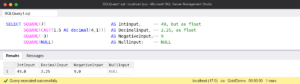
The T-SQL SQUARE Function: the T-SQL from this post in SQL Server Management Studio with its results

Applies to SQL Server 2019, 2022 and 2025. The T-SQL SQUARE function does one small job: it multiplies a value by itself. I don’t reach for it often, but when I do it’s usually in a statistics query, a distance calculation or a quick sanity check on some reporting maths. It has one quirk worth…

Read More »

Posted in Question of the Day, SQL Server, T-SQL

News: The Top 10 SQL Server Wait Types, Worldwide

November 4, 2026
| No Comments
| SQL Server News
SQL Server News: The Top 10 SQL Server Wait Types, Worldwide

My take: Wait stats are the first place I look when someone says the server is slow. They tell you what SQL Server is actually waiting on, whether that’s CPU, storage, locking or parallelism, instead of leaving you to guess. Seeing which wait types are most common across thousands of servers is a good sanity…

Read More »

Posted in SQL Server News

Using a Column Alias in ORDER BY

November 4, 2026
| No Comments
| Question of the Day, SQL Server, T-SQL
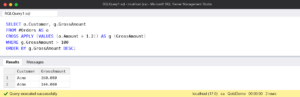
Using a Column Alias in ORDER BY: the T-SQL from this post in SQL Server Management Studio with its results

Applies to SQL Server 2019, 2022 and 2025. Using an ORDER BY alias is one of those things that feels inconsistent the first time you hit it. You give a calculated column a name in the SELECT list, sort by that name and it works. Try to filter on the same name in the WHERE…

Read More »

Posted in Question of the Day, SQL Server, T-SQL

Disabled Indexes in SQL Server

November 3, 2026
| No Comments
| Performance, Question of the Day, SQL Server
Disabled Indexes in SQL Server: the T-SQL from this post in SQL Server Management Studio

Applies to SQL Server 2019, 2022 and 2025. SQL Server disabled indexes are handy and a bit dangerous. ALTER INDEX … DISABLE keeps the index definition but throws away its data, and what that means depends entirely on whether the index is nonclustered or clustered. I use it most before big loads and when I…

Read More »

Posted in Performance, Question of the Day, SQL Server

News: Who’s Hiring Database People? November 2026 Edition

November 3, 2026
| No Comments
| SQL Server News
SQL Server News: Who’s Hiring Database People? November 2026 Edition

My take: Brent’s monthly hiring post is a handy way to see what employers want from database people right now. Even if you’re not looking to move, it’s worth a scan. The skills that keep coming up, like cloud, automation, performance tuning and high availability, tell you where to put your learning time. New from…

Read More »

Posted in SQL Server News

The T-SQL SIGN Function

November 2, 2026
| 2 Comments
| Question of the Day, SQL Server, T-SQL
The T-SQL SIGN Function: the T-SQL from this post in SQL Server Management Studio with its results

Applies to SQL Server 2019, 2022 and 2025. The T-SQL SIGN function tells you which side of zero a number sits on. It returns 1 for a positive value, 0 for zero and -1 for a negative value. It’s one of those small functions most people forget exists until they need to split a column…

Read More »

Posted in Question of the Day, SQL Server, T-SQL 2 Comments

News: My Black Friday Sale on Training Classes is Open Now!

November 1, 2026
| No Comments
| SQL Server News
SQL Server News: My Black Friday Sale on Training Classes is Open Now!

My take: If you’ve been meaning to get some proper SQL Server training but couldn’t get it signed off at full price, a sale is the time to do it. Brent’s Fundamentals and Mastering classes cover index tuning, query tuning and server tuning in a practical way, and they’re good value for anyone serious about…

Read More »

Posted in SQL Server News

T-SQL Reserved Keywords

November 1, 2026
| 1 Comment
| Question of the Day, SQL Server, T-SQL
T-SQL Reserved Keywords: the T-SQL from this post in SQL Server Management Studio with its results

Applies to SQL Server 2019, 2022 and 2025. T-SQL reserved keywords are the words SQL Server needs for its own grammar: SELECT, ORDER, KEY, USER, PERCENT and about 180 others. You can still use one as a table or column name, but only if you delimit it every time you refer to it. I try…

Read More »

Posted in Question of the Day, SQL Server, T-SQL 1 Comment

Patch: SQL Server 2025 CU11 (build 17.0.5065.9)

November 1, 2026
| No Comments
| SQL Server Patches
SQL Server News: SQL Server 2025 CU11 (build 17.0.5065.9)

SQL Server 2025 CU11 is out: build 17.0.5065.9. Cumulative update for SQL Server 2025, build 17.0.5065.9, released November 2026. Download and release notes (Microsoft KB) All current updates: SQL Server Patches.

Read More »

Posted in SQL Server Patches

Patch: SQL Server 2022 CU28 (build 16.0.4325.4)

November 1, 2026
| No Comments
| SQL Server Patches
SQL Server News: SQL Server 2022 CU28 (build 16.0.4325.4)

SQL Server 2022 CU28 is out: build 16.0.4325.4. Cumulative update for SQL Server 2022, build 16.0.4325.4, released November 2026. Download and release notes (Microsoft KB) All current updates: SQL Server Patches.

Read More »

Posted in SQL Server Patches

Patch: SQL Server 2025 GDR (build 17.0.1155.3)

November 1, 2026
| No Comments
| SQL Server Patches
SQL Server News: SQL Server 2025 GDR (build 17.0.1155.3)

SQL Server 2025 GDR is out: build 17.0.1155.3. Security update (GDR) for SQL Server 2025, build 17.0.1155.3, released November 2026. Download and release notes (Microsoft KB) All current updates: SQL Server Patches.

Read More »

Posted in SQL Server Patches

Patch: SQL Server 2025 CU10 + GDR (build 17.0.5045.3)

November 1, 2026
| No Comments
| SQL Server Patches
SQL Server News: SQL Server 2025 CU10 + GDR (build 17.0.5045.3)

SQL Server 2025 CU10 is out: build 17.0.5045.3. Cumulative update for SQL Server 2025, build 17.0.5045.3, released November 2026. Download and release notes (Microsoft KB) All current updates: SQL Server Patches.

Read More »

Posted in SQL Server Patches

Patch: SQL Server 2022 GDR (build 16.0.1220.3)

November 1, 2026
| No Comments
| SQL Server Patches
SQL Server News: SQL Server 2022 GDR (build 16.0.1220.3)

SQL Server 2022 GDR is out: build 16.0.1220.3. Security update (GDR) for SQL Server 2022, build 16.0.1220.3, released November 2026. Download and release notes (Microsoft KB) All current updates: SQL Server Patches.

Read More »

Posted in SQL Server Patches

Patch: SQL Server 2022 CU27 + GDR (build 16.0.4315.2)

November 1, 2026
| No Comments
| SQL Server Patches
SQL Server News: SQL Server 2022 CU27 + GDR (build 16.0.4315.2)

SQL Server 2022 CU27 is out: build 16.0.4315.2. Cumulative update for SQL Server 2022, build 16.0.4315.2, released November 2026. Download and release notes (Microsoft KB) All current updates: SQL Server Patches.

Read More »

Posted in SQL Server Patches

Patch: SQL Server 2019 GDR (build 15.0.2210.4)

November 1, 2026
| No Comments
| SQL Server Patches
SQL Server News: SQL Server 2019 GDR (build 15.0.2210.4)

SQL Server 2019 GDR is out: build 15.0.2210.4. Security update (GDR) for SQL Server 2019, build 15.0.2210.4, released November 2026. Download and release notes (Microsoft KB) All current updates: SQL Server Patches.

Read More »

Posted in SQL Server Patches

Patch: SQL Server 2019 CU32 + GDR (build 15.0.4510.2)

November 1, 2026
| No Comments
| SQL Server Patches
SQL Server News: SQL Server 2019 CU32 + GDR (build 15.0.4510.2)

SQL Server 2019 CU32 is out: build 15.0.4510.2. Cumulative update for SQL Server 2019, build 15.0.4510.2, released November 2026. Download and release notes (Microsoft KB) All current updates: SQL Server Patches.

Read More »

Posted in SQL Server Patches

Patch: SQL Server 2017 GDR (build 14.0.2150.2)

November 1, 2026
| No Comments
| SQL Server Patches
SQL Server News: SQL Server 2017 GDR (build 14.0.2150.2)

SQL Server 2017 GDR is out: build 14.0.2150.2. Security update (GDR) for SQL Server 2017, build 14.0.2150.2, released November 2026. Download and release notes (Microsoft KB) All current updates: SQL Server Patches.

Read More »

Posted in SQL Server Patches

Patch: SQL Server 2017 CU31 + GDR (build 14.0.3570.2)

November 1, 2026
| No Comments
| SQL Server Patches
SQL Server News: SQL Server 2017 CU31 + GDR (build 14.0.3570.2)

SQL Server 2017 CU31 is out: build 14.0.3570.2. Cumulative update for SQL Server 2017, build 14.0.3570.2, released November 2026. Download and release notes (Microsoft KB) All current updates: SQL Server Patches.

Read More »

Posted in SQL Server Patches

Adding a Column with a DEFAULT

October 31, 2026
| No Comments
| Question of the Day, SQL Server, T-SQL
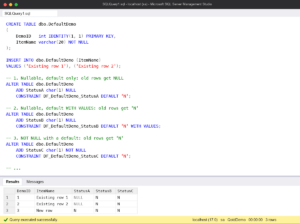
Adding a Column with a DEFAULT: the T-SQL from this post in SQL Server Management Studio with its results

Applies to SQL Server 2019, 2022 and 2025. Getting an add column with default change right comes down to one word: NULL or NOT NULL. When you add a column with a default to a table that already has rows, that word decides what ends up in the existing rows. I’ve seen release scripts go…

Read More »

Posted in Question of the Day, SQL Server, T-SQL

News: [Video] Office Hours: 4 Great Questions Off Canada

October 30, 2026
| No Comments
| SQL Server News
SQL Server News: [Video] Office Hours: 4 Great Questions Off Canada

My take: Another good Office Hours episode. What I like about these is the range: one question is about a tricky performance problem, the next about licensing or career choices. It’s a reminder that being a good DBA takes more than technical knowledge. You also have to explain problems clearly to the business. New from…

Read More »

Posted in SQL Server News

Trailing Spaces in SQL Server

October 30, 2026
| 1 Comment
| Question of the Day, SQL Server, T-SQL
Trailing Spaces in SQL Server: the T-SQL from this post in SQL Server Management Studio with its results

Applies to SQL Server 2019, 2022 and 2025. SQL Server trailing spaces are one of those things that sit quietly in a table for years until a report shows two “identical” customers, or an import into another system fails on a value that looks fine on screen. They’re hard to spot because SQL Server goes…

Read More »

Posted in Question of the Day, SQL Server, T-SQL 1 Comment

News: Meet Hugo Kornelis, Execution Plan Expert.

October 29, 2026
| No Comments
| SQL Server News
SQL Server News: Meet Hugo Kornelis, Execution Plan Expert.

My take: Hugo Kornelis’s Execution Plan Reference is one of the best free resources a SQL Server DBA can bookmark. When a plan shows an operator you don’t recognise, or one behaving oddly, his explanations go into far more depth than the official documentation. It’s well worth having to hand when tuning queries. New from…

Read More »

Posted in SQL Server News

SQL Server Regex Functions

October 29, 2026
| 2 Comments
| Question of the Day, SQL Server, T-SQL
SQL Server Regex Functions: the T-SQL from this post in SQL Server Management Studio with its results

Applies to SQL Server 2025 only. These functions don’t exist in SQL Server 2019 or 2022. For years, if you wanted proper pattern matching in T-SQL you either bent LIKE and PATINDEX out of shape or reached for a CLR assembly. SQL Server 2025 finally ships native SQL Server regex functions, built on Google’s RE2…

Read More »

Posted in Question of the Day, SQL Server, T-SQL 2 Comments

News: Why You Don’t Get Parallelism When You Ask for The Whole Table

October 28, 2026
| No Comments
| SQL Server News
SQL Server News: Why You Don’t Get Parallelism When You Ask for The Whole Table

My take: This catches people out. You’d expect reading a whole big table to be the perfect job for a parallel plan, but returning every row to the client is often the real bottleneck, not the read itself. Before you reach for hints or change MAXDOP, check where the time is actually going. Parallelism isn’t…

Read More »

Posted in SQL Server News

Fixed Server Roles in SQL Server

October 28, 2026
| No Comments
| Question of the Day, Setup, SQL Server
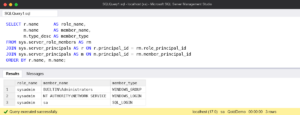
Fixed Server Roles in SQL Server: the T-SQL from this post in SQL Server Management Studio with its results

Applies to SQL Server 2019, 2022 and 2025. Fixed server roles are the built-in groups SQL Server gives you for instance-wide permissions. You add a login to a role and it picks up everything that role can do. They’re quick to use, which is exactly why they get overused. Since SQL Server 2022 there are…

Read More »

Posted in Question of the Day, Setup, SQL Server

News: New Stuff in the Mastering Server Tuning Class

October 27, 2026
| No Comments
| SQL Server News
SQL Server News: New Stuff in the Mastering Server Tuning Class

My take: Server-level tuning is where small changes make a big difference: max server memory, MAXDOP, cost threshold for parallelism, tempdb setup. They’re easy to leave on the defaults and forget about. If your class recordings have updated modules, it’s a good excuse to recheck those settings on your own servers. New from Brent Ozar:…

Read More »

Posted in SQL Server News

Aggregates on Empty Sets in T-SQL

October 27, 2026
| 2 Comments
| Question of the Day, SQL Server, T-SQL
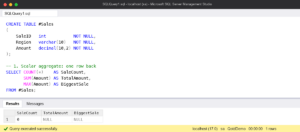
Aggregates on Empty Sets in T-SQL: the T-SQL from this post in SQL Server Management Studio with its results

Applies to SQL Server 2019, 2022 and 2025. Aggregates on empty sets behave in a way that surprises people the first time they hit it in a report. Ask SQL Server to total an empty table and you don’t get zero rows back, and you don’t get zero either: you get one row containing NULL….

Read More »

Posted in Question of the Day, SQL Server, T-SQL 2 Comments

News: This Friday’s the Deadline for My Next Live Class Rotation.

October 26, 2026
| No Comments
| SQL Server News
SQL Server News: This Friday’s the Deadline for My Next Live Class Rotation.

My take: Live classes are worth the effort if you can get the time. Being able to ask questions as you go, and working through the labs, makes the material stick far better than recordings alone. Index tuning and query tuning in particular are skills every DBA uses week in, week out. New from Brent…

Read More »

Posted in SQL Server News

The SQL Server Vector Data Type

October 26, 2026
| 1 Comment
| Question of the Day, SQL Server, T-SQL
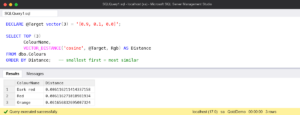
The SQL Server Vector Data Type: the T-SQL from this post in SQL Server Management Studio with its results

Applies to SQL Server 2025 (and Azure SQL Database and Managed Instance). Not available in SQL Server 2019 or 2022. The SQL Server vector data type arrived in SQL Server 2025. It holds a fixed-length list of numbers, usually an embedding produced by an AI model, so you can find rows that are “similar” to…

Read More »

Posted in Question of the Day, SQL Server, T-SQL 1 Comment

The T-SQL CHOOSE Function

October 25, 2026
| 1 Comment
| Question of the Day, SQL Server, T-SQL
The T-SQL CHOOSE Function: the T-SQL from this post in SQL Server Management Studio with its results

Applies to SQL Server 2019, 2022 and 2025 (and Azure SQL Database and Managed Instance). The T-SQL CHOOSE function returns one value from a list, picked by its position. It has been around since SQL Server 2012 and I mostly use it to turn a small number into a label: a month number into a…

Read More »

Posted in Question of the Day, SQL Server, T-SQL 1 Comment

News: [Video] Talking Pronouns in Alaska

October 22, 2026
| No Comments
| SQL Server News
SQL Server News: [Video] Talking Pronouns in Alaska

My take: Not a technical episode this time, but a useful one. It’s about how we write and talk to each other in the SQL Server community. Clear, considerate writing matters in our job too, whether it’s an incident report, documentation or an email to the business. New from Brent Ozar: “This episode is entirely…

Read More »

Posted in SQL Server News

News: Why’s This Query So Slow in Prod? Check sp_BlitzPlanCompare.

October 21, 2026
| No Comments
| SQL Server News
SQL Server News: Why’s This Query So Slow in Prod? Check sp_BlitzPlanCompare.

My take: “It’s fast in dev but slow in prod” is one of the most common complaints a DBA hears. Comparing the two execution plans properly is the quickest way to find out why. It’s usually parameter sniffing, different statistics, a different compatibility level or different server settings. A tool that does the comparison for…

Read More »

Posted in SQL Server News

News: AI Stories and Thoughts

October 20, 2026
| No Comments
| SQL Server News
SQL Server News: AI Stories and Thoughts

My take: A balanced view of AI from SQLskills. I’m somewhere in the middle too. AI is genuinely helpful for a DBA, for writing scripts, explaining errors and getting a first draft of documentation. But it doesn’t know your environment, so you still need the experience to tell when it’s wrong. New from SQLskills: “AI…

Read More »

Posted in SQL Server News

News: I’m Probably Not Supposed To Show You Microsoft’s Auto-Indexing Tool.

October 20, 2026
| No Comments
| SQL Server News
SQL Server News: I’m Probably Not Supposed To Show You Microsoft’s Auto-Indexing Tool.

My take: Automatic indexing on-premises sounds attractive, but I’d want to see exactly what it creates and drops before trusting it on production. Indexes help reads and cost writes. A tool that adds them without understanding your workload, including vendor databases where you don’t own the schema, could cause as many problems as it solves….

Read More »

Posted in SQL Server News

SQL Server Trace Flags

October 18, 2026
| No Comments
| Setup
SQL Server Setup: SQL Server Trace Flags

SQL Server trace flags change how the engine behaves under the hood. I mostly use them to get more detail when troubleshooting, to quieten the error log, or to switch on an optimiser fix. Some are documented, many are not, so test them before they go anywhere near production. What They Do: Modify query optimiser…

Read More »

Posted in Setup

Statistics Problem or Caching Problem?

October 18, 2026
| 3 Comments
| Performance
SQL Server Performance: Statistics Problem or Caching Problem?

When a query that was fine yesterday is slow today, it is nearly always a statistics problem or a caching problem: either the statistics no longer describe the data, or a cached plan built for one parameter value is being reused for another. They need different fixes, so find out which it is first. Tested…

Read More »

Posted in Performance 3 Comments

Plan Caching and Parameterization

October 18, 2026
| 1 Comment
| Performance
SQL Server Performance: Plan Caching and Parameterization

Plan caching is how SQL Server avoids compiling the same statement twice: it compiles a plan the first time it sees a statement and keeps it in the plan cache to reuse. Whether a statement can reuse a plan depends on how it is sent. Too little reuse wastes CPU and memory on compilations; reuse…

Read More »

Posted in Performance 1 Comment

T-SQL Performance Anti-Patterns

October 18, 2026
| 4 Comments
| T-SQL
T-SQL: T-SQL Performance Anti-Patterns

T-SQL performance anti-patterns are the code habits that stop SQL Server working in sets or using its indexes. Hardware and settings only go so far, and most slow systems have a few of these. These are the ones to look for, with what to use instead. Tested on SQL Server 2022 (Developer edition, single test…

Read More »

Posted in T-SQL 4 Comments

Reading Execution Plans

October 18, 2026
| 3 Comments
| Performance
SQL Server Performance: Reading Execution Plans

Reading execution plans is the quickest way to see how SQL Server decided to run a query. Reading one well comes down to a handful of checks: where the estimates go wrong, where most rows flow, and what the warnings say. Tested on SQL Server 2022 (Developer edition, single test instance). Getting the plan Estimated…

Read More »

Posted in Performance 3 Comments

Measuring Query Performance and Taking a Baseline

October 17, 2026
| 3 Comments
| Performance
SQL Server Performance: Measuring Query Performance and Taking a Baseline

Measuring query performance comes before any tuning, because tuning without measuring is guessing. Before changing a query, an index or a setting, record how the query performs now, make one change, and measure again in the same way. This post covers where the numbers come from. Tested on SQL Server 2022 (Developer edition, single test…

Read More »

Posted in Performance 3 Comments

News: Thoughts on AI After My Panel Discussion

October 17, 2026
| No Comments
| SQL Server News
SQL Server News: Thoughts on AI After My Panel Discussion

My take: Sidekick, hero or villain? For most DBAs right now, AI is a sidekick. It speeds up the routine work and helps with research, but the judgement calls are still ours, like whether to fail over, change a setting in production or kill a session. The DBAs who learn to use it well will…

Read More »

Posted in SQL Server News

Read Consistency: Read Committed, RCSI and Snapshot Isolation

October 17, 2026
| No Comments
| T-SQL
T-SQL: Read Consistency: Read Committed, RCSI and Snapshot Isolation

Read consistency is about when the data you read was committed, not just whether it was. “Read committed” sounds safe: you only ever see committed data. But it says nothing about when the data was committed. A single query can read some rows before another transaction’s change and some rows after it. The row-versioning options…

Read More »

Posted in T-SQL

Schema Locks and Online Index Maintenance

October 17, 2026
| 3 Comments
| Troubleshooting
SQL Server Troubleshooting: Schema Locks and Online Index Maintenance

Tested on SQL Server 2022 (Developer edition, single test instance). Every query takes a schema stability (Sch-S) lock on the tables it uses, and anything that changes a table’s definition needs a schema modification (Sch-M) lock. Sch-M is the most restrictive lock in SQL Server: it is incompatible with every other lock, including Sch-S. This…

Read More »

Posted in Troubleshooting 3 Comments

What Happens During a Data Change: Buffer Pool, Write-Ahead Log and Durability

October 17, 2026
| No Comments
| Performance
SQL Server Performance: What Happens During a Data Change: Buffer Pool, Write-Ahead Log and Durability

Tested on SQL Server 2022 (Developer edition, single test instance). Knowing what SQL Server does with an INSERT, UPDATE or DELETE explains most of the advice about log files, checkpoints, recovery time and why COMMIT can be slow. The steps for a single UPDATE \1. The query processor finds the rows to change, using an…

Read More »

Posted in Performance

Error Handling in Transactions: TRY/CATCH, @@TRANCOUNT and XACT_STATE()

October 17, 2026
| 3 Comments
| T-SQL
T-SQL: Error Handling in Transactions: TRY/CATCH, @@TRANCOUNT and XACT_STATE()

Error handling in transactions decides what happens to half-finished work. Without it, a failed statement inside a transaction can leave the transaction open: the rest of the batch carries on, locks stay held, and the connection goes back to the pool with work half done. The pattern below is the one to use in every…

Read More »

Posted in T-SQL 3 Comments

Transaction Modes: Auto commit, Explicit and Implicit

October 17, 2026
| 3 Comments
| T-SQL
T-SQL: Transaction Modes: Auto commit, Explicit and Implicit

SQL Server has three transaction modes, and it runs every data change inside a transaction. The transaction mode decides who starts it and who ends it: SQL Server, your code, or the connection settings. Most surprises with “missing” changes or locks held for hours come from not knowing which mode a session is in. Tested…

Read More »

Posted in T-SQL 3 Comments

PowerShell and dbatools

October 17, 2026
| No Comments
| Setup
SQL Server Setup: PowerShell and dbatools

PowerShell and dbatools together are the quickest way I know to check many SQL Servers at once. dbatools is a free, community-built PowerShell module with several hundred commands for SQL Server administration, and it is most useful for daily checks across servers and for repeatable migrations. Run it from an admin workstation or jump server,…

Read More »

Posted in Setup

Resource Governor

October 17, 2026
| No Comments
| Performance
SQL Server Performance: Resource Governor

Resource Governor (Enterprise edition) puts incoming sessions into workload groups and limits the CPU, memory and I/O each group can use. The typical use is stopping reporting or ad hoc queries from starving the main application. Tested on SQL Server 2022 (Developer edition, single test instance). When to use Resource Governor Resource Governor is worth…

Read More »

Posted in Performance

Table Partitioning

October 16, 2026
| No Comments
| Performance
SQL Server Performance: Table Partitioning

Table partitioning splits one table into separate partitions by the value of one column, usually a date. Its real benefits are management ones: removing a month of old data in seconds, rebuilding one partition instead of the whole table, and placing old data on cheaper storage. It is not a performance fix by itself, and…

Read More »

Posted in Performance

Backup to URL and Backup Encryption

October 16, 2026
| No Comments
| Setup
SQL Server Setup: Backup to URL and Backup Encryption

Tested on SQL Server 2022: backup encryption end to end (including restoring on a server without the certificate), and backup to URL (credential, backup, verify, restore, encrypted and striped backups) against Microsoft’s Azure storage emulator. Not yet tried against a real Azure storage account. Backup encryption Native backup encryption (SQL Server 2014 onwards) encrypts the…

Read More »

Posted in Setup

Failover Cluster Instances and Distributed Availability Groups

October 16, 2026
| No Comments
| Setup
SQL Server Setup: Failover Cluster Instances and Distributed Availability Groups

Tested on SQL Server 2022: the distributed availability group (create, join, automatic seeding and the health check) worked between two test instances, and the FCI status queries run. The FCI PowerShell commands and failover have since been tested on a Windows Server failover cluster. Failover Cluster Instances (FCI) An FCI is one SQL Server instance…

Read More »

Posted in Setup

Building an Availability Group

October 16, 2026
| 1 Comment
| Setup
SQL Server Setup: Building an Availability Group

Tested on SQL Server 2022 (two test instances): the endpoints, CREATE and JOIN, automatic seeding, the readable secondary and a manual failover and failback all worked. Windows-authenticated endpoints, the listener and automatic failover have since been tested on a Windows Server failover cluster. This post covers building an Availability Group (AG) from scratch on Windows…

Read More »

Posted in Setup 1 Comment

Parameter Sniffing

October 16, 2026
| 2 Comments
| Performance
SQL Server Performance: Parameter Sniffing

Tested on SQL Server 2022 (Developer edition, single test instance). When a stored procedure or parameterised query is first compiled, SQL Server builds the plan for the parameter values used on that first call and reuses it afterwards. If those values were unusual (a customer with ten rows instead of ten million, or the other…

Read More »

Posted in Performance 2 Comments

DDL and DML Audit Triggers

October 16, 2026
| 1 Comment
| T-SQL
T-SQL: DDL and DML Audit Triggers

Tested on SQL Server 2022 (Developer edition, single test instance). Triggers are the do-it-yourself way to record changes. A DDL trigger records schema changes (CREATE, ALTER, DROP); a DML trigger records data changes on one table. Prefer SQL Server Audit for who-did-what and temporal tables for row history. Use triggers when you need something those…

Read More »

Posted in T-SQL 1 Comment

Temporal Tables

October 16, 2026
| No Comments
| T-SQL
T-SQL: Temporal Tables

Tested on SQL Server 2022 (Developer edition, single test instance). A system-versioned temporal table (SQL Server 2016 onwards) keeps every previous version of each row in a history table, stamped with the time it was valid. You can query the table as it was at any moment. It answers “what did this row look like…

Read More »

Posted in T-SQL

Extended Events

October 16, 2026
| No Comments
| T-SQL
T-SQL: Extended Events

Tested on SQL Server 2022 (Developer edition, single test instance). Extended Events (XE) is the lightweight replacement for SQL Trace and SQL Profiler, which Microsoft has deprecated. Sessions are defined in T-SQL, filtered at source and written to a file, so they can run on busy production servers with little overhead. The system_health session SQL…

Read More »

Posted in T-SQL

Change Data Capture (CDC)

October 15, 2026
| No Comments
| T-SQL
T-SQL: Change Data Capture (CDC)

Tested on SQL Server 2022 (Developer edition, single test instance). Change Data Capture reads the transaction log and copies every insert, update and delete on a tracked table into a change table, with the old and new column values. Unlike Change Tracking, which only records which keys changed, CDC keeps the data itself, so it…

Read More »

Posted in T-SQL

Migrating SQL Server to Azure

October 15, 2026
| No Comments
| Setup
SQL Server Setup: Migrating SQL Server to Azure

Moving SQL Server to Azure is mostly a matter of picking the right target and finding the blockers early. The copying is the easy part. This is the order I work in. 1. Pick the target first Everything else depends on this choice, so make it before anything else. SQL Server on an Azure VM:…

Read More »

Posted in Setup

Azure SQL Options

October 15, 2026
| No Comments
| Setup
SQL Server Setup: Azure SQL Options

“Put it in Azure” can mean five different things for SQL Server, and they behave very differently. This is how I tell them apart: 1. Azure SQL Database Platform as a Service (PaaS). Fully managed, scalable, and suited to modern cloud applications. Supports single databases or elastic pools (multiple databases sharing resources). Built-in high availability,…

Read More »

Posted in Setup

News: [Video] Office Hours on the Last Alaskan Cruise of the Season

October 15, 2026
| No Comments
| SQL Server News
SQL Server News: [Video] Office Hours on the Last Alaskan Cruise of the Season

My take: Even from a cruise ship, Brent’s Office Hours covers real-world SQL Server questions worth hearing. If you only have time for one community resource a week, the top-voted questions here are a good summary of what DBAs everywhere are struggling with. New from Brent Ozar: “It’s a cold, gloomy day on the very…

Read More »

Posted in SQL Server News

Upgrading SSRS 2005 to 2012 (Quick and Dirty)

October 15, 2026
| No Comments
| Setup
SQL Server Setup: Upgrading SSRS 2005 to 2012 (Quick and Dirty)

This is the quick way to move Reporting Services from a 2005 server to a new 2012 server, keeping all the reports, data sources and subscriptions. The idea is simple: build a clean 2012 instance, bring the old report databases across, and give it the old encryption key. Step 1: Install and configure SSRS 2012…

Read More »

Posted in Setup

Migrating a Reporting Services Installation (Native Mode)

October 15, 2026
| No Comments
| Setup
SQL Server Setup: Migrating a Reporting Services Installation (Native Mode)

This covers moving a native mode Reporting Services install (2008, 2008 R2, 2012 or 2014) to a new SQL Server 2016 Reporting Services instance, instead of upgrading in place. I migrate rather than upgrade when the hardware is changing, when the server can’t be down for long, or when something blocks an in-place upgrade. The…

Read More »

Posted in Setup

Health Check 00: is this SQL Server running well?

October 15, 2026
| 1 Comment
| Health Check
SQL Server Health Check: Health Check 00: is this SQL Server running well?

One script that checks the whole server and returns a single list, worst first: CRITICAL (fix now), WARNING (look soon), OK and INFO. It covers backups, CHECKDB, disk space, failed jobs, waits, memory, tempdb, settings and more. Health Check 01 to 12 show the detail behind each line. Needs SQL Server 2016 SP2 or later….

Read More »

Posted in Health Check 1 Comment

Health Check 01: server overview

October 15, 2026
| No Comments
| Health Check
SQL Server Health Check: Health Check 01: server overview

Version, patch level, edition, uptime, CPUs, memory and the key server settings in one place. Part of my SQL Server health check: run Health Check 00 for a one-page summary, then the numbered scripts for the detail behind each area. Read-only, changes nothing. Tested on SQL Server 2017 and 2025. — 01_Server_Overview.sql – version, uptime,…

Read More »

Posted in Health Check

Health Check 02: databases

October 15, 2026
| No Comments
| Health Check
SQL Server Health Check: Health Check 02: databases

Every database with its state, size, recovery model, what is holding up log reuse, and settings worth knowing (auto close, auto shrink, page verify, Query Store, RCSI, encryption). Part of my SQL Server health check: run Health Check 00 for a one-page summary, then the numbered scripts for the detail behind each area. Read-only, changes…

Read More »

Posted in Health Check

Health Check 03: backups

October 15, 2026
| No Comments
| Health Check
SQL Server Health Check: Health Check 03: backups

The last full, differential and log backup of every database, hours since the last full, and the last 7 days of backup history. Part of my SQL Server health check: run Health Check 00 for a one-page summary, then the numbered scripts for the detail behind each area. Read-only, changes nothing. Tested on SQL Server…

Read More »

Posted in Health Check

Health Check 04: disks and files

October 15, 2026
| No Comments
| Health Check
SQL Server Health Check: Health Check 04: disks and files

Free space on every drive that holds a database file, and each file’s size, space used and growth setting. Part of my SQL Server health check: run Health Check 00 for a one-page summary, then the numbered scripts for the detail behind each area. Read-only, changes nothing. Tested on SQL Server 2017 and 2025. –…

Read More »

Posted in Health Check

Health Check 05: SQL Agent jobs

October 15, 2026
| No Comments
| Health Check
SQL Server Health Check: Health Check 05: SQL Agent jobs

SQL Agent jobs that failed in the last 7 days, what is running now, and the last outcome of every job. Part of my SQL Server health check: run Health Check 00 for a one-page summary, then the numbered scripts for the detail behind each area. Read-only, changes nothing. Tested on SQL Server 2017 and…

Read More »

Posted in Health Check

Health Check 06: wait statistics

October 15, 2026
| No Comments
| Health Check
SQL Server Health Check: Health Check 06: wait statistics

What SQL Server has spent its time waiting for since it started, with the harmless background waits left out, so the real bottleneck (CPU, disk, locks, memory, network) stands out. Part of my SQL Server health check: run Health Check 00 for a one-page summary, then the numbered scripts for the detail behind each area….

Read More »

Posted in Health Check

Health Check 07: activity and blocking

October 15, 2026
| No Comments
| Health Check
SQL Server Health Check: Health Check 07: activity and blocking

What is running right now and who is blocking whom. If sp_WhoIsActive is installed it uses that for more detail. Part of my SQL Server health check: run Health Check 00 for a one-page summary, then the numbered scripts for the detail behind each area. Read-only, changes nothing. Tested on SQL Server 2017 and 2025….

Read More »

Posted in Health Check

Health Check 08: error log

October 15, 2026
| 1 Comment
| Health Check
SQL Server Health Check: Health Check 08: error log

Errors and warnings from the SQL Server error log in the last 7 days (current and previous log): failed logins, I/O warnings, deadlocks, memory paged out and so on. Part of my SQL Server health check: run Health Check 00 for a one-page summary, then the numbered scripts for the detail behind each area. Read-only,…

Read More »

Posted in Health Check 1 Comment

Health Check 09: integrity checks

October 15, 2026
| 1 Comment
| Health Check
SQL Server Health Check: Health Check 09: integrity checks

When each database last passed DBCC CHECKDB, and any suspect (possibly corrupt) pages recorded in msdb. Part of my SQL Server health check: run Health Check 00 for a one-page summary, then the numbered scripts for the detail behind each area. Read-only, changes nothing. Tested on SQL Server 2017 and 2025. — 09_Integrity.sql – when…

Read More »

Posted in Health Check 1 Comment

Health Check 10: memory and CPU

October 15, 2026
| No Comments
| Health Check
SQL Server Health Check: Health Check 10: memory and CPU

CPU use for the last few hours (SQL Server and everything else), memory use, and which memory clerks are using it. Part of my SQL Server health check: run Health Check 00 for a one-page summary, then the numbered scripts for the detail behind each area. Read-only, changes nothing. Tested on SQL Server 2017 and…

Read More »

Posted in Health Check

Health Check 11: tempdb

October 15, 2026
| 2 Comments
| Health Check
SQL Server Health Check: Health Check 11: tempdb

tempdb files and how full they are, the version store, and which sessions are using tempdb right now. Part of my SQL Server health check: run Health Check 00 for a one-page summary, then the numbered scripts for the detail behind each area. Read-only, changes nothing. Tested on SQL Server 2017 and 2025. — 11_TempDB.sql…

Read More »

Posted in Health Check 2 Comments

Health Check 12: high availability

October 15, 2026
| No Comments
| Health Check
SQL Server Health Check: Health Check 12: high availability

Health of availability groups, database mirroring and log shipping, whichever this server uses. Part of my SQL Server health check: run Health Check 00 for a one-page summary, then the numbered scripts for the detail behind each area. Read-only, changes nothing. Tested on SQL Server 2017 and 2025. — 12_High_Availability.sql – availability groups, mirroring and…

Read More »

Posted in Health Check

Performance 01: top queries

October 15, 2026
| No Comments
| Performance
SQL Server Performance: Performance 01: top queries

The queries using the most CPU, reads and time since their plans were cached. Change the ORDER BY to sort by reads or duration. For history across restarts use Query Store (Performance 02). Read-only, changes nothing. Tested on SQL Server 2017 and 2025. — 01_Top_Queries.sql – the queries using the most CPU, reads and time…

Read More »

Posted in Performance

Performance 02: Query Store regressions

October 15, 2026
| 1 Comment
| Performance
SQL Server Performance: Performance 02: Query Store regressions

Run it in the database: queries that got slower in the last 24 hours than in the 7 days before, usually because the plan changed. Needs Query Store turned on. Read-only, changes nothing. Tested on SQL Server 2017 and 2025. — 02_Query_Store_Regressions.sql – run IN the database: queries that got slower in the last 24…

Read More »

Posted in Performance 1 Comment

Performance 03: missing indexes

October 15, 2026
| No Comments
| Performance
SQL Server Performance: Performance 03: missing indexes

Indexes SQL Server thinks would help, across all databases, since start-up, with a CREATE INDEX statement for each. Treat them as hints: check for overlap with existing indexes before creating any. Read-only, changes nothing. Tested on SQL Server 2017 and 2025. — 03_Missing_Indexes.sql – indexes SQL Server thinks would help, across all databases, since start-up….

Read More »

Posted in Performance

Performance 04: unused indexes

October 15, 2026
| No Comments
| Performance
SQL Server Performance: Performance 04: unused indexes

Run it in the database: indexes that are written to but never read since start-up. Only meaningful once the server has been up through a full business cycle (month end and so on). Read-only, changes nothing. Tested on SQL Server 2017 and 2025. — 04_Unused_Indexes.sql – run IN the database: indexes that are written to…

Read More »

Posted in Performance

Performance 05: statistics age

October 15, 2026
| No Comments
| Performance
SQL Server Performance: Performance 05: statistics age

Run it in the database: statistics that are more than 7 days old or have had more than 20% of rows changed since they were last updated. Read-only, changes nothing. Tested on SQL Server 2017 and 2025. — 05_Statistics_Age.sql – run IN the database: statistics that are old or have had many changes since they…

Read More »

Posted in Performance

Performance 06: index fragmentation

October 15, 2026
| No Comments
| Performance
SQL Server Performance: Performance 06: index fragmentation

Run it in the database: fragmentation of every index over 1000 pages, using the light LIMITED scan. Read-only, changes nothing. Tested on SQL Server 2017 and 2025. — 06_Index_Fragmentation.sql – run IN the database: fragmentation of indexes over 1000 pages (LIMITED scan, fairly light). Read-only. SET NOCOUNT ON; SELECT OBJECT_SCHEMA_NAME(ps.object_id) + N’.’ + OBJECT_NAME(ps.object_id) AS…

Read More »

Posted in Performance

Performance 07: cardinality estimate skew

October 15, 2026
| No Comments
| Performance
SQL Server Performance: Performance 07: cardinality estimate skew

Finds where the optimiser’s row estimates are badly wrong, the root of most bad plans. Part 1 works on every version; part 2 (SQL Server 2019 and later) goes operator by operator through the last actual plan and shows the table, index and columns where a filtered statistic would help. Read-only, changes nothing. Tested on…

Read More »

Posted in Performance

Performance 08: filtered statistics candidates

October 15, 2026
| No Comments
| Performance
SQL Server Performance: Performance 08: filtered statistics candidates

Run it in the database: columns whose data is lopsided enough that the normal statistics histogram misleads the optimiser, with the CREATE STATISTICS … WHERE statement that would fix it. It only suggests; it creates nothing. Read-only, changes nothing. Tested on SQL Server 2017 and 2025. /* 08_Filtered_Statistics_Candidates.sql – run IN the database: columns whose…

Read More »

Posted in Performance

Performance 09: duplicate and overlapping indexes

October 15, 2026
| 1 Comment
| Performance
SQL Server Performance: Performance 09: duplicate and overlapping indexes

Run it in the database: indexes that duplicate or are covered by another index, and what they cost in writes. It suggests DROP statements but runs none. Read-only, changes nothing. Tested on SQL Server 2017 and 2025. /* 09_Duplicate_and_Overlapping_Indexes.sql – run IN the database: indexes that duplicate or are covered by another index, and what…

Read More »

Posted in Performance 1 Comment

Performance 10: statistics health

October 15, 2026
| No Comments
| Performance
SQL Server Performance: Performance 10: statistics health

Run it in the database: the auto-statistics settings, how fresh and how well sampled every statistic is, and filtered statistics that have fallen behind. A fuller version of Performance 05. Read-only, changes nothing. Tested on SQL Server 2017 and 2025. /* 10_Statistics_Health.sql – run IN the database: how fresh and how good every statistic is,…

Read More »

Posted in Performance

Performance 11: cardinality estimator audit

October 15, 2026
| No Comments
| Performance
SQL Server Performance: Performance 11: cardinality estimator audit

Which cardinality estimator each database actually uses and why: compatibility level, LEGACY_CARDINALITY_ESTIMATION, trace flags and query hints, with advice on what to change. Read-only, changes nothing. Tested on SQL Server 2017 and 2025. /* 11_CE_Configuration_Audit.sql – which cardinality estimator (CE) each database uses, and why. Clive Roberts DBA, 10 October 2026. Read-only. Server-wide. SQL Server…

Read More »

Posted in Performance

Performance 12: implicit conversions

October 15, 2026
| No Comments
| Performance
SQL Server Performance: Performance 12: implicit conversions

Queries in the plan cache where SQL Server has to convert a column’s data type (usually varchar against nvarchar), which can turn a seek into a scan and ruin row estimates. Read-only, changes nothing. Tested on SQL Server 2017 and 2025. /* 12_Implicit_Conversions.sql – queries in the plan cache where SQL Server has to convert…

Read More »

Posted in Performance

Enabling Change Tracking: Good and Bad Points

October 15, 2026
| No Comments
| Setup
SQL Server Setup: Enabling Change Tracking: Good and Bad Points

Change Tracking records which rows in a table have changed (by primary key) and whether each was an insert, update or delete, so an application or ETL process can sync only what has changed. It does not store old or new values; the reader joins back to the table for the current values. It is…

Read More »

Posted in Setup

Adding an Article to a Publication

October 15, 2026
| No Comments
| Setup
SQL Server Setup: Adding an Article to a Publication

SQL Replication To add an article after a publication is created On the Articles page of the Publication Properties – <Publication> dialogue box, clear the Show only checked objects in the list check box. This allows you to see the unpublished objects in the publication database. Select the check box next to each article you…

Read More »

Posted in Setup

SQL Server Replication: Setup, Types and Pitfalls

October 15, 2026
| No Comments
| Setup
SQL Server Setup: SQL Server Replication: Setup, Types and Pitfalls

Setting up SQL replication involves several steps to make sure data is consistently copied from one database to another. Here’s a basic guide to get you started: Prepare the Environment Make sure you have SQL Server installed on both the publisher and subscriber servers. You’ll also need SQL Server Management Studio (SSMS). Configure the Distributor…

Read More »

Posted in Setup

Enabling and Resetting Service Broker

October 14, 2026
| No Comments
| T-SQL
T-SQL: Enabling and Resetting Service Broker

The SET ENABLE_BROKER statement is used in SQL Server to enable the Service Broker in a database. Service Broker is a feature for building asynchronous, message-based applications within the SQL Server database engine. When you enable Service Broker, it allows the database to send and receive messages, which can be useful for various tasks such…

Read More »

Posted in T-SQL

Service Broker in SQL Server

October 14, 2026
| No Comments
| T-SQL
T-SQL: Service Broker in SQL Server

A service broker is a framework that helps applications exchange messages containing the information required to complete the task. It was introduced in MSSQL 2005 and is used to implement native in-database asynchronous message processing functionalities. Service Broker introduces several new terminologies, which are as follows: Message: A piece of information exchanged between applications. Conversation:…

Read More »

Posted in T-SQL

OPENQUERY with Linked Servers

October 14, 2026
| No Comments
| T-SQL
T-SQL: OPENQUERY with Linked Servers

In SQL Server, linked servers allow you to connect to and run queries against external data sources (like another SQL Server, Oracle, MySQL, or even Excel) as if they were part of your local server. When you use open queries with linked servers, you’re using a specific method to send SQL statements directly to the…

Read More »

Posted in T-SQL

News: Breaking News: Hold Off on SSMS 22.11.0

October 14, 2026
| No Comments
| SQL Server News
SQL Server News: Breaking News: Hold Off on SSMS 22.11.0

My take: Good advice for any tool update, not just SSMS. Don’t be first in the queue. Give a new release a few days and see what other people report, especially on a work machine you depend on. Keep the previous installer handy in case you need to roll back. New from Brent Ozar: “There’s…

Read More »

Posted in SQL Server News

News: Fact-Checking Microsoft’s “PostgreSQL to SQL Field Notes: Connections”

October 14, 2026
| No Comments
| SQL Server News
SQL Server News: Fact-Checking Microsoft’s “PostgreSQL to SQL Field Notes: Connections”

My take: It’s always worth fact-checking vendor guidance, even from Microsoft. Connection handling differs a lot between PostgreSQL and SQL Server, and advice that’s slightly off can lead to connection pooling problems in production. If you’re moving a workload between platforms, test the connection behaviour under real load. New from Brent Ozar: “Microsoft has started…

Read More »

Posted in SQL Server News

SET IDENTITY_INSERT

October 14, 2026
| No Comments
| T-SQL
T-SQL: SET IDENTITY_INSERT

The SET IDENTITY_INSERT statement in SQL Server allows explicit values to be inserted into the identity column of a table. This can be useful when you need to insert specific values into a column that is normally auto-incremented. Here is a brief overview of how it works: Syntax SET IDENTITY_INSERT [database_name].[schema_name].[table_name] { ON | OFF…

Read More »

Posted in T-SQL

Exporting Data to a File

October 14, 2026
| No Comments
| T-SQL
T-SQL: Exporting Data to a File

There’s more than one way to export data to a file from SQL Server. Which one I reach for depends on whether it’s a one-off or something that has to run every night. These are the ones I use: SQL Server Management Studio (SSMS): You can export query results to a file directly from SSMS….

Read More »

Posted in T-SQL

CROSS APPLY and OUTER APPLY

October 14, 2026
| No Comments
| T-SQL
T-SQL: CROSS APPLY and OUTER APPLY

The APPLY operator in SQL Server lets you join a table with a table-valued function or a correlated subquery. Key points and examples: CROSS APPLY: CROSS APPLY works like an INNER JOIN. It returns rows from the left table only if there is a matching row in the right table expression. Example: SELECT L.Name, R.Name…

Read More »

Posted in T-SQL

Common Table Expressions (CTEs)

October 14, 2026
| No Comments
| T-SQL
T-SQL: Common Table Expressions (CTEs)

Common Table Expressions (CTEs) let you to create a temporary result set that can be referenced within a SELECT, INSERT, UPDATE, or DELETE statement. The main points: Definition: A CTE is a named temporary result set that you define using a WITH clause. It can be referenced within the main query just like a regular…

Read More »

Posted in T-SQL

T-SQL Coding Conventions and Programming Guidelines

October 14, 2026
| 1 Comment
| T-SQL
T-SQL: T-SQL Coding Conventions and Programming Guidelines

Databases are the heart and soul of many enterprise applications, and it is very essential to pay special attention to database programming. I’ve seen in many occasions where database programming is overlooked, thinking that it’s something easy that be done by anyone. This is wrong. For a better performing database you need a real DBA…

Read More »

Posted in T-SQL 1 Comment

SQL Best Practices

October 13, 2026
| 3 Comments
| T-SQL
T-SQL: SQL Best Practices

My SQL programming guidelines, written with quality, performance and maintainability in mind. The list isn’t complete and I add to it as I go. Do not use SELECT * in your queries. Always use table aliases when your SQL statement involves more than one source. Use the more readable ANSI-Standard Join clauses instead of the…

Read More »

Posted in T-SQL 3 Comments

Generating the SPNs (Kerberos)

October 13, 2026
| No Comments
| Setup
SQL Server Setup: Generating the SPNs (Kerberos)

To allow SQL Server to auto-generate the Service Principal Names (SPNs) needed, you can provide the proper permissions to the SQL Service Account. The steps: Grant Permissions: Make sure the SQL Service Account has the necessary permissions to register SPNs. This can be done by adding the account to the Active Directory group that has…

Read More »

Posted in Setup

Random Password Generator

October 13, 2026
| No Comments
| Setup
SQL Server Setup: Random Password Generator

RAND() is not cryptographically secure and this script is limited to 10 characters. Fine for test data; for real service account passwords use the password manager’s generator. DECLARE @length smallint =10 ,@id INT ,@pwd VARCHAR (10) = ” IF @length >10 begin raiserror (‘Password Length too long’,16,1,0) return end WHILE LEN(@pwd) < @length BEGIN SELECT…

Read More »

Posted in Setup

News: Free Webcast: How to Think Like the SQL Server & Postgres Engines

October 13, 2026
| No Comments
| SQL Server News
SQL Server News: Free Webcast: How to Think Like the SQL Server & Postgres Engines

My take: Brent’s How to Think Like the Engine session is one of the best introductions to indexing there is. Once you understand how SQL Server actually reads pages to answer a query, index design stops being guesswork. It’s free, and I’d recommend it to any developer or junior DBA. New from Brent Ozar: “You’re…

Read More »

Posted in SQL Server News

Login Failures (Error 18456)

October 13, 2026
| No Comments
| Setup
SQL Server Setup: Login Failures (Error 18456)

The client only sees ‘Login failed for user’. The reason is in the SQL Server error log, as a state number. EXEC sp_readerrorlog 0, 1, N’Login failed’; What the state means State 2 or 5: the login does not exist. Wrong name, or a Windows user who is not in any group that has a…

Read More »

Posted in Setup

Replicating SQL Server Logins with Their SIDs

October 13, 2026
| 1 Comment
| Setup
SQL Server Setup: Replicating SQL Server Logins with Their SIDs

To replicate SQL Server logins from one server to another: including their SIDs (Security Identifiers), you need a script that extracts login details from the source server and generates CREATE LOGIN statements for the target server. This ensures that database users remain mapped correctly, avoiding orphaned users. Here’s a full script to do just that:…

Read More »

Posted in Setup 1 Comment

Orphaned SQL Logins

October 13, 2026
| No Comments
| Setup
SQL Server Setup: Orphaned SQL Logins

An orphaned SQL login occurs when a SQL Server login exists at the server level, but its corresponding database user is no longer properly mapped within a specific database. This often happens after restoring a database from another server or detaching and reattaching a database. Why It Happens Each SQL login has a SID (Security…

Read More »

Posted in Setup

FILESTREAM

October 13, 2026
| No Comments
| Setup
SQL Server Setup: FILESTREAM

To configure FILE-STREAM in SQL Server, follow these steps. FILE-STREAM allows you to store large binary data (like documents, images, videos) in the file system while maintaining transactional consistency with the database. Step-by-Step: Enable and Configure FILE-STREAM 1. Enable FILE-STREAM at the SQL Server Instance Level Open SQL Server Configuration Manager. Go to SQL Server…

Read More »

Posted in Setup

Patch: SQL Server 2025 GDR (build 17.0.1145.4)

October 13, 2026
| No Comments
| SQL Server Patches
SQL Server News: SQL Server 2025 GDR (build 17.0.1145.4)

SQL Server 2025 GDR is out: build 17.0.1145.4. Security update (GDR) for SQL Server 2025, build 17.0.1145.4, released October 2026. Download and release notes (Microsoft KB) All current updates: SQL Server Patches.

Read More »

Posted in SQL Server Patches

Patch: SQL Server 2025 CU9 + GDR (build 17.0.5015.4)

October 13, 2026
| No Comments
| SQL Server Patches
SQL Server News: SQL Server 2025 CU9 + GDR (build 17.0.5015.4)

SQL Server 2025 CU9 is out: build 17.0.5015.4. Cumulative update for SQL Server 2025, build 17.0.5015.4, released October 2026. Download and release notes (Microsoft KB) All current updates: SQL Server Patches.

Read More »

Posted in SQL Server Patches

Patch: SQL Server 2022 GDR (build 16.0.1210.3)

October 13, 2026
| No Comments
| SQL Server Patches
SQL Server News: SQL Server 2022 GDR (build 16.0.1210.3)

SQL Server 2022 GDR is out: build 16.0.1210.3. Security update (GDR) for SQL Server 2022, build 16.0.1210.3, released October 2026. Download and release notes (Microsoft KB) All current updates: SQL Server Patches.

Read More »

Posted in SQL Server Patches

Patch: SQL Server 2022 CU27 + GDR (build 16.0.4305.5)

October 13, 2026
| No Comments
| SQL Server Patches
SQL Server News: SQL Server 2022 CU27 + GDR (build 16.0.4305.5)

SQL Server 2022 CU27 is out: build 16.0.4305.5. Cumulative update for SQL Server 2022, build 16.0.4305.5, released October 2026. Download and release notes (Microsoft KB) All current updates: SQL Server Patches.

Read More »

Posted in SQL Server Patches

Patch: SQL Server 2019 GDR (build 15.0.2200.2)

October 13, 2026
| No Comments
| SQL Server Patches
SQL Server News: SQL Server 2019 GDR (build 15.0.2200.2)

SQL Server 2019 GDR is out: build 15.0.2200.2. Security update (GDR) for SQL Server 2019, build 15.0.2200.2, released October 2026. Download and release notes (Microsoft KB) All current updates: SQL Server Patches.

Read More »

Posted in SQL Server Patches

Patch: SQL Server 2019 CU32 + GDR (build 15.0.4500.2)

October 13, 2026
| No Comments
| SQL Server Patches
SQL Server News: SQL Server 2019 CU32 + GDR (build 15.0.4500.2)

SQL Server 2019 CU32 is out: build 15.0.4500.2. Cumulative update for SQL Server 2019, build 15.0.4500.2, released October 2026. Download and release notes (Microsoft KB) All current updates: SQL Server Patches.

Read More »

Posted in SQL Server Patches

Patch: SQL Server 2017 GDR (build 14.0.2140.2)

October 13, 2026
| No Comments
| SQL Server Patches
SQL Server News: SQL Server 2017 GDR (build 14.0.2140.2)

SQL Server 2017 GDR is out: build 14.0.2140.2. Security update (GDR) for SQL Server 2017, build 14.0.2140.2, released October 2026. Download and release notes (Microsoft KB) All current updates: SQL Server Patches.

Read More »

Posted in SQL Server Patches

Patch: SQL Server 2017 CU31 + GDR (build 14.0.3560.2)

October 13, 2026
| No Comments
| SQL Server Patches
SQL Server News: SQL Server 2017 CU31 + GDR (build 14.0.3560.2)

SQL Server 2017 CU31 is out: build 14.0.3560.2. Cumulative update for SQL Server 2017, build 14.0.3560.2, released October 2026. Download and release notes (Microsoft KB) All current updates: SQL Server Patches.

Read More »

Posted in SQL Server Patches

SQL Server Audit

October 13, 2026
| 1 Comment
| Setup
SQL Server Setup: SQL Server Audit

SQL Server Audit records who did what. A server audit is the destination (a file or the Windows log). A server audit specification captures instance-level events such as failed logins and permission changes; a database audit specification captures actions in one database, such as reads or changes to a sensitive table. I use SQL Server…

Read More »

Posted in Setup 1 Comment

Data Obfuscation and Masking

October 12, 2026
| No Comments
| Setup
SQL Server Setup: Data Obfuscation and Masking

Masking data is the usual way to protect sensitive information outside production, in development and test copies. Which approach to use depends on what you need: 1. Data Masking Techniques These are used to hide sensitive data while maintaining its format and usability. Static Data Masking Done once and stored in the database. Example: Replace…

Read More »

Posted in Setup

TDE: Backing Up the Certificate

October 12, 2026
| 2 Comments
| Setup
SQL Server Setup: TDE: Backing Up the Certificate

With Transparent Data Encryption, a backup can only be restored on a server that has the certificate and its private key. If the certificate is lost, every backup of that database is unreadable. Step 1: Which databases use TDE, and which certificate SELECT DB_NAME(dek.database_id) AS database_name, dek.encryption_state, — 3 = encrypted c.name AS certificate_name, c.expiry_date,…

Read More »

Posted in Setup 2 Comments

Encryption

October 12, 2026
| No Comments
| Setup
SQL Server Setup: Encryption

SQL Server offers Transparent Data Encryption (TDE) and Always Encrypted as its two main database encryption features. 1. Transparent Data Encryption (TDE) Purpose: Encrypts the entire database at rest (data files, log files, backups). Key Features: Protects against unauthorised access to physical files. Encryption is transparent to applications. Uses a Database Encryption Key (DEK) stored…

Read More »

Posted in Setup

Collecting a Trace with SQL Profiler

October 12, 2026
| No Comments
| Troubleshooting
SQL Server Troubleshooting: Collecting a Trace with SQL Profiler

Run SQL Server Profiler Create new trace [1] File -> [2] New Trace Connect to MS SQL Server [1] Type your server name [2] Type your credentials [3] Click “Connect” Configure options on the “General” tab [1] Choose template -> Tuning [2] Check “Save to File” (not recommended to save trace on system hard drive…

Read More »

Posted in Troubleshooting

Collecting Data with Performance Monitor

October 12, 2026
| No Comments
| Troubleshooting
SQL Server Troubleshooting: Collecting Data with Performance Monitor

To open Performance Monitor tool press “Windows” + “R” and type “perfmon” in the command prompt, then click “OK”: To create new Data Collector Set go to the “Data Collector Sets” -> “User Defined” item, right click and point to “New”, click “Data Collector Set”: The Create new Data Collector Set Wizard starts, enter a…

Read More »

Posted in Troubleshooting

DMVs and Session Monitoring

October 12, 2026
| 1 Comment
| Troubleshooting
SQL Server Troubleshooting: DMVs and Session Monitoring

Session monitoring in SQL Server starts with a few built-in system stored procedures and dynamic management views (DMVs) that show who is connected, what they are running and who is blocking whom. Here’s a breakdown of sp_who2, its alternatives, and more advanced tools you can use: sp_who2: Quick Session Overview Purpose: Lists current user sessions,…

Read More »

Posted in Troubleshooting 1 Comment

Sleeping Processes

October 12, 2026
| No Comments
| Troubleshooting
SQL Server Troubleshooting: Sleeping Processes

In SQL Server, a sleeping process refers to a session that is currently idle and not executing any commands. This typically means that the session has completed its execution and is waiting for the application to submit another query or batch. In the output of the Dynamic Management Views (DMVs) such as sys.dm_exec_requests and sys.dm_exec_sessions,…

Read More »

Posted in Troubleshooting

Monitoring Deadlocks

October 12, 2026
| 1 Comment
| Troubleshooting
SQL Server Troubleshooting: Monitoring Deadlocks

Monitoring deadlocks starts with capturing the deadlock graph: it shows which sessions were involved, what each was running and which resources they were waiting for. SQL Server picks one session as the victim and rolls it back with error 1205, so without a record you only see the error, not the cause. These are the…

Read More »

Posted in Troubleshooting 1 Comment

SQL Server Error Numbers

October 11, 2026
| No Comments
| Troubleshooting
SQL Server Troubleshooting: SQL Server Error Numbers

The full list is at https://learn.microsoft.com/sql/relational-databases/errors-events/database-engine-events-and-errors. To look up any error on the server itself: SELECT message_id, severity, is_event_logged, text FROM sys.messages WHERE language_id = 1033 AND message_id = 1222; Errors 0 to 999 Errors 1,000 to 1,999 Errors 2,000 to 2,999 Errors 3,000 to 3,999 Errors 4,000 to 4,999 Errors 5,000 to 5,999 Errors…

Read More »

Posted in Troubleshooting

SQL Locks

October 11, 2026
| No Comments
| Troubleshooting
SQL Server Troubleshooting: SQL Locks

Notes on locking: Understanding and Resolving SQL Server Blocking Problems: Blocking is a characteristic of any relational database management system (RDBMS) with lock-based concurrency. In SQL Server, blocking occurs when one session holds a lock on a specific resource, and another session attempts to acquire a conflicting lock on the same resource The duration and…

Read More »

Posted in Troubleshooting

High CPU Troubleshooting

October 11, 2026
| No Comments
| Troubleshooting
SQL Server Troubleshooting: High CPU Troubleshooting

Step 1: Is it SQL Server? The scheduler monitor ring buffer records SQL Server’s CPU use and total CPU use about once a minute for the last few hours: SELECT TOP (30) DATEADD(ms, -1 * (si.ms_ticks – rb.[timestamp]), GETDATE()) AS event_time, rb.record.value(‘(./Record/SchedulerMonitorEvent/SystemHealth/ProcessUtilization)[1]’, ‘int’) AS sql_cpu_pct, 100 – rb.record.value(‘(./Record/SchedulerMonitorEvent/SystemHealth/SystemIdle)[1]’, ‘int’) AS total_cpu_pct FROM (SELECT [timestamp], CONVERT(xml,…

Read More »

Posted in Troubleshooting

Performance Troubleshooting Queries

October 11, 2026
| No Comments
| Troubleshooting
SQL Server Troubleshooting: Performance Troubleshooting Queries

You should be familiar with the basic performance objects and counters and be able to use that information to diagnose problems within a SQL Server instance. SQL Server is typically affected by the following bottlenecks: CPU Memory File I/O Indexes Locking, waits, blocking, or deadlocking Plans, queries Network You can use Performance Monitor to identify…

Read More »

Posted in Troubleshooting

When the SQL Server Cache Needs to Be Cleared

October 11, 2026
| No Comments
| Performance
SQL Server Performance: When the SQL Server Cache Needs to Be Cleared

To check if the SQL Server cache needs to be cleared, you can monitor the performance and memory usage of your SQL Server instance. These checks will tell you whether clearing it would help: Check Memory Usage: SELECT total_physical_memory_kb / 1024 AS TotalMemoryMB, available_physical_memory_kb / 1024 AS AvailableMemoryMB, system_memory_state_desc AS MemoryState FROM sys.dm_os_sys_memory; Monitor Plan…

Read More »

Posted in Performance

Stress Testing the I/O Subsystem with SQLIO

October 11, 2026
| No Comments
| Performance
SQL Server Performance: Stress Testing the I/O Subsystem with SQLIO

Summary Note: Microsoft has retired SQLIO. Use DiskSpd (https://github.com/microsoft/diskspd) for new testing. The principles in this post still apply. The purpose of this document is to provide guidance on using SQLIO.exe to determine the Input/Output capacity of a disk subsystem. This document is focused on how to test configurations for Storage Area Network (SAN) environments…

Read More »

Posted in Performance

Average Write Performance

October 11, 2026
| No Comments
| Performance
SQL Server Performance: Average Write Performance

The average write performance in SQL Server can be measured using the Average Disk sec/Write metric. This metric indicates the average time, in seconds, that it takes to write data to the disk. Points to bear in mind: Performance Counters: SQL Server uses performance counters like Avg. Disk sec/Write to measure I/O latency. Ideally, this…

Read More »

Posted in Performance

Common Memory Issues

October 11, 2026
| No Comments
| Performance
SQL Server Performance: Common Memory Issues

The memory problems I see most often: Memory Pressure: External Memory Pressure: High memory usage by other applications on the server can force SQL Server to reduce its memory usage Internal Memory Pressure: SQL Server components, such as the buffer pool or query execution, can consume excessive memory, leading to performance degradation Insufficient Memory for…

Read More »

Posted in Performance

NUMA

October 10, 2026
| No Comments
| Performance
SQL Server Performance: NUMA

NUMA stands for Non-Uniform Memory Access. It is a computer memory design used in multiprocessing systems, where the memory access time depends on the memory location relative to the processor. Under NUMA, a processor can access its own local memory faster than non-local memory (memory local to another processor or memory shared between processors) This…

Read More »

Posted in Performance

Forwarded Records

October 10, 2026
| No Comments
| Performance
SQL Server Performance: Forwarded Records

Forwarded records: a concept specific to SQL Server’s heap tables. These can have a big impact on performance, especially for update-heavy workloads. What Are Forwarded Records? In SQL Server, a forwarded record occurs when: A row in a heap table (a table without a clustered index) is updated. The new row no longer fits in…

Read More »

Posted in Performance

Data Compression

October 10, 2026
| No Comments
| Performance
SQL Server Performance: Data Compression

SQL Server’s DATA_COMPRESSION feature is a powerful way to reduce storage space and improve I/O performance. Types of DATA_COMPRESSION in SQL Server Compression Type Description Best Use Cases NONE No compression applied. Default setting. ROW Compresses fixed-length data types by storing them more efficiently. Good for OLTP workloads with frequent inserts/updates. PAGE Includes ROW compression…

Read More »

Posted in Performance

Database Performance Tuning and Index Strategy

October 10, 2026
| No Comments
| Performance
SQL Server Performance: Database Performance Tuning and Index Strategy

Optimising a SQL Server database for performance involves a combination of design best practices, query tuning, index management, and system-level configurations. Here’s a structured approach to help you get started: 1. Database Design Optimisation Normalise to reduce redundancy, but de-normalise selectively for performance. Use appropriate data types: avoid over-allocating space (e.g., use INT instead of…

Read More »

Posted in Performance

Server Build Checklist

October 10, 2026
| No Comments
| Setup
SQL Server Setup: Server Build Checklist

Settings to apply on every new SQL Server instance before it goes live. The values below are starting points; adjust them for the server. Instance settings EXEC sp_configure ‘show advanced options’, 1; RECONFIGURE; EXEC sp_configure ‘max server memory (MB)’, 28672; — example for a 32 GB server EXEC sp_configure ‘max degree of parallelism’, 8; EXEC…

Read More »

Posted in Setup

SQL Server Referencing the Wrong Disk Drives

October 10, 2026
| 1 Comment
| Troubleshooting
SQL Server Troubleshooting: SQL Server Referencing the Wrong Disk Drives

Microsoft SQL Server is referencing the wrong disk drives in the Windows Registry (Regedit)? Possible causes and fixes: 1. Check SQL Server Installation Path in Registry Open Regedit (Win + R → type regedit → Enter). Go to: HKEY_LOCAL_MACHINE\SOFTWARE\Microsoft\Microsoft SQL Server Look for incorrect paths under: Setup Instance Names Instance ID 2. Verify SQL Server…

Read More »

Posted in Troubleshooting 1 Comment

Repairing the WMI Provider (mofcomp)

October 10, 2026
| No Comments
| Troubleshooting
SQL Server Troubleshooting: Repairing the WMI Provider (mofcomp)

Windows Management Instrumentation (WMI) is an infrastructure for management data and operations on Windows-based operating systems. It allows administrators to automate administrative tasks on remote computers and provides management data to other parts of the operating system and products. WMI is a set of extensions to the Windows Driver Model that provides an operating system…

Read More »

Posted in Troubleshooting

Database Snapshots

October 10, 2026
| No Comments
| Setup
SQL Server Setup: Database Snapshots

A database snapshot is created with the CREATE DATABASE statement. A database snapshot provides a read-only, static view of a database, which can be useful for reporting, auditing, and data recovery purposes. Here is an example of how you might create a database snapshot: CREATE DATABASE Audit_Snapshot ON ( NAME = logical_file_name, FILENAME = ‘os_file_name’…

Read More »

Posted in Setup

Tempdb Full or Contention

October 9, 2026
| No Comments
| Troubleshooting
SQL Server Troubleshooting: Tempdb Full or Contention

Tempdb full or tempdb contention: two different problems that both stop an instance in its tracks, because every database shares the one tempdb. When tempdb is full, queries fail with error 1105 or 9002; with contention, sessions queue on PAGELATCH waits even though there is space. Work out which one you have first, then find…

Read More »

Posted in Troubleshooting

Moving TempDB

October 9, 2026
| 2 Comments
| Setup
SQL Server Setup: Moving TempDB

Moving TempDB to another drive or folder is a routine job, but there are a couple of traps. The steps: Identify the Current Location: SELECT name, physical_name AS CurrentLocation FROM sys.master_files WHERE database_id = DB_ID(N’tempdb’); Specify the New Location: USE master; GO ALTER DATABASE tempdb MODIFY FILE (NAME = tempdev, FILENAME = ‘new_path\tempdb.mdf’); ALTER DATABASE…

Read More »

Posted in Setup 2 Comments

Single-User Mode

October 9, 2026
| 2 Comments
| Troubleshooting
SQL Server Troubleshooting: Single-User Mode

Why Use Single User Mode? The main reasons: Emergency Repairs Useful when the database is suspect, corrupt, or otherwise inaccessible. Allows running commands like DBCC CHECKDB or restoring from backup. Restore or Rollback Operations Ensures no other users interfere during a restore, rollback, or schema change. Change Database Settings Some settings (like changing the database…

Read More »

Posted in Troubleshooting 2 Comments

Database Mail Setup and Troubleshooting

October 9, 2026
| 3 Comments
| Setup
SQL Server Setup: Database Mail Setup and Troubleshooting

Database Mail is how SQL Server sends email: job failure notifications, alerts to operators, and reports from sp_send_dbmail. It sends through your SMTP server using a profile and one or more accounts, and it queues mail through Service Broker in msdb, which is where most problems turn up. Below is the setup, a test, and…

Read More »

Posted in Setup 3 Comments

Failed SQL Agent Job Triage

October 9, 2026
| No Comments
| Troubleshooting
SQL Server Troubleshooting: Failed SQL Agent Job Triage

A failed SQL Agent job is usually the first sign that something has changed: a permission, a job owner, a full disk or an availability group failover. My triage is always the same: find the failed step and its real error, check the usual causes, then rerun or stop the job. If no one was…

Read More »

Posted in Troubleshooting

Stopping a Running Job in Job Activity Monitor

October 9, 2026
| No Comments
| Troubleshooting
SQL Server Troubleshooting: Stopping a Running Job in Job Activity Monitor

Step 1 Open Microsoft SQL Server Management Studio and click SQL Server Agent. Step 2 Click Job Activity Monitor Step 3 Check Job status, if still running Step 4 Click on Job, that is running, and stop it. Step 5 The Job stopped From my SQL Server DBA handbook.

Read More »

Posted in Troubleshooting

Shrinking Transaction Logs

October 9, 2026
| 1 Comment
| Troubleshooting
SQL Server Troubleshooting: Shrinking Transaction Logs

Shrinking SQL Server transaction logs is a common task for DBAs, especially when logs grow unexpectedly large. Here’s a step-by-step guide to help you manage and shrink them safely: If the log is full, start with Transaction Log Full. Shrinking does not fix a full log. Before shrinking transaction logs Check what is stopping the…

Read More »

Posted in Troubleshooting 1 Comment

Data File Full and Disk Space (Error 1105)

October 9, 2026
| 1 Comment
| Troubleshooting
SQL Server Troubleshooting: Data File Full and Disk Space (Error 1105)

Error 1105 means SQL Server could not allocate space because a filegroup is full. Error 9002 is the transaction log equivalent (see Transaction Log Full). Either the file has hit its maximum size or growth setting, or the volume itself is full. Step 1: File sizes, space used and growth settings USE [YourDB]; SELECT f.name,…

Read More »

Posted in Troubleshooting 1 Comment

Transaction Log Full

October 8, 2026
| 1 Comment
| Troubleshooting
SQL Server Troubleshooting: Transaction Log Full

A transaction log full error (9002) means something is stopping SQL Server from reusing log space, and until it’s cleared, the database can’t accept any changes. Find that cause first, because shrinking transaction logs does not fix a full log. If the data file is the one full, see Data File Full and Disk Space…

Read More »

Posted in Troubleshooting 1 Comment

Shrinking Databases

October 8, 2026
| No Comments
| Troubleshooting
SQL Server Troubleshooting: Shrinking Databases

If there is unused space, it will be already used “to insert and update some new data”, and if there isn’t doing shrink will change nothing: shrink does not delete your data, all it does is moving data at the beginning of the file to make space at the end to give it back to…

Read More »

Posted in Troubleshooting

Database Suspect, Recovery Pending or Stuck Recovering

October 8, 2026
| 1 Comment
| Troubleshooting
SQL Server Troubleshooting: Database Suspect, Recovery Pending or Stuck Recovering

A database suspect, recovery pending or stuck recovering is not ONLINE, and nothing can use it until you work out why. The state tells you which path to follow: wait, fix a missing file, or restore from backup. Microsoft explains each state in its database states documentation. Step 1: Find databases that are not online…

Read More »

Posted in Troubleshooting 1 Comment

Log Shipping

October 8, 2026
| No Comments
| Setup
SQL Server Setup: Log Shipping

Log shipping backs up the transaction log on the primary, copies the files to a secondary and restores them there on a schedule. It runs as three SQL Agent jobs: the backup job on the primary, and the copy and restore jobs on the secondary. It is available in Standard Edition. Good points and limitations…

Read More »

Posted in Setup

Quorum Failure

October 8, 2026
| No Comments
| Setup
SQL Server Setup: Quorum Failure

Quorum failure is a more complicated situation that is generally caused by persistent communications failure or by the problematic configuration of cluster nodes. Quorum failure must be resolved manually by performing the following steps: Start the Windows Server Failover Cluster by using forced quorum on a single node. You do this by choosing Force Cluster…

Read More »

Posted in Setup

Availability Group Health Troubleshooting

October 8, 2026
| No Comments
| Setup
SQL Server Setup: Availability Group Health Troubleshooting

Use this when an availability database shows Not Synchronizing or Suspended, when the AG dashboard shows a warning, or when log_reuse_wait_desc is AVAILABILITY_REPLICA (see Transaction Log Full). Step 1: State of every replica SELECT ag.name AS ag_name, ar.replica_server_name, ars.role_desc, ars.connected_state_desc, ars.synchronization_health_desc FROM sys.dm_hadr_availability_replica_states ars JOIN sys.availability_replicas ar ON ars.replica_id = ar.replica_id JOIN sys.availability_groups ag ON…

Read More »

Posted in Setup

Suspending and Resuming Data Movement

October 8, 2026
| No Comments
| Setup
SQL Server Setup: Suspending and Resuming Data Movement

How to suspend data movement in SQL Server Always On Availability Groups The process to suspend data movement is the same from primary and secondary replica; however, you need to be connected to the appropriate instance. Connect to the SQL in SSMS, go to Always On Availability Groups-> Availability Groups-> Availability Databases. Right-click on the…

Read More »

Posted in Setup

Adding a Database to an Availability Group

October 8, 2026
| No Comments
| Setup
SQL Server Setup: Adding a Database to an Availability Group

In the context of SQL Server Always On Availability Groups (AGs), automatic seeding refers to the process where the primary replica automatically transfers a database to secondary replicas without requiring manual backup and restore. While there aren’t “types” of automatic seeding per se, there are different methods for adding databases to AGs, and automatic seeding…

Read More »

Posted in Setup

Basic vs Advanced High Availability

October 7, 2026
| No Comments
| Setup
SQL Server Setup: Basic vs Advanced High Availability

In SQL Server (and other database systems), High Availability (HA) ensures that your databases remain accessible and operational even in the event of hardware failures, software issues, or planned maintenance. The difference between basic and advanced HA lies in the features, flexibility, and scalability they offer. Basic High Availability Basic HA solutions are typically simpler…

Read More »

Posted in Setup

Disaster Recovery Planning

October 7, 2026
| No Comments
| Setup
SQL Server Setup: Disaster Recovery Planning

Disaster recovery plan objectives The key objective of a disaster recovery plan is to detail the key activities required to reinstate the critical IT services within the agreed recovery objectives. The most effective start point for any DR plan is the ‘declaration of a disaster’ once an incident has been deemed serious enough that ‘forward…

Read More »

Posted in Setup

Backup and Restore with T-SQL

October 7, 2026
| No Comments
| Setup
SQL Server Setup: Backup and Restore with T-SQL

Scripted backups are repeatable and leave a record of exactly what was run. Always use CHECKSUM so damaged pages are caught when the backup is taken, not when you need to restore it. Full backup BACKUP DATABASE [YourDB] TO DISK = N’\\BackupServer\SQLBackups\YourDB\YourDB_FULL_20261002.bak’ WITH CHECKSUM, COMPRESSION, STATS = 10; Differential backup BACKUP DATABASE [YourDB] TO DISK…

Read More »

Posted in Setup

Restoring a Database to a New Location

October 7, 2026
| No Comments
| Setup
SQL Server Setup: Restoring a Database to a New Location

To move databases to a new server due to old hardware, failed hardware, failed drives, etc. You have two options you could use to carry out this task: SQL Server Management Studio (GUI) T-SQL (Command line) The method I prefer is T-SQL. It is simple and easy and avoids clicking the mouse all over the…

Read More »

Posted in Setup

Restoring a Full Database Backup (SSMS)

October 7, 2026
| 2 Comments
| Setup
SQL Server Setup: Restoring a Full Database Backup (SSMS)

This topic explains how to restore a full database backup. Important: Under the full or bulk-logged recovery model, before you can restore a database in SQL Server Management Studio, you must back up the active transaction log (known as the tail of the log). To restore a database that is encrypted, you must have access…

Read More »

Posted in Setup 2 Comments

Backing Up and Restoring a Database

October 7, 2026
| No Comments
| Setup
SQL Server Setup: Backing Up and Restoring a Database

Introduction When upgrading applications we often move the database from one server to another by taking a back-up and restoring onto the new server. Change Process Take a Back-up of the database Create a copy of the database on the new server Technical Process Step 1 To perform a one-off full backup of a database…

Read More »

Posted in Setup

Patch: SQL Server 2025 CU10 (build 17.0.5035.5)

October 1, 2026
| No Comments
| SQL Server Patches
SQL Server News: SQL Server 2025 CU10 (build 17.0.5035.5)

SQL Server 2025 CU10 is out: build 17.0.5035.5. Cumulative update for SQL Server 2025, build 17.0.5035.5, released October 2026. Download and release notes (Microsoft KB) All current updates: SQL Server Patches.

Read More »

Posted in SQL Server Patches

Regain sysadmin access to SQL Server (2016–2022) when no login works

November 9, 2017
| No Comments
| Setup, SQL Server
SQL Server Setup: Regain sysadmin access to SQL Server (2016–2022) when no login works

It happens more often than you’d think. A server is joined to a domain, or taken off one, or the DBA who set it up leaves, and suddenly nobody can get into SQL Server as sysadmin. You don’t need a password to fix it. Anyone in the server’s local Administrators group can get back in…

Read More »

Posted in Setup, SQL Server

Kill All User Sessions in a SQL Server Database

March 30, 2017
| No Comments
| SQL Server, Troubleshooting
SQL Server Troubleshooting: Kill All User Sessions in a SQL Server Database

Kills every user session in one database, for example before a restore. Set the database name and run it first with @Apply = 0 to see the KILL commands it would run; set @Apply = 1 to run them. Your own session is skipped. Works on SQL Server 2016 to 2022 and later. — Kill…

Read More »

Posted in SQL Server, Troubleshooting

sp_who3: sp_who2 with SQL Text, Waits and Reads

October 31, 2016
| No Comments
| Setup, Troubleshooting
SQL Server Troubleshooting: sp_who3: sp_who2 with SQL Text, Waits and Reads

sp_who3 works like sp_who2 but adds the running SQL text, wait type, reads, writes and elapsed time, using the sys.dm_exec_sessions and sys.dm_exec_requests DMVs. It only lists sessions that are running a request. For much more detail use Adam Machanic’s sp_WhoIsActive. Tested on SQL Server 2017 and 2025 and safe to run more than once. USE…

Read More »

Posted in Setup, Troubleshooting

Which Trace Flags to Keep on SQL Server 2016–2022

October 31, 2016
| No Comments
| Setup
SQL Server Setup: Which Trace Flags to Keep on SQL Server 2016–2022

Which trace flags to use on SQL Server 2016 to 2022. Most of the old “always on” flags (1117, 1118, 2371, 4199, 9481) are now default behaviour or a per-database setting, so this script turns them off and keeps only the ones still worth having. Tested on SQL Server 2017 and 2025. — Trace flags…

Read More »

Posted in Setup

Weekly DBCC CHECKDB Agent Jobs (Ola Hallengren)

October 31, 2016
| 1 Comment
| Setup
SQL Server Setup: Weekly DBCC CHECKDB Agent Jobs (Ola Hallengren)

Creates two SQL Agent jobs, DatabaseIntegrityCheck – SYSTEM_DATABASES and DatabaseIntegrityCheck – USER_DATABASES, which run Ola Hallengren’s DatabaseIntegrityCheck (DBCC CHECKDB) from the SQLDBA database every Sunday at 6 am and email DBA_Alerts if they fail. Install the Maintenance Solution in SQLDBA first (see the Database_Integrity_Check post). Run it in SSMS normal mode, not SQLCMD mode. Tested…

Read More »

Posted in Setup 1 Comment

Database Integrity Check

October 31, 2016
| 1 Comment
| Setup
SQL Server Setup: Database Integrity Check

A database integrity check runs DBCC CHECKDB to find corruption before it finds you: damaged pages are far easier to deal with when you spot them early and still have a clean backup to restore from. I run it weekly with Ola Hallengren’s DatabaseIntegrityCheck, and Microsoft’s DBCC CHECKDB documentation covers what the checks do. Installing…

Read More »

Posted in Setup 1 Comment

Weekly Index Maintenance Agent Job (Ola Hallengren)

October 31, 2016
| 1 Comment
| Setup
SQL Server Setup: Weekly Index Maintenance Agent Job (Ola Hallengren)

This index job script creates the SQL Agent job IndexOptimize – USER_DATABASES, which runs Ola Hallengren’s IndexOptimize from the SQLDBA database every Friday at 7 pm and emails DBA_Alerts if it fails. Install the Maintenance Solution in SQLDBA first (see the Index Optimize post) and create the operator (see Create_Operator_and_Standard_Alerts). Run it in SSMS normal…

Read More »

Posted in Setup 1 Comment

Create Backup Objects and Jobs

October 31, 2016
| No Comments
| Setup
SQL Server Setup: Create Backup Objects and Jobs

This script will create backup objects and jobs in a SQLDBA database: a config table, a backup log, an exclusion list, the backup, copy, archive and retention procedures, and SQL Agent jobs for full, differential, log and clean-up. Backups are written locally, then copied to a central share. Change \\backupserver\ to your backup share. Tested…

Read More »

Posted in Setup

Index Optimize

October 31, 2016
| 1 Comment
| Setup
SQL Server Setup: Index Optimize

Index Optimize is Ola Hallengren’s IndexOptimize procedure, which rebuilds or reorganises indexes only when they pass a fragmentation threshold and updates the statistics that have changed. It’s what I use for weekly index and statistics maintenance instead of a maintenance plan. Microsoft’s guide to optimising index maintenance covers the background. Installing Index Optimize This post…

Read More »

Posted in Setup 1 Comment

Create Operator and Standard Alerts

October 31, 2016
| No Comments
| Setup
SQL Server Setup: Create Operator and Standard Alerts

This script will create an operator and standard alerts so SQL Server tells you about serious problems as they happen, rather than when a user does. It creates the DBA_Alerts operator and 13 standard alerts: corruption errors 823, 824 and 825, severity 17 to 25, and database option changes (5084), all emailing the operator. Change…

Read More »

Posted in Setup

Set Up SQL Server Agent Alert Emails (Database Mail)

October 31, 2016
| No Comments
| Setup
SQL Server Setup: Set Up SQL Server Agent Alert Emails (Database Mail)

Tells SQL Server Agent to use Database Mail (profile SQL_Alerting) so it can send alert and job-failure emails. Set up Database Mail first, then run this and restart SQL Server Agent. Windows only; on Linux use mssql-conf. Tested on SQL Server 2017 and 2025 and safe to run more than once. — 06.Setup_SQL_Server_Agent_Alerting_System.sql — Author:…

Read More »

Posted in Setup

Set Up TempDB Data Files: One per CPU, up to 8

October 31, 2016
| No Comments
| Setup
SQL Server Setup: Set Up TempDB Data Files: One per CPU, up to 8

Sets up tempdb: one data file per logical CPU (up to 8), all the same size and growth, plus the log. Missing files are added next to the first data file; existing files are never shrunk. Trace flags 1117 and 1118 are not needed for this on SQL Server 2016 and later. Tested on SQL…

Read More »

Posted in Setup

SQL Server Post-Install Configuration Script

October 31, 2016
| No Comments
| Setup
SQL Server Setup: SQL Server Post-Install Configuration Script

Post-install configuration for a new instance: max server memory and MAXDOP worked out from the server’s memory and CPUs, cost threshold for parallelism, optimize for ad hoc workloads, backup compression and checksum, the DAC, error log count, model growth and Query Store. Run it as it is first: it only shows what it would change….

Read More »

Posted in Setup

Cycle the SQL Server Error Log Nightly (Agent Job)

October 31, 2016
| 1 Comment
| Setup
SQL Server Setup: Cycle the SQL Server Error Log Nightly (Agent Job)

Creates a SQL Agent job, (00:00) Maintenance – CycleErrorLogs, that starts a new error log every night so each log stays small and easy to read. If the job already exists it is left alone. Tested on SQL Server 2017 and 2025 and safe to run more than once. — 02.Cycle_Error_Logs.sql — Author: Clive Roberts…

Read More »

Posted in Setup 1 Comment

Configure msdb Size and Growth in SQL Server

October 31, 2016
| No Comments
| Setup
SQL Server Setup: Configure msdb Size and Growth in SQL Server

Gives msdb a sensible starting size and growth (50 MB, growing 200 MB) so job and backup history do not grow it in tiny steps. It only ever grows a file, never shrinks one. Tested on SQL Server 2017 and 2025 and safe to run more than once. — 01.Configure_MSDB.sql — Author: Clive Roberts DBA….

Read More »

Posted in Setup

Find Which Queries Are Using TempDB Right Now

July 29, 2016
| No Comments
| Performance, SQL Server
SQL Server Performance: Find Which Queries Are Using TempDB Right Now

SELECT st.dbid AS QueryExecutionContextDBID, DB_NAME(st.dbid) AS QueryExecContextDBNAME, st.objectid AS ModuleObjectId, SUBSTRING(st.TEXT, dmv_er.statement_start_offset/2 + 1, (CASE WHEN dmv_er.statement_end_offset = -1 THEN LEN(CONVERT(NVARCHAR(MAX),st.TEXT)) * 2 ELSE dmv_er.statement_end_offset END – dmv_er.statement_start_offset)/2) AS Query_Text, dmv_tsu.session_id , dmv_tsu.request_id, dmv_tsu.exec_context_id, (dmv_tsu.user_objects_alloc_page_count – dmv_tsu.user_objects_dealloc_page_count) AS OutStanding_user_objects_page_counts, (dmv_tsu.internal_objects_alloc_page_count – dmv_tsu.internal_objects_dealloc_page_count) AS OutStanding_internal_objects_page_counts, dmv_er.start_time, dmv_er.command, dmv_er.open_transaction_count, dmv_er.percent_complete, dmv_er.estimated_completion_time, dmv_er.cpu_time, dmv_er.total_elapsed_time, dmv_er.reads,dmv_er.writes, dmv_er.logical_reads, dmv_er.granted_query_memory, dmv_es.HOST_NAME,…

Read More »

Posted in Performance, SQL Server

Who Is Connected to SQL Server? (T-SQL)

May 1, 2016
| No Comments
| SQL Server, Troubleshooting
SQL Server Troubleshooting: Who Is Connected to SQL Server? (T-SQL)

Who is connected, to which database, from where. Uses sys.dm_exec_sessions, which replaces the old sys.sysprocesses view. Works on SQL Server 2016 to 2022 and later. — Connections per database and login (SQL Server 2016-2022) SELECT DB_NAME(s.database_id) AS [Database Name], s.login_name AS [Login Name], s.host_name AS [Host Name], s.program_name AS [Program Name], COUNT(*) AS [No Of…

Read More »

Posted in SQL Server, Troubleshooting

Check VLF Counts for Every SQL Server Database

April 19, 2016
| No Comments
| Performance, SQL Server
SQL Server Performance: Check VLF Counts for Every SQL Server Database

VLF (virtual log file) count per database using sys.dm_db_log_info, which replaces DBCC LOGINFO from SQL Server 2016 SP2. No temp tables or sp_MSforeachdb needed. — High VLF counts can affect write performance — and they can make full database restores and crash recovery take much longer. — Try to keep VLF counts under 200 in…

Read More »

Posted in Performance, SQL Server

Move SQL Server Backup Files with xp_cmdshell

April 11, 2016
| No Comments
| Setup, SQL Server
SQL Server Setup: Move SQL Server Backup Files with xp_cmdshell

declare @cmd nvarchar(200) set @cmd = ‘move \\server\UserDB\*.bak \\server\UserDB\Archive’ exec xp_cmdshell @cmd

Read More »

Posted in Setup, SQL Server

SQL Server VLF Details: Count, Size and Log Reuse Wait

March 19, 2016
| No Comments
| Performance, SQL Server
SQL Server Performance: SQL Server VLF Details: Count, Size and Log Reuse Wait

VLF detail per database: count, active VLFs, log size, average VLF size and what is stopping log reuse. Uses sys.dm_db_log_info (SQL Server 2016 SP2 and later). The fix for a high count is at the bottom. — VLF detail per database (SQL Server 2016 SP2 and later) — Shows how many VLFs there are, how…

Read More »

Posted in Performance, SQL Server

Fix “Cannot Connect to WMI Provider” in Configuration Manager

February 19, 2016
| No Comments
| SQL Server, Troubleshooting
SQL Server Troubleshooting: Fix "Cannot Connect to WMI Provider" in Configuration Manager

Error message when you open SQL Server Configuration Manager in SQL Server: “Cannot connect to WMI provider. You do not have permission or the server is unreachable” https://support.microsoft.com/en-us/kb/956013  

Read More »

Posted in SQL Server, Troubleshooting

Fill Factor

November 11, 2015
| No Comments
| Performance, SQL Server
SQL Server Performance: Fill Factor

Static Tables – Set Fill Factor at 100 (or default server fill factor), As these tables are never changing, keeping the Fill Factor at 100 is the best option. They conserve the space, and also there is no fragmentation. Tables Updated Less Often – Set Fill Factor at 95. These tables are more or less…

Read More »

Posted in Performance, SQL Server

Find Missing Indexes in SQL Server (Top 25 by Impact)

October 26, 2015
| No Comments
| Performance, SQL Server
SQL Server Performance: Find Missing Indexes in SQL Server (Top 25 by Impact)

— 25 missing indexes that will improve performance the most SELECT TOP 25 dm_mid.database_id AS DatabaseID, DB_NAME(dm_mid.database_id) AS [Database], dm_migs.avg_user_impact * ( dm_migs.user_seeks + dm_migs.user_scans ) AS [Avg Estimated Impact], dm_migs.last_user_seek AS [Last Usage Time], OBJECT_NAME(dm_mid.OBJECT_ID, dm_mid.database_id) AS [Table], ‘CREATE INDEX [IDX_’ + OBJECT_NAME(dm_mid.OBJECT_ID, dm_mid.database_id) + ‘_’ + REPLACE(REPLACE(REPLACE(ISNULL(dm_mid.equality_columns, ”), ‘, ‘, ‘_’), ‘[‘, ”),…

Read More »

Posted in Performance, SQL Server

Count CPU Cores and Sockets on a SQL Server

September 18, 2015
| No Comments
| Performance, SQL Server
SQL Server Performance: Count CPU Cores and Sockets on a SQL Server

SELECT( cpu_count / hyperthread_ratio ) AS NumberOfPhysicalCPUs, CASE WHEN hyperthread_ratio = cpu_count THEN cpu_count ELSE(( cpu_count – hyperthread_ratio ) / ( cpu_count / hyperthread_ratio )) END AS NumberOfCoresInEachCPU, CASE WHEN hyperthread_ratio = cpu_count THEN cpu_count ELSE( cpu_count / hyperthread_ratio ) * (( cpu_count – hyperthread_ratio ) / ( cpu_count / hyperthread_ratio )) END AS TotalNumberOfCores,…

Read More »

Posted in Performance, SQL Server

Run DBCC CHECKDB to Check a SQL Server Database

August 6, 2015
| No Comments
| SQL Server, Troubleshooting
SQL Server Troubleshooting: Run DBCC CHECKDB to Check a SQL Server Database

Classic way to check the database is alright. DBCC CHECKDB(‘DatabaseName’) WITH NO_INFOMSGS, ALL_ERRORMSGS

Read More »

Posted in SQL Server, Troubleshooting

Fix SQL Server Error 1222: Lock Request Time Out

July 15, 2015
| No Comments
| SQL Server, Troubleshooting
SQL Server Troubleshooting: Fix SQL Server Error 1222: Lock Request Time Out

In the SQL Server Management Studio, to find out details of the active transaction, execute following command DBCC opentran() You will get the detail of the active transaction, then from the SPID of the active transaction. For example, if SPID is 69 then execute the command as sp_who2 69 sp_lock 69 Now , you can…

Read More »

Posted in SQL Server, Troubleshooting

SQL Agent Job Schedules in Plain English (T-SQL)

July 1, 2015
| No Comments
| SQL Server, Troubleshooting
SQL Server Troubleshooting: SQL Agent Job Schedules in Plain English (T-SQL)

SELECT SJ.name as job_name , SJ.enabled as is_job_enabled , SS.enabled as is_schedule_enabled /*, ISNULL(SJ.description, ”) as job_desc*/ , SS.name as schedule_name , CASE freq_type WHEN 1 THEN ‘Occurs on ‘ + STUFF(RIGHT(active_start_date, 4), 3,0, ‘/’) + ‘/’ + LEFT(active_start_date, 4) + ‘ at ‘ + REPLACE( RIGHT(CONVERT(varchar(30), CAST(convert(varchar(8), STUFF(STUFF(RIGHT(‘000000’ + CAST(active_start_time as varchar(10)), 6), 3,…

Read More »

Posted in SQL Server, Troubleshooting

Find Unused Indexes in SQL Server (with DROP Statements)

July 1, 2015
| No Comments
| Performance, SQL Server
SQL Server Performance: Find Unused Indexes in SQL Server (with DROP Statements)

— Unused Index Script SELECT TOP 25 o.name AS ObjectName , i.name AS IndexName , i.index_id AS IndexID , dm_ius.user_seeks AS UserSeek , dm_ius.user_scans AS UserScans , dm_ius.user_lookups AS UserLookups , dm_ius.user_updates AS UserUpdates , p.TableRows , ‘DROP INDEX ‘ + QUOTENAME(i.name) + ‘ ON ‘ + QUOTENAME(s.name) + ‘.’ + QUOTENAME(OBJECT_NAME(dm_ius.OBJECT_ID)) AS ‘drop statement’…

Read More »

Posted in Performance, SQL Server

Show Wait Types for SQL Server System Tasks

July 1, 2015
| No Comments
| Performance, SQL Server
SQL Server Performance: Show Wait Types for SQL Server System Tasks

SELECT DISTINCT wt.wait_type FROM sys.dm_os_waiting_tasks AS wt JOIN sys.dm_exec_sessions AS s ON wt.session_id = s.session_id WHERE s.is_user_process = 0

Read More »

Posted in Performance, SQL Server

Key SQL Server Performance Counters with T-SQL

July 1, 2015
| 1 Comment
| Performance, SQL Server
SQL Server Performance: Key SQL Server Performance Counters with T-SQL

DECLARE @CounterPrefix NVARCHAR(30) SET @CounterPrefix = CASE WHEN @@SERVICENAME = ‘MSSQLSERVER’ THEN ‘SQLServer:’ ELSE ‘MSSQL$’ + @@SERVICENAME + ‘:’ END ; — Capture the first counter set SELECT CAST(1 AS INT) AS collection_instance , [OBJECT_NAME] , counter_name , instance_name , cntr_value , cntr_type , CURRENT_TIMESTAMP AS collection_time INTO #perf_counters_init FROM sys.dm_os_performance_counters WHERE ( OBJECT_NAME =…

Read More »

Posted in Performance, SQL Server 1 Comment

Top 10 SQL Server Queries by Physical Reads

July 1, 2015
| No Comments
| Performance, SQL Server
SQL Server Performance: Top 10 SQL Server Queries by Physical Reads

SELECT TOP 10 execution_count , statement_start_offset AS stmt_start_offset , sql_handle , plan_handle , total_logical_reads / execution_count AS avg_logical_reads , total_logical_writes / execution_count AS avg_logical_writes , total_physical_reads / execution_count AS avg_physical_reads , t.text FROM sys.dm_exec_query_stats AS s CROSS APPLY sys.dm_exec_sql_text(s.sql_handle) AS t ORDER BY avg_physical_reads DESC

Read More »

Posted in Performance, SQL Server

Top 10 SQL Server Wait Types (sys.dm_os_wait_stats)

July 1, 2015
| No Comments
| Performance, SQL Server
SQL Server Performance: Top 10 SQL Server Wait Types (sys.dm_os_wait_stats)

SELECT TOP 10 wait_type , max_wait_time_ms wait_time_ms , signal_wait_time_ms , wait_time_ms – signal_wait_time_ms AS resource_wait_time_ms , 100.0 * wait_time_ms / SUM(wait_time_ms) OVER ( ) AS percent_total_waits , 100.0 * signal_wait_time_ms / SUM(signal_wait_time_ms) OVER ( ) AS percent_total_signal_waits , 100.0 * ( wait_time_ms – signal_wait_time_ms ) / SUM(wait_time_ms) OVER ( ) AS percent_total_resource_waits FROM sys.dm_os_wait_stats WHERE…

Read More »

Posted in Performance, SQL Server

Tail-Log Backup in SQL Server: When and How

June 11, 2015
| No Comments
| SQL Server, Troubleshooting
SQL Server Troubleshooting: Tail-Log Backup in SQL Server: When and How

A tail-log backup captures the log records that have not been backed up yet, so a restore loses nothing. Take one before restoring over a database, or after a failure if the log file can still be read. The database must be in FULL or BULK_LOGGED recovery. Tested on SQL Server 2017 and 2025. In…

Read More »

Posted in SQL Server, Troubleshooting

Types of Replication

May 19, 2015
| No Comments
| SQL Server, Troubleshooting
SQL Server Troubleshooting: Types of Replication

Types of Replication Microsoft SQL Server provides the following types of replication for use in distributed applications: Transactional replication. For more information, see Transactional Replication. Merge replication. For more information, see Merge Replication. Snapshot replication. For more information, see Snapshot Replication.

Read More »

Posted in SQL Server, Troubleshooting

Index type

May 19, 2015
| No Comments
| Performance, SQL Server
SQL Server Performance: Index type

Index type Description Clustered A clustered index sorts and stores the data rows of the table or view in order based on the clustered index key. The clustered index is implemented as a B-tree index structure that supports fast retrieval of the rows, based on their clustered index key values. Non clustered A non clustered…

Read More »

Posted in Performance, SQL Server

Database Engine Stored Procedures (Transact-SQL)

May 8, 2015
| No Comments
| SQL Server, T-SQL
T-SQL: Database Engine Stored Procedures (Transact-SQL)

Database Engine stored procedures are the system procedures SQL Server provides for general maintenance of an instance: configuring options, attaching and detaching databases, managing statistics, renaming objects and checking who is connected. Database Engine stored procedures I use most sp_configure: view and change instance settings, as in Database Mail Setup and Troubleshooting. sp_executesql: run parameterised…

Read More »

Posted in SQL Server, T-SQL

SET TRANSACTION ISOLATION LEVEL (Transact-SQL)

May 7, 2015
| No Comments
| SQL Server, T-SQL
T-SQL: SET TRANSACTION ISOLATION LEVEL (Transact-SQL)

READ UNCOMMITTED Specifies that statements can read rows that have been modified by other transactions but not yet committed. Transactions running at the READ UNCOMMITTED level do not issue shared locks to prevent other transactions from modifying data read by the current transaction. READ UNCOMMITTED transactions are also not blocked by exclusive locks that would…

Read More »

Posted in SQL Server, T-SQL

CONCAT Function in SQL Server: Join Strings

May 1, 2015
| No Comments
| SQL Server, T-SQL
T-SQL: CONCAT Function in SQL Server: Join Strings

CONCAT Function Prior to SQL Server 2012, we used to use the “+” operator to combine or concatenate two or more string values but starting with SQL Server 2012, we can use CONCAT function to perform this type of operation more neatly. For example, the below script and screenshot shows usage of the “+” operator…

Read More »

Posted in SQL Server, T-SQL

STUFF Function in SQL Server: Insert or Replace Text

May 1, 2015
| No Comments
| SQL Server, T-SQL
T-SQL: STUFF Function in SQL Server: Insert or Replace Text

STUFF Function We looked at using the CONCAT function to concatenate or combine two or more string values. With this function, string values are appended at the end of the prior string but there are times when you want to insert a string value into another string value or replace a part of one string…

Read More »

Posted in SQL Server, T-SQL

Find Tables Without a Clustered Index (Heaps) in SQL Server

April 15, 2015
| No Comments
| Performance, SQL Server
SQL Server Performance: Find Tables Without a Clustered Index (Heaps) in SQL Server

To analyze further, the following query can be used to find out which indexes don’t have clustered indexes defined: WITH CTE_1 AS ( SELECT db_name() as dbname, o.name as tablename, (SELECT SUM(p.rows) FROM sys.partitions p WHERE p.index_id = i.index_id AND i.object_id = p.object_id) as number_of_rows FROM sys.indexes i INNER JOIN sys.objects o ON i.object_id =…

Read More »

Posted in Performance, SQL Server

Blocking, Timeouts and Deadlocks

April 7, 2015
| No Comments
| SQL Server, Troubleshooting
SQL Server Troubleshooting: Blocking, Timeouts and Deadlocks

These three issues are all related, yet very different. When we deal with reports of problems, it’s essential to clearly identify what is actually happening. Sometimes, we need clarification by asking about the symptoms, instead of accepting what the user says without delving any deeper. The root cause of a problem may not even be…

Read More »

Posted in SQL Server, Troubleshooting

SET XACT_ABORT ON: Stop Open Transactions After Timeouts

March 30, 2015
| No Comments
| SQL Server, T-SQL
T-SQL: SET XACT_ABORT ON: Stop Open Transactions After Timeouts

SET XACT_ABORT is helpful in many ways. example: suppose you are working on a stored procedure which is doing a complex data manipulation. You though this query will run with in 1 minute when you run it from .NET or other code , but some how it took quite long time and with in one…

Read More »

Posted in SQL Server, T-SQL

Locking hint

March 7, 2015
| No Comments
| SQL Server, T-SQL
T-SQL: Locking hint

Locking hint Description HOLDLOCK Hold a shared lock until completion of the transaction instead of releasing the lock as soon as the required table, row, or data page is no longer required. HOLDLOCK is equivalent to SERIALIZABLE. NOLOCK Do not issue shared locks and do not honor exclusive locks. When this option is in effect,…

Read More »

Posted in SQL Server, T-SQL

Set Up SQL Server Alerts for Errors 823, 824 and 825

February 5, 2015
| No Comments
| Setup, SQL Server
SQL Server Setup: Set Up SQL Server Alerts for Errors 823, 824 and 825

Errors 823,824, and 825 To do this, run the following command: USE msdb GO EXEC msdb.dbo.sp_add_alert @name = N’823 – Read/Write Failure’, @message_id = 823, @severity = 0, @enabled = 1, @delay_between_responses = 0, @include_event_description_in = 1 GO EXEC msdb.dbo.sp_add_alert @name = N’824 – Page Error’, @message_id = 824, @severity = 0, @enabled = 1,…

Read More »

Posted in Setup, SQL Server

DBCC commands

January 13, 2015
| No Comments
| SQL Server, Troubleshooting
SQL Server Troubleshooting: DBCC commands

The DBCC commands a DBA still uses on SQL Server 2016 to 2022, grouped by job, with the old ones that have gone or been replaced at the end. Examples tested on SQL Server 2017 and 2025. Checking for corruption DBCC CHECKDB Checks the allocation, structure and logical integrity of every object in a database….

Read More »

Posted in SQL Server, Troubleshooting

Measure SQL Server Transactions per Second with a DMV

December 4, 2014
| No Comments
| Performance, SQL Server
SQL Server Performance: Measure SQL Server Transactions per Second with a DMV

As we use PERFMON – Performance Monitor to identify real time happening on SQL Server, Here using a DMV “sys.dm_os_performance_counters” may be used to calculate number of transactions on SQL Server as DECLARE @Counter bigint SELECT @Counter = cntr_value FROM sys.dm_os_performance_counters WHERE counter_name = ‘Transactions/sec’ AND object_name = ‘SQLServer:Databases’ AND instance_name = ‘Test’ — Your…

Read More »

Posted in Performance, SQL Server

SQL Server Database Sizes, Recovery Model and State (T-SQL)

October 10, 2014
| No Comments
| SQL Server, Troubleshooting
SQL Server Troubleshooting: SQL Server Database Sizes, Recovery Model and State (T-SQL)

Data, log and total size of each user database in MB, with recovery model, compatibility level and state. Uses the file type rather than the .mdf/.ldf name, so extra .ndf files are counted. Works on SQL Server 2016 to 2022 and later. — Data, log and total size per user database in MB (SQL Server…

Read More »

Posted in SQL Server, Troubleshooting

List SQL Server Replication Articles by Publication

September 10, 2014
| No Comments
| SQL Server, Troubleshooting
SQL Server Troubleshooting: List SQL Server Replication Articles by Publication

SELECT P.[publication] AS [Publication Name] ,A.[publisher_db] AS [Database Name] ,A.[article] AS [Article Name] ,A.[source_owner] AS [Schema] ,A.[source_object] AS [Table] FROM [distribution].[dbo].[MSarticles] AS A INNER JOIN [distribution].[dbo].[MSpublications] AS P ON (A.[publication_id] = P.[publication_id]) ORDER BY P.[publication], A.[article];

Read More »

Posted in SQL Server, Troubleshooting

Recent SQL Agent Job Results on a Server (T-SQL)

August 10, 2014
| No Comments
| SQL Server, Troubleshooting
SQL Server Troubleshooting: Recent SQL Agent Job Results on a Server (T-SQL)

SELECT @@SERVERNAME AS server_name, sjs.last_run_outcome,sj.enabled, sj.name, sjs.step_id, sjs.step_name, sjs.database_name, CAST(CAST(sjs.last_run_date AS varchar(10)) AS datetime) AS failed_date FROM msdb.dbo.sysjobsteps AS sjs INNER JOIN msdb.dbo.sysjobs AS sj ON sjs.job_id = sj.job_id WHERE (sjs.last_run_date <> 0) AND (CAST(CAST(sjs.last_run_date AS varchar(10)) AS datetime) > GETDATE() – 2) ORDER BY sj.name

Read More »

Posted in SQL Server, Troubleshooting

Check SQL Server Backup and Restore Progress (T-SQL)

July 10, 2014
| No Comments
| SQL Server, Troubleshooting
SQL Server Troubleshooting: Check SQL Server Backup and Restore Progress (T-SQL)

SELECT r.session_id, r.command, CONVERT(NUMERIC(6,2),r.percent_complete)AS [Percent Complete], CONVERT(VARCHAR(20),DATEADD(ms,r.estimated_completion_time,GetDate()),20) AS [ETA Completion Time], CONVERT(NUMERIC(10,2),r.total_elapsed_time/1000.0/60.0) AS [Elapsed Min], CONVERT(NUMERIC(10,2),r.estimated_completion_time/1000.0/60.0) AS [ETA Min], CONVERT(NUMERIC(10,2),r.estimated_completion_time/1000.0/60.0/60.0) AS [ETA Hours], CONVERT(VARCHAR(1000),(SELECT SUBSTRING(text,r.statement_start_offset/2, CASE WHEN r.statement_end_offset = -1 THEN 1000 ELSE (r.statement_end_offset-r.statement_start_offset)/2 END) FROM sys.dm_exec_sql_text(sql_handle))) AS [SQL Command] FROM sys.dm_exec_requests AS r WHERE r.command IN (‘RESTORE DATABASE’,’BACKUP DATABASE’)

Read More »

Posted in SQL Server, Troubleshooting

SQL Server PIVOT Example: Turn Rows into Columns

June 9, 2014
| No Comments
| SQL Server, T-SQL
T-SQL: SQL Server PIVOT Example: Turn Rows into Columns

select pvt.abc,pvt.def,pvt.ghi from ( SELECT ConnectionName, Connection.ConnectionString FROM dbo.Global_Applications_ConnectionString AS Connection ) AS SourceTable pivot ( min(ConnectionString) for ConnectionName in (abc,def,ghi) ) as pvt

Read More »

Posted in SQL Server, T-SQL

Find the Replication Publication and Subscriber for a Table

April 19, 2014
| No Comments
| SQL Server, Troubleshooting
SQL Server Troubleshooting: Find the Replication Publication and Subscriber for a Table

select article, * from dbo.MSreplication_objects where article like ‘Table_name’ select sp.name, ss.srvname, sa.name from sysarticles sa join syssubscriptions ss on ss.artid = sa.artid join syspublications sp on sa.pubid = sp.pubid where sa.name like ‘table_name’

Read More »

Posted in SQL Server, Troubleshooting

List Tables With No Primary Key in SQL Server

March 10, 2014
| No Comments
| Performance, SQL Server
SQL Server Performance: List Tables With No Primary Key in SQL Server

SELECT DB_NAME() AS [Database], T.TABLE_NAME AS [Tables without Primary Keys] FROM INFORMATION_SCHEMA.TABLES AS T WHERE NOT EXISTS (SELECT * FROM INFORMATION_SCHEMA.TABLE_CONSTRAINTS AS TC WHERE CONSTRAINT_TYPE = ‘PRIMARY KEY’ AND T.TABLE_NAME = TC.TABLE_NAME) AND T.TABLE_TYPE = ‘BASE TABLE’

Read More »

Posted in Performance, SQL Server

Find Who Dropped a SQL Server Database (Extended Events)

February 15, 2014
| No Comments
| SQL Server, Troubleshooting
SQL Server Troubleshooting: Find Who Dropped a SQL Server Database (Extended Events)

USE master; GO — Create the Event Session IF EXISTS(SELECT * FROM sys.server_event_sessions WHERE name=’DBDeletedCreated’) DROP EVENT SESSION DBDeletedCreated ON SERVER; GO CREATE EVENT SESSION DBDeletedCreated ON SERVER ADD EVENT sqlserver.object_created ( SET collect_database_name = (1) ACTION(sqlserver.nt_username,sqlserver.session_id,sqlserver.client_hostname,sqlserver.client_app_name,sqlserver.sql_text) WHERE object_type = ‘DATABASE’ ), ADD EVENT sqlserver.object_deleted( SET collect_database_name = (1) ACTION(sqlserver.nt_username,sqlserver.session_id,sqlserver.client_hostname,sqlserver.client_app_name,sqlserver.sql_text) WHERE object_type = ‘DATABASE’ )…

Read More »

Posted in SQL Server, Troubleshooting

LAST_VALUE in SQL Server: Window Function Example

January 15, 2014
| No Comments
| SQL Server, T-SQL
T-SQL: LAST_VALUE in SQL Server: Window Function Example

SELECT CustomerID , SalesOrderID , CAST(OrderDate AS DATE) AS OrderDate , TotalDue , LAST_VALUE(TotalDue) OVER ( PARTITION BY CustomerID ORDER BY SalesOrderID ) AS TD FROM Sales.SalesOrderHeader ORDER BY CustomerID

Read More »

Posted in SQL Server, T-SQL

Parse XML into a Table in SQL Server (Stored Procedure)

December 15, 2013
| No Comments
| SQL Server, T-SQL
T-SQL: Parse XML into a Table in SQL Server (Stored Procedure)

CREATE PROCEDURE dbo.ParseXMLtoTable @strXML AS XML ,@rootnode NVARCHAR(255) AS BEGIN SET NOCOUNT ON DECLARE @strText AS NVARCHAR(MAX) ,@idoc INT ,@id INT ,@parentid INT IF OBJECT_ID(‘tempdb..#ChildList’) IS NOT NULL DROP TABLE #ChildList CREATE TABLE #ChildList ( [RowNum] INT IDENTITY(1,1) NOT NULL, [parentid] INT NULL, [id] INT NULL, PRIMARY KEY (RowNum)) IF OBJECT_ID(‘tempdb..#NodeList’) IS NOT NULL DROP…

Read More »

Posted in SQL Server, T-SQL

Count How Many Times a String Appears in Text (T-SQL)

November 15, 2013
| No Comments
| SQL Server, T-SQL
T-SQL: Count How Many Times a String Appears in Text (T-SQL)

IF EXISTS (SELECT * FROM sys.objects WHERE type = ‘P’ AND name = ‘Usp_findstring’) DROP PROCEDURE Usp_findstring GO CREATE PROC Usp_findstring (@INPUTSTRING VARCHAR(max), @SEARCHSTRING VARCHAR(500)) AS BEGIN DECLARE @OCCURENCES AS INT, @POSITION AS INT, @RETURNVALUE INT SET @OCCURENCES = 0 SET @POSITION = 0 WHILE @POSITION < Len(@INPUTSTRING) BEGIN IF Charindex(@SEARCHSTRING, @INPUTSTRING, @POSITION) > 0…

Read More »

Posted in SQL Server, T-SQL

Calculate the Duration Between Two DATETIMEs in SQL Server

March 15, 2013
| No Comments
| SQL Server, T-SQL
T-SQL: Calculate the Duration Between Two DATETIMEs in SQL Server

— “DT” is an abbreviation for “DATETIME”, not “DATE” DECLARE @StartDT DATETIME ,@EndDT DATETIME ; SELECT @StartDT = ‘2000-01-01 10:30:50.780’ ,@EndDT = ‘2000-01-02 12:34:56.789’ ; –===== Display the dates and the duration SELECT StartDT = @StartDT ,EndDT = @EndDT ,Duration = @EndDT-@StartDT ;

Read More »

Posted in SQL Server, T-SQL

Fix SQL Server Error 3707 with Emergency Mode and DBCC CHECKDB

January 19, 2013
| No Comments
| SQL Server, Troubleshooting
SQL Server Troubleshooting: Fix SQL Server Error 3707 with Emergency Mode and DBCC CHECKDB

How to Fix SQL Server Database Error 3707? — 1. ALTER Database leads SET Emergency; GO — 2. ALTER Database leads Set Single_User GO — 3. DBCC CHECKDB (leads, REPAIR_ALLOW_DATA_LOSS) With ALL_ERRORMSGS; GO — 4. ALTER Database leads set multi_user GO

Read More »

Posted in SQL Server, Troubleshooting

DBCC SHRINKDATABASE with TRUNCATEONLY

May 28, 2012
| No Comments
| SQL Server, Troubleshooting
SQL Server Troubleshooting: DBCC SHRINKDATABASE with TRUNCATEONLY

DBCC SHRINKDATABASE (N’Leads’, 0,TRUNCATEONLY)

Read More »

Posted in SQL Server, Troubleshooting

Schedule SQL Server Express Backups with sqlcmd

April 27, 2012
| No Comments
| Setup, SQL Server
SQL Server Setup: Schedule SQL Server Express Backups with sqlcmd

backup.sql BACKUP DATABASE [AdaptiveCR] TO DISK = N’C:\Program Files\Microsoft SQL Server\MSSQL.1\MSSQL\Backup\AdaptiveCR.bak’ WITH NOFORMAT, NOINIT, NAME = N’AdaptiveCR-Full Database Backup’, SKIP, NOREWIND, NOUNLOAD, STATS = 10 GO MF20bak.cmd sqlcmd -S .\SQLEXPRESS -i C:\backup.sql Scheduled Tasks to call MF20bak.cmd

Read More »

Posted in Setup, SQL Server

Enable xp_cmdshell in SQL Server (and Turn It Off Again)

October 21, 2011
| No Comments
| Setup, SQL Server
SQL Server Setup: Enable xp_cmdshell in SQL Server (and Turn It Off Again)

EXEC sys.sp_configure N’xp_cmdshell’, 1;

Read More »

Posted in Setup, SQL Server

Export Query Results to a File with bcp and xp_cmdshell

September 19, 2011
| No Comments
| SQL Server, T-SQL
T-SQL: Export Query Results to a File with bcp and xp_cmdshell

How to output a file from a stored procedures in MS SQL, this is how I did it a few years ago exec master..xp_cmdShell ‘bcp “SELECT url.loc, url.publication_date, url.keywords FROM ICONews..vw_googlenews url For XML Auto,Elements” queryout C:\Inetpub\wwwroot\website\SQL\google.xml -c -t, -T -S IP address’ Link: http://www.sqlteam.com/article/exporting-data-programatically-with-bcp-and-xp_cmdshell

Read More »

Posted in SQL Server, T-SQL

Get the First Day of the Month in SQL Server

March 2, 2010
| No Comments
| SQL Server, T-SQL
T-SQL: Get the First Day of the Month in SQL Server

MS SQL To find the start of the month This code: DATEADD(mm, DATEDIFF(mm, 0, GETDATE()), 0) was excuted on 2/3/2010 at 16:11 the result: 01/03/2010 00:00:00 DBA-sentinel

Read More »

Posted in SQL Server, T-SQL

SQL Server DBA Handbook

Setup, backup and high availability (37)
  • Backing Up and Restoring a Database
  • Restoring a Full Database Backup (SSMS)
  • Restoring a Database to a New Location
  • Backup and Restore with T-SQL
  • Disaster Recovery Planning
  • Basic vs Advanced High Availability
  • Adding a Database to an Availability Group
  • Suspending and Resuming Data Movement
  • Availability Group Health Troubleshooting
  • Quorum Failure
  • Log Shipping
  • Database Mail Setup and Troubleshooting
  • Moving TempDB
  • Database Snapshots
  • Server Build Checklist
  • Encryption
  • TDE: Backing Up the Certificate
  • Data Obfuscation and Masking
  • SQL Server Audit
  • FILESTREAM
  • Orphaned SQL Logins
  • Replicating SQL Server Logins with Their SIDs
  • Login Failures (Error 18456)
  • Random Password Generator
  • Generating the SPNs (Kerberos)
  • SQL Server Replication: Setup, Types and Pitfalls
  • Adding an Article to a Publication
  • Enabling Change Tracking: Good and Bad Points
  • Migrating a Reporting Services Installation (Native Mode)
  • Upgrading SSRS 2005 to 2012 (Quick and Dirty)
  • Azure SQL Options
  • Migrating SQL Server to Azure
  • Building an Availability Group
  • Failover Cluster Instances and Distributed Availability Groups
  • Backup to URL and Backup Encryption
  • PowerShell and dbatools
  • SQL Server Trace Flags
Performance (16)
  • Database Performance Tuning and Index Strategy
  • Data Compression
  • Forwarded Records
  • NUMA
  • Common Memory Issues
  • Average Write Performance
  • Stress Testing the I/O Subsystem with SQLIO
  • When the SQL Server Cache Needs to Be Cleared
  • Parameter Sniffing
  • Table Partitioning
  • Resource Governor
  • What Happens During a Data Change: Buffer Pool, Write-Ahead Log and Durability
  • Measuring Query Performance and Taking a Baseline
  • Reading Execution Plans
  • Plan Caching and Parameterization
  • Statistics Problem or Caching Problem?
Troubleshooting (21)
  • Database Suspect, Recovery Pending or Stuck Recovering
  • Shrinking Databases
  • Transaction Log Full
  • Data File Full and Disk Space (Error 1105)
  • Shrinking Transaction Logs
  • Stopping a Running Job in Job Activity Monitor
  • Failed SQL Agent Job Triage
  • Single-User Mode
  • Tempdb Full or Contention
  • Repairing the WMI Provider (mofcomp)
  • SQL Server Referencing the Wrong Disk Drives
  • Performance Troubleshooting Queries
  • High CPU Troubleshooting
  • SQL Locks
  • SQL Server Error Numbers
  • Monitoring Deadlocks
  • Sleeping Processes
  • DMVs and Session Monitoring
  • Collecting Data with Performance Monitor
  • Collecting a Trace with SQL Profiler
  • Schema Locks and Online Index Maintenance
T-SQL (17)
  • SQL Best Practices
  • T-SQL Coding Conventions and Programming Guidelines
  • Common Table Expressions (CTEs)
  • CROSS APPLY and OUTER APPLY
  • Exporting Data to a File
  • SET IDENTITY_INSERT
  • OPENQUERY with Linked Servers
  • Service Broker in SQL Server
  • Enabling and Resetting Service Broker
  • Change Data Capture (CDC)
  • Extended Events
  • Temporal Tables
  • DDL and DML Audit Triggers
  • Transaction Modes: Autocommit, Explicit and Implicit
  • Error Handling in Transactions: TRY/CATCH, @@TRANCOUNT and XACT_STATE()
  • Read Consistency: Read Committed, RCSI and Snapshot Isolation
  • T-SQL Performance Anti-Patterns

Question of the Day

Setup, backup and high availability (4)
  • SQL Server Certificate Expiry
  • Moving the SQL Server Error Log
  • Backing Up the Database Master Key
  • Fixed Server Roles in SQL Server
Performance (3)
  • Query Store Capture Mode
  • Rebuilding All Indexes on a Table
  • Disabled Indexes in SQL Server
Troubleshooting (2)
  • SQL Server Audit Failures
  • Starting SQL Server with Minimal Configuration
T-SQL (22)
  • Finding Special Characters with PATINDEX
  • COUNT(*) vs COUNT(1) in SQL Server
  • The T-SQL FORMAT Function
  • The Table Value Constructor in SQL Server
  • CREATE PROCEDURE in SQL Server
  • The T-SQL AVG Function
  • @@SERVICENAME and the SQL Server Service Name
  • The SQL Server bit Data Type
  • ALTER SCHEMA TRANSFER
  • The BIT_COUNT Function
  • The STRING_ESCAPE Function
  • The T-SQL BETWEEN Operator
  • The T-SQL SQUARE Function
  • Using a Column Alias in ORDER BY
  • The T-SQL SIGN Function
  • T-SQL Reserved Keywords
  • Adding a Column with a DEFAULT
  • Trailing Spaces in SQL Server
  • SQL Server Regex Functions
  • Aggregates on Empty Sets in T-SQL
  • The SQL Server Vector Data Type
  • The T-SQL CHOOSE Function

All Question of the Day posts (31)

Categories

Sidebar

  • Handbook, news and patches (121)
  • Regain sysadmin access (1)
  • Kill SQL processes (1)
  • Configure MSDB (13)
  • TempDB in use (1)
  • Connected to SQL (1)
  • Move backups (2)
  • VLF details (1)
  • Config Manager error (1)
  • Fill factor (1)
  • Missing indexes (1)
  • Number of cores (1)
  • DBCC CHECKDB (1)
  • Wait times (7)
  • Tail-log backup (1)
  • STUFF function (6)
  • Blocking and deadlocks (2)
  • Locking hints (2)
  • Errors 823, 824, 825 (1)
  • DBCC commands (1)
  • Transaction counts (1)
  • Database details (1)
  • Replication (1)
  • Find jobs (1)
  • Backup progress (1)
  • Pivot table (1)
  • Replication objects (1)
  • Tables with no PK (1)
  • Who dropped the database (1)
  • last_value (1)
  • Parse XML (1)
  • Search a string (1)
  • DATETIME difference (1)
  • Error 3707 (1)
  • SHRINKDATABASE (1)
  • Express backup (1)
  • Enable xp_cmdshell (1)
  • Output a file (1)
  • Start of the month (1)

RSS feed: Clive Roberts Clive Roberts

  • SQL Server Installs Tested Before and After with dbatools and Pester
    A dbatools SQL Server install wrapped in Pester tests: the server is proved ready before anything is installed, and the instance is proved configured afterwards. With a second data centre settings file and the bugs I fixed. The post SQL Server Installs Tested Before and After with dbatools and Pester first appeared on Clive Roberts.

Recent Posts

  • Finding Special Characters with PATINDEX
  • SQL Server Installs Tested Before and After with dbatools and Pester
  • COUNT(*) vs COUNT(1) in SQL Server
  • The T-SQL FORMAT Function
  • News: SQL Server 2022 SQLskills Blackbelt Credly badge now available
  • The Table Value Constructor in SQL Server
  • CREATE PROCEDURE in SQL Server
  • News: [Video] Office Hours: Back from the PASS Summit
  • The T-SQL AVG Function
  • News: Black Friday Sale – Blackbelt for $399!
  • Capacity Report: When Each Drive Will Be Full
  • SQL Server Security Report: Who Has sysadmin, and What Changed
  • SQL Server Patch Report: Every Instance Against Its Target Build
  • Windows Patch Report: Did This Month’s Updates Land?
  • Integrity Check Report: Proving CHECKDB Actually Ran
  • News: Modernize your apps with Azure SQL Database Hyperscale
  • News: Would Open-Sourcing Microsoft SQL Server Actually Fix Anything?
  • SQL Server Certificate Expiry
  • News: Make Your Nightly ETL Faster with TABLOCKX
  • @@SERVICENAME and the SQL Server Service Name
  • Moving the SQL Server Error Log
  • News: FGCB_ADD_REMOVE Latch Investigation Demo
  • Who Is Really a Sysadmin? Expanding AD Groups in SQL Server with xp_logininfo
  • SSIS Error Report: Finding the Package That Failed
  • Backup Report: Is Every Database Backed Up?
  • Database Inventory Report
  • SQL Server Inventory Report
  • Disk Space Alerts for SQL Server
  • Server Availability Report: Ping and Response Time
  • SQL Server Licensing Report
  • Query Store Capture Mode
  • SQL Server Audit Failures
  • News: [Video] Office Hours in the Backyard
  • The SQL Server bit Data Type
  • News: What Students are Saying About My Latest Classes
  • ALTER SCHEMA TRANSFER
  • News: How to Set Background Images & Movies in SSMS v22
  • Starting SQL Server with Minimal Configuration
  • News: Are Blogs Still Relevant? #tsql2sday
  • Backing Up the Database Master Key
  • News: Free Webcast: My Favorite Query Hints
  • News: Announcing Microsoft Database Hub: An Incredible Pace of Innovation
  • The BIT_COUNT Function
  • Rebuilding All Indexes on a Table
  • The STRING_ESCAPE Function
  • The T-SQL BETWEEN Operator
  • News: [Video] Office Hours: An AI Agent Stops In to Ask a Question
  • The T-SQL SQUARE Function
  • News: The Top 10 SQL Server Wait Types, Worldwide
  • Using a Column Alias in ORDER BY
  • Disabled Indexes in SQL Server
  • News: Who’s Hiring Database People? November 2026 Edition
  • The T-SQL SIGN Function
  • News: My Black Friday Sale on Training Classes is Open Now!
  • T-SQL Reserved Keywords
  • Patch: SQL Server 2022 CU28 (build 16.0.4325.4)
  • Patch: SQL Server 2025 CU11 (build 17.0.5065.9)
  • Patch: SQL Server 2017 CU31 + GDR (build 14.0.3570.2)
  • Patch: SQL Server 2017 GDR (build 14.0.2150.2)
  • Patch: SQL Server 2019 CU32 + GDR (build 15.0.4510.2)
  • Patch: SQL Server 2019 GDR (build 15.0.2210.4)
  • Patch: SQL Server 2022 CU27 + GDR (build 16.0.4315.2)
  • Patch: SQL Server 2022 GDR (build 16.0.1220.3)
  • Patch: SQL Server 2025 CU10 + GDR (build 17.0.5045.3)
  • Patch: SQL Server 2025 GDR (build 17.0.1155.3)
  • Adding a Column with a DEFAULT
  • News: [Video] Office Hours: 4 Great Questions Off Canada
  • Trailing Spaces in SQL Server
  • News: Meet Hugo Kornelis, Execution Plan Expert.
  • SQL Server Regex Functions
  • News: Why You Don’t Get Parallelism When You Ask for The Whole Table
  • Fixed Server Roles in SQL Server
  • News: New Stuff in the Mastering Server Tuning Class
  • Aggregates on Empty Sets in T-SQL
  • News: This Friday’s the Deadline for My Next Live Class Rotation.
  • The SQL Server Vector Data Type
  • The T-SQL CHOOSE Function
  • News: [Video] Talking Pronouns in Alaska
  • News: Why’s This Query So Slow in Prod? Check sp_BlitzPlanCompare.
  • News: AI Stories and Thoughts
  • News: I’m Probably Not Supposed To Show You Microsoft’s Auto-Indexing Tool.
  • SQL Server Trace Flags
  • Statistics Problem or Caching Problem?
  • Plan Caching and Parameterization
  • T-SQL Performance Anti-Patterns
  • Reading Execution Plans
  • Measuring Query Performance and Taking a Baseline
  • News: Thoughts on AI After My Panel Discussion
  • Read Consistency: Read Committed, RCSI and Snapshot Isolation
  • Schema Locks and Online Index Maintenance
  • What Happens During a Data Change: Buffer Pool, Write-Ahead Log and Durability
  • Error Handling in Transactions: TRY/CATCH, @@TRANCOUNT and XACT_STATE()
  • Transaction Modes: Auto commit, Explicit and Implicit
  • PowerShell and dbatools
  • Resource Governor
  • Table Partitioning
  • Backup to URL and Backup Encryption
  • Failover Cluster Instances and Distributed Availability Groups
  • Building an Availability Group
  • Parameter Sniffing
  • DDL and DML Audit Triggers
  • Temporal Tables
  • Extended Events
  • Change Data Capture (CDC)
  • Migrating SQL Server to Azure
  • Azure SQL Options
  • News: [Video] Office Hours on the Last Alaskan Cruise of the Season
  • Upgrading SSRS 2005 to 2012 (Quick and Dirty)
  • Migrating a Reporting Services Installation (Native Mode)
  • Health Check 00: is this SQL Server running well?
  • Health Check 01: server overview
  • Health Check 02: databases
  • Health Check 03: backups
  • Health Check 04: disks and files
  • Health Check 05: SQL Agent jobs
  • Health Check 06: wait statistics
  • Health Check 07: activity and blocking
  • Health Check 08: error log
  • Health Check 09: integrity checks
  • Health Check 10: memory and CPU
  • Health Check 11: tempdb
  • Health Check 12: high availability
  • Performance 01: top queries
  • Performance 02: Query Store regressions
  • Performance 03: missing indexes
  • Performance 04: unused indexes
  • Performance 05: statistics age
  • Performance 06: index fragmentation
  • Performance 07: cardinality estimate skew
  • Performance 08: filtered statistics candidates
  • Performance 09: duplicate and overlapping indexes
  • Performance 10: statistics health
  • Performance 11: cardinality estimator audit
  • Performance 12: implicit conversions
  • Enabling Change Tracking: Good and Bad Points
  • Adding an Article to a Publication
  • SQL Server Replication: Setup, Types and Pitfalls
  • Enabling and Resetting Service Broker
  • Service Broker in SQL Server
  • OPENQUERY with Linked Servers
  • News: Breaking News: Hold Off on SSMS 22.11.0
  • News: Fact-Checking Microsoft’s “PostgreSQL to SQL Field Notes: Connections”
  • SET IDENTITY_INSERT
  • Exporting Data to a File
  • CROSS APPLY and OUTER APPLY
  • Common Table Expressions (CTEs)
  • T-SQL Coding Conventions and Programming Guidelines
  • SQL Best Practices
  • Generating the SPNs (Kerberos)
  • Random Password Generator
  • News: Free Webcast: How to Think Like the SQL Server & Postgres Engines
  • Login Failures (Error 18456)
  • Replicating SQL Server Logins with Their SIDs
  • Orphaned SQL Logins
  • FILESTREAM
  • SQL Server Audit
  • Patch: SQL Server 2017 CU31 + GDR (build 14.0.3560.2)
  • Patch: SQL Server 2017 GDR (build 14.0.2140.2)
  • Patch: SQL Server 2019 CU32 + GDR (build 15.0.4500.2)
  • Patch: SQL Server 2019 GDR (build 15.0.2200.2)
  • Patch: SQL Server 2022 CU27 + GDR (build 16.0.4305.5)
  • Patch: SQL Server 2022 GDR (build 16.0.1210.3)
  • Patch: SQL Server 2025 CU9 + GDR (build 17.0.5015.4)
  • Patch: SQL Server 2025 GDR (build 17.0.1145.4)
  • Data Obfuscation and Masking
  • TDE: Backing Up the Certificate
  • Encryption
  • Collecting a Trace with SQL Profiler
  • Collecting Data with Performance Monitor
  • DMVs and Session Monitoring
  • Sleeping Processes
  • Monitoring Deadlocks
  • SQL Server Error Numbers
  • SQL Locks
  • High CPU Troubleshooting
  • Performance Troubleshooting Queries
  • When the SQL Server Cache Needs to Be Cleared
  • Stress Testing the I/O Subsystem with SQLIO
  • Average Write Performance
  • Common Memory Issues
  • NUMA
  • Forwarded Records
  • Data Compression
  • Database Performance Tuning and Index Strategy
  • Server Build Checklist
  • SQL Server Referencing the Wrong Disk Drives
  • Repairing the WMI Provider (mofcomp)
  • Database Snapshots
  • Tempdb Full or Contention
  • Moving TempDB
  • Single-User Mode
  • Database Mail Setup and Troubleshooting
  • Failed SQL Agent Job Triage
  • Stopping a Running Job in Job Activity Monitor
  • Shrinking Transaction Logs
  • Data File Full and Disk Space (Error 1105)
  • Transaction Log Full
  • Shrinking Databases
  • Database Suspect, Recovery Pending or Stuck Recovering
  • Log Shipping
  • Setup
  • Performance
  • Health Check
  • Troubleshooting
  • T-SQL
  • Patches
  • News
  • Audit
  • Projects

Precious Lite 2025 | All Rights Reserved. Precious Lite theme by Flythemes