Applies to SQL Server 2019, 2022 and 2025.
The T-SQL AVG function looks like the simplest aggregate there is: add the values up, divide by how many there are. Most of the time it is. But it has one habit that catches people out in reports again and again: when you average an integer column, you get an integer back. An average of 4.5 stars quietly becomes 4, and nobody notices until someone checks the maths by hand.
What the T-SQL AVG function returns
AVG doesn’t pick a “sensible” output type. The return type follows the input type:
tinyint,smallintandintreturnintbigintreturnsbigintdecimal(p, s)returnsdecimal(38, s), with a scale of at least 6moneyandsmallmoneyreturnmoneyfloatandrealreturnfloat
So for whole-number columns, SQL Server works out the sum, divides by the count of non-NULL values, and throws the fractional part away. It truncates towards zero; it doesn’t round. 4.9 comes back as 4, and -3.5 comes back as -3.
A quick example
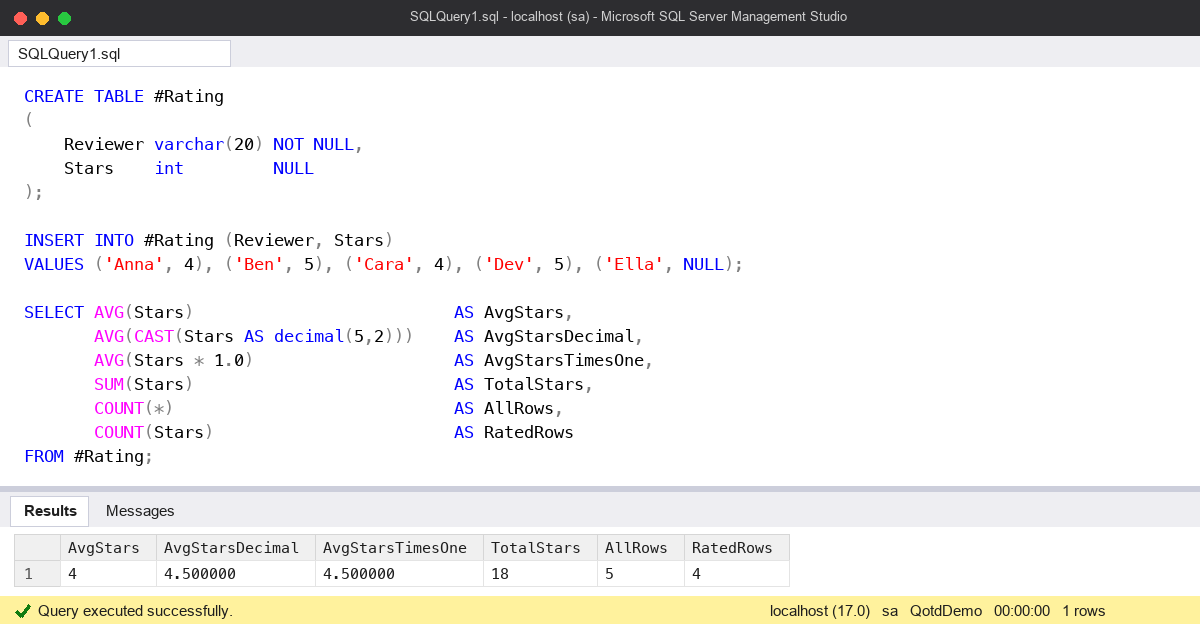
Here’s a small ratings table. Four people have rated something, and one row has no rating yet.
CREATE TABLE #Rating
(
    Reviewer varchar(20) NOT NULL,
    Stars    int         NULL
);

INSERT INTO #Rating (Reviewer, Stars)
VALUES ('Anna', 4), ('Ben', 5), ('Cara', 4), ('Dev', 5), ('Ella', NULL);

SELECT AVG(Stars)                          AS AvgStars,
       AVG(CAST(Stars AS decimal(5,2)))    AS AvgStarsDecimal,
       AVG(Stars * 1.0)                    AS AvgStarsTimesOne,
       SUM(Stars)                          AS TotalStars,
       COUNT(*)                            AS AllRows,
       COUNT(Stars)                        AS RatedRows
FROM #Rating;
On SQL Server 2025 that returns:
AvgStars  AvgStarsDecimal  AvgStarsTimesOne  TotalStars  AllRows  RatedRows
--------  ---------------  ----------------  ----------  -------  ---------
4         4.500000         4.500000          18          5        4
Two things are going on. The plain AVG(Stars) gives 4, because 18 / 4 is done in integer arithmetic. And the divisor is 4, not 5: Ella’s NULL is ignored completely, so it doesn’t drag the average down.
The common mistake
The mistake I see most often is assuming AVG always gives a decimal answer, the way a spreadsheet does. It’s an easy assumption to make, because the column name says “average” and averages usually have decimals. The query runs, the number looks believable, and the report goes out with every average rounded down.
The fix is to change the type of the input, not the output. This doesn’t help:
-- Still 4.00: the truncation has already happened inside AVG
SELECT CAST(AVG(Stars) AS decimal(5,2)) AS AvgStars
FROM #Rating;
By the time the CAST runs, AVG has already returned 4. Cast the column inside the function instead, as in AVG(CAST(Stars AS decimal(5,2))). I prefer an explicit CAST to the Stars * 1.0 trick: it does the same job, but the CAST tells the next person reading the code that the type change is deliberate. If you then want a tidy number of decimal places for display, wrap the result in ROUND or a second CAST on the outside.
The second mistake is with NULLs. If a missing rating should count as zero, AVG won’t do that for you. You have to say so with AVG(CAST(COALESCE(Stars, 0) AS decimal(5,2))), which gives 3.600000 for the table above. Which answer is right depends on what the business means by “average”, so it’s worth asking rather than guessing.
Watch out for
- Overflow on big int columns. The sum is held in the return type, so averaging large
intvalues can fail with error 8115 (arithmetic overflow) even though the average itself would fit. Cast tobigintordecimalfirst. - AVG(DISTINCT …). This averages the distinct values only. In the example it averages 4 and 5, not all four ratings. Fine when you mean it, wrong when you don’t.
- bit columns. AVG won’t take a
bitat all. Cast it tointordecimalfirst, which is a handy way to get the percentage of rows where a flag is set. - Empty input. AVG over no rows (or only NULLs) returns NULL, not 0. I cover that in Aggregates on Empty Sets in T-SQL.
- float. Casting to
floatalso keeps the decimals, but float is approximate. For money or anything people will reconcile against, usedecimal.
Where it fits
This is one of those small things that’s worth building into habit: whenever I write AVG over a whole-number column, I cast it in the same keystroke. There’s more on day-to-day T-SQL and the checks I run on servers in my SQL Server DBA Handbook. Microsoft’s reference page, AVG (Transact-SQL), has the full table of return types.
This topic came up in the SQLServerCentral Question of the Day: Getting the Average.
Clive Roberts DBA