Applies to SQL Server 2019, 2022 and 2025.
CREATE PROCEDURE is one of the first statements anyone learns in T-SQL, and most of us stop thinking about it after that. It’s worth a second look, because the rules about batches, parameters and name resolution catch out experienced people too. This is how I write procedures now, and the one mistake I still see in deployment scripts more than any other.
What CREATE PROCEDURE actually does
A stored procedure is a named, saved batch of T-SQL that can take input parameters, hand values back through OUTPUT parameters, return result sets and return an integer status code. SQL Server stores the text in sys.sql_modules and compiles a plan the first time it’s run, not when it’s created.
Since SQL Server 2016 SP1 you can write CREATE OR ALTER PROCEDURE, which creates the procedure if it’s missing and alters it if it isn’t. I use it for almost everything now: it keeps existing permissions (a DROP and CREATE loses them) and it means a deployment script can run twice without falling over.
A working CREATE PROCEDURE example
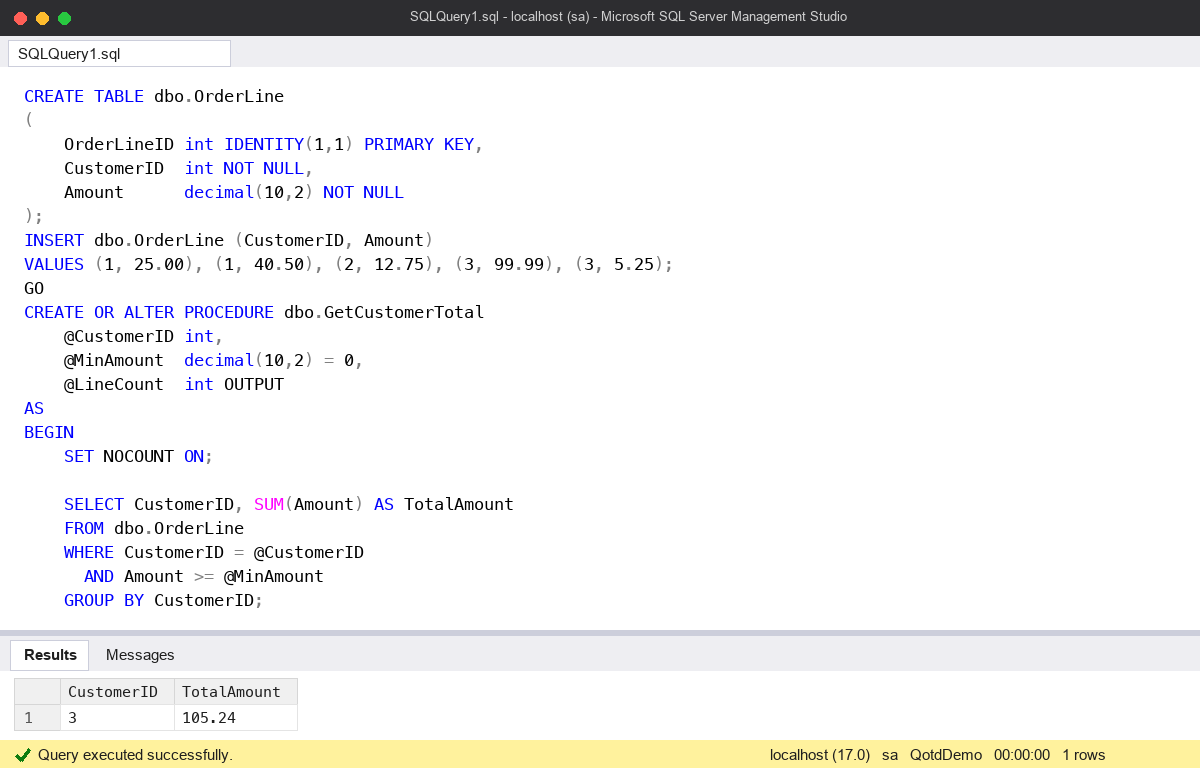
This builds a small table, then a procedure with a required parameter, an optional one with a default and an OUTPUT parameter. Run it in a test database.
CREATE TABLE dbo.OrderLine
(
    OrderLineID int IDENTITY(1,1) PRIMARY KEY,
    CustomerID  int NOT NULL,
    Amount      decimal(10,2) NOT NULL
);
INSERT dbo.OrderLine (CustomerID, Amount)
VALUES (1, 25.00), (1, 40.50), (2, 12.75), (3, 99.99), (3, 5.25);
GO
CREATE OR ALTER PROCEDURE dbo.GetCustomerTotal
    @CustomerID int,
    @MinAmount  decimal(10,2) = 0,
    @LineCount  int OUTPUT
AS
BEGIN
    SET NOCOUNT ON;

    SELECT CustomerID, SUM(Amount) AS TotalAmount
    FROM dbo.OrderLine
    WHERE CustomerID = @CustomerID
      AND Amount >= @MinAmount
    GROUP BY CustomerID;

    SELECT @LineCount = COUNT(*)
    FROM dbo.OrderLine
    WHERE CustomerID = @CustomerID
      AND Amount >= @MinAmount;

    RETURN 0;
END;
GO
DECLARE @Lines int;
EXEC dbo.GetCustomerTotal @CustomerID = 3, @LineCount = @Lines OUTPUT;
SELECT @Lines AS LinesCounted;
Customer 3 comes back with a total of 105.24 and LinesCounted is 2. @MinAmount wasn’t passed, so it used its default of 0.
A few habits in there that I’d keep:
- SET NOCOUNT ON stops the “rows affected” messages going back to the client for every statement. Some older drivers mistake them for result sets.
- Named parameters in the EXEC. Positional calls work, but they break quietly when someone adds a parameter in the middle of the list.
- OUTPUT on both sides. The keyword has to be in the procedure definition and in the call. Leave it off the call and the procedure still runs without complaint, but your variable stays NULL. I tested exactly that: same procedure, same values, NULL without the keyword and 1 with it.
- RETURN is for status, not data. It only returns an int. Use OUTPUT parameters or a result set for real values.
The common mistake: the missing GO
CREATE PROCEDURE has to be the only statement in its batch, and everything after AS up to the end of the batch becomes the body of the procedure. There’s no closing keyword. BEGIN ... END is just tidy layout; it doesn’t mark the end of the procedure.
So when someone adds a quick test call underneath and forgets the GO, the test call becomes part of the procedure:
CREATE OR ALTER PROCEDURE dbo.ListCustomers
AS
    SELECT DISTINCT CustomerID FROM dbo.OrderLine;

EXEC dbo.ListCustomers;   -- meant as a quick test, but there's no GO
GO
SELECT OBJECT_DEFINITION(OBJECT_ID(N'dbo.ListCustomers')) AS ProcText;
The create succeeds and the stored text shows the EXEC line inside the procedure. The first time anyone runs it, the procedure calls itself, which calls itself again, and it gives up at the nesting limit with error 217: “Maximum stored procedure, function, trigger, or view nesting level exceeded (limit 32)”. By then the client has already been sent a duplicate result set from every level of the recursion.
The same thing happens with less dramatic results: a GRANT EXECUTE or a PRINT 'Deployed' after the body ends up running on every call instead of once at deployment. It looks fine in the script, and SSMS’s syntax check is happy, which is why it gets through review. If you’re tidying a deployment script, put a GO after every procedure, every time.
Deferred name resolution
The other one that surprises people: SQL Server lets you create a procedure that refers to a table that doesn’t exist yet. It checks the name when the procedure is first run, so the create works and the error (208, “Invalid object name”) arrives later, in front of a user.
CREATE OR ALTER PROCEDURE dbo.GetArchive
AS
    SELECT OrderLineID FROM dbo.OrderLineArchive;   -- no such table yet
GO
It’s only lenient about missing objects. If the table exists and you name a column it doesn’t have, the create fails straight away with error 207. A clean create is not proof the procedure works, so always run it once after deploying.
Watch out for
- The sp_ prefix. Microsoft reserves
sp_for system procedures, and a name starting with it can resolve to a procedure in master instead of yours. Use another prefix, or none. - Parameter defaults must be constants or NULL.
@From date = GETDATE()is a syntax error. Default it to NULL and set it inside the body. - Always use the schema name. Create and call
dbo.GetCustomerTotal, notGetCustomerTotal, so there’s no doubt which object you mean. - DROP and CREATE loses permissions. CREATE OR ALTER or ALTER keeps them.
- Plans are cached on first run. The values used on that first call shape the plan for everyone after. See my notes in the SQL Server DBA Handbook and the post on parameter sniffing.
Microsoft’s full syntax, including the options such as WITH RECOMPILE and EXECUTE AS, is on CREATE PROCEDURE (Transact-SQL). For handling errors inside the body, see Error Handling in Transactions.
This topic came up in the SQLServerCentral Question of the Day: Creating a Stored Procedure.
Clive Roberts DBA