Applies to SQL Server 2019, 2022 and 2025.
The table value constructor is the VALUES clause that lets you write several rows in one statement: VALUES (1, 'a'), (2, 'b'), (3, 'c'). Most people meet it as the multi-row INSERT, but it’s more general than that. It builds a small table on the fly, and you can use that table anywhere a derived table is allowed. I use it all the time for test data, small lookup lists and quick fixes.
What the table value constructor does
Each set of brackets is one row. Every row must have the same number of values, and SQL Server works out one data type per column across all the rows. The whole thing is one statement, so it’s one transaction: either every row goes in or none do.
There are two ways to use it:
- In an INSERT:
INSERT INTO t (cols) VALUES (...), (...). This form is limited to 1,000 rows. - As a derived table:
SELECT ... FROM (VALUES (...), (...)) AS v (col1, col2). Here you must give the derived table an alias and name its columns.
A working table value constructor example
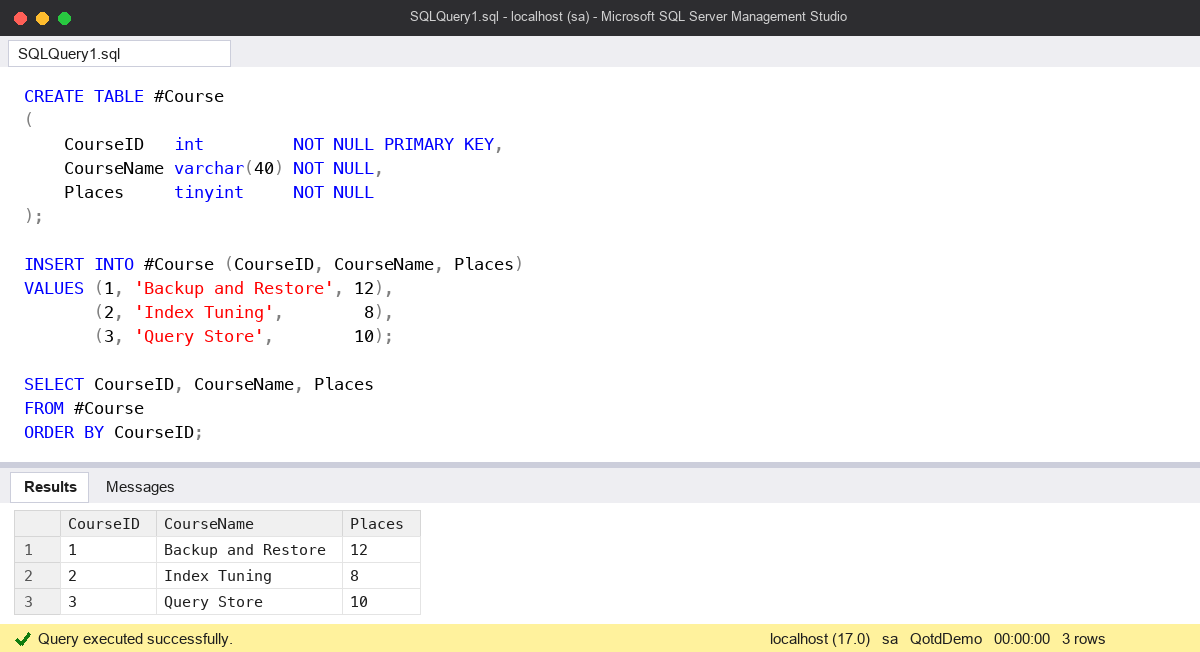
This inserts three rows in one go and reads them back:
CREATE TABLE #Course
(
    CourseID   int         NOT NULL PRIMARY KEY,
    CourseName varchar(40) NOT NULL,
    Places     tinyint     NOT NULL
);

INSERT INTO #Course (CourseID, CourseName, Places)
VALUES (1, 'Backup and Restore', 12),
       (2, 'Index Tuning',        8),
       (3, 'Query Store',        10);

SELECT CourseID, CourseName, Places
FROM #Course
ORDER BY CourseID;
That returns the three courses. Always name the target columns, as above. Without the list, the statement breaks the day someone adds a column to the table (I cover that in SQL Best Practices).
The derived-table form is handy for a lookup list you don’t want to make a real table for:
SELECT v.StatusCode, v.StatusLabel
FROM (VALUES ('A', 'Active'),
             ('S', 'Suspended'),
             ('C', 'Closed')) AS v (StatusCode, StatusLabel);
You can join that to a real table just like any other derived table.
The 1,000-row limit
An INSERT ... VALUES with more than 1,000 rows fails with error 10738 and nothing is inserted. This catches people who generate an INSERT script from a spreadsheet. The limit applies only to the INSERT form. If you wrap the same rows in a derived table and use INSERT ... SELECT, the limit doesn’t apply. I tested 1,001 rows both ways on SQL Server 2025: the first errors, the second inserts all 1,001.
CREATE TABLE #Target (n int NOT NULL);

INSERT INTO #Target (n)
SELECT v.n
FROM (VALUES (1), (2), (3) /* ...more than 1,000 rows is fine here */) AS v (n);
That said, a statement with thousands of literal rows is slow to compile. For real loads I’d use BULK INSERT, bcp or a staging table instead.
The common mistake: mixing data types across rows
The mistake I see most is assuming each value is converted straight to the target column’s type. It isn’t. SQL Server first works out a single type for each column of the constructor, using data type precedence across all the rows. Only then does it convert to the target column.
So if the target is varchar(10) and one row has an unquoted number, the constructor’s column becomes int (int beats varchar on precedence). Every other row then has to convert to int:
CREATE TABLE #Product (ProductCode varchar(10) NOT NULL);

-- Fails: error 245, converting 'A1' to int
INSERT INTO #Product (ProductCode)
VALUES ('A1'), (42);

-- Works: every value is the same type
INSERT INTO #Product (ProductCode)
VALUES ('A1'), ('42');
The error mentions 'A1', a perfectly good value for a varchar column, so people stare at the wrong row. Look for the row that isn’t a string. The same applies the other way round: a mostly numeric column with one stray string fails only if that string can’t be converted.
Watch out for
- All or nothing. One duplicate key or bad value fails the whole statement. I tested four rows with one duplicate primary key: zero rows went in, not three.
- The 1,000-row cap on
INSERT ... VALUES. Use the derived-table form or a bulk load for more. - Type precedence across rows. Keep every value in a column the same type, or
CASTthe odd one out to the type you want. - Every row must have the same number of values, or the statement won’t compile.
- The derived-table form needs an alias and column names, as in
AS v (StatusCode, StatusLabel).
For more on how a single statement commits or rolls back as one unit, see Transaction Modes: Auto commit, Explicit and Implicit. There are more T-SQL notes in the SQL Server DBA Handbook. Microsoft’s reference is Table Value Constructor (Transact-SQL) on Microsoft Learn.
This topic came up in the SQLServerCentral Question of the Day: Multiple Values Inserted.
Clive Roberts DBA