Applies to SQL Server 2019, 2022 and 2025.
COUNT(*) vs COUNT(1) is one of the oldest arguments in SQL Server, and it still comes up in code reviews. The short answer is that they do exactly the same work. The question that actually matters is what you’re counting: rows, or non-NULL values in a column. Get that wrong and you get the wrong number, which is far worse than a slow one.
What the COUNT variants actually count
There are four forms I see in real code:
COUNT(*)counts rows. NULLs don’t matter, because it isn’t looking at any column.COUNT(1)also counts rows. The1is a constant that can never be NULL, so every row qualifies.COUNT(column)counts rows where that column is not NULL.COUNT(DISTINCT column)counts the different non-NULL values in that column.
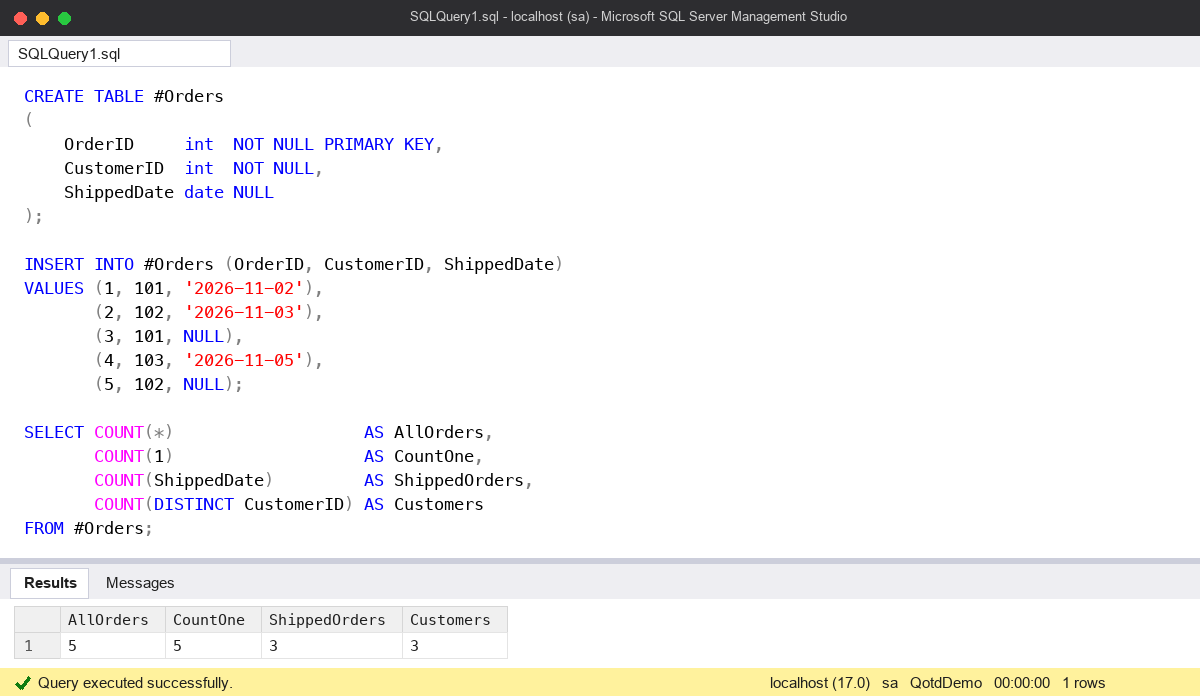
Here’s a small table with a nullable column, so you can see the difference:
CREATE TABLE #Orders
(
    OrderID     int  NOT NULL PRIMARY KEY,
    CustomerID  int  NOT NULL,
    ShippedDate date NULL
);

INSERT INTO #Orders (OrderID, CustomerID, ShippedDate)
VALUES (1, 101, '2026-11-02'),
       (2, 102, '2026-11-03'),
       (3, 101, NULL),
       (4, 103, '2026-11-05'),
       (5, 102, NULL);

SELECT COUNT(*)                   AS AllOrders,
       COUNT(1)                   AS CountOne,
       COUNT(ShippedDate)         AS ShippedOrders,
       COUNT(DISTINCT CustomerID) AS Customers
FROM #Orders;
That returns 5, 5, 3 and 3. COUNT(*) and COUNT(1) agree, COUNT(ShippedDate) skips the two unshipped orders, and there are three different customers.
COUNT(*) vs COUNT(1): the speed question
If you look at the actual execution plans for COUNT(*) and COUNT(1) on the same table, they’re identical. The aggregate operator shows Count(*) for both, the same index is scanned and the same number of pages is read. The optimiser sees that the constant can’t be NULL and treats the two as the same thing.
The * doesn’t mean “read every column” here, which is where the myth comes from. It’s just the syntax for “count rows”. SQL Server is free to scan whichever index is cheapest, and for a plain row count that’s usually the narrowest nonclustered index on the table, because it has the fewest pages to read. On a clustered columnstore table a row count is cheaper still, because it runs in batch mode over compressed data.
So the speed of a count comes down to how many pages SQL Server has to read, not which spelling you use. I write COUNT(*) because it says what I mean, and it’s what most people expect to see.
The common mistake
The common mistake is treating COUNT(column) as just another way of writing COUNT(*). People pick a column, often the one they’re about to filter or join on, and assume the answer is the number of rows. It is only the number of rows where that column has a value. On a nullable column the two numbers drift apart quietly, and nobody notices until a report doesn’t reconcile.
It can also cost you. If the column is nullable and isn’t in a narrow index, SQL Server has to read that column for every row to test it for NULL, so it may have to scan a wider index than a plain row count would. If the column is declared NOT NULL, the optimiser knows it can’t be NULL and treats it like COUNT(*), but at that point you may as well write COUNT(*) and make the intent clear.
The opposite mistake happens with outer joins: COUNT(*) counts the row of NULLs that a LEFT JOIN produces for a parent with no children, so you get 1 where you wanted 0. There, counting a column from the child table is the right call. I covered that case in Aggregates on Empty Sets in T-SQL.
When you just need a rough row count
Any form of COUNT has to read an index to get an exact answer. On a very large table, if a close figure is good enough (for a dashboard, or to see which tables are growing), the metadata is much quicker:
SELECT s.name      AS SchemaName,
       t.name      AS TableName,
       SUM(p.rows) AS ApproxRowCount
FROM sys.tables AS t
JOIN sys.schemas AS s ON s.schema_id = t.schema_id
JOIN sys.partitions AS p ON p.object_id = t.object_id
                        AND p.index_id IN (0, 1)
GROUP BY s.name, t.name
ORDER BY ApproxRowCount DESC;
Index 0 is the heap and index 1 is the clustered index, so each row is counted once. Microsoft describes the rows column as approximate, so I don’t use it where the number has to be exact.
Watch out for
COUNTreturnsint. Past 2,147,483,647 rows it fails with an arithmetic overflow, so useCOUNT_BIG(*)on very large tables.COUNT(column)ignores NULLs. Only use it when “rows with a value” is what you want.COUNT(DISTINCT column)ignores NULLs too, and it’s much more expensive than a plain count on a big table.- After a LEFT JOIN,
COUNT(*)counts the unmatched rows as well. Count a column from the outer side if you want 0 for no matches. - Row counts from
sys.partitionsare approximate. They’re fine for monitoring, but not for reconciling.
Microsoft’s reference pages for COUNT (Transact-SQL) and COUNT_BIG (Transact-SQL) cover the full syntax. There’s more on reading plans and other day-to-day checks in the SQL Server DBA Handbook.
This topic came up in the SQLServerCentral Question of the Day: The Speed of Count.
Clive Roberts DBA