Applies to SQL Server 2019, 2022 and 2025.
RANK vs DENSE_RANK is one of those choices that looks cosmetic until a report goes out with the wrong number of rows on it. Both number rows in order and both give tied rows the same number. The difference is what happens to the number after a tie. ROW_NUMBER is the third member of the family and handles ties differently again. If you’re producing a “top sellers” list after a busy weekend, which one you pick decides who makes the list.
The three functions side by side
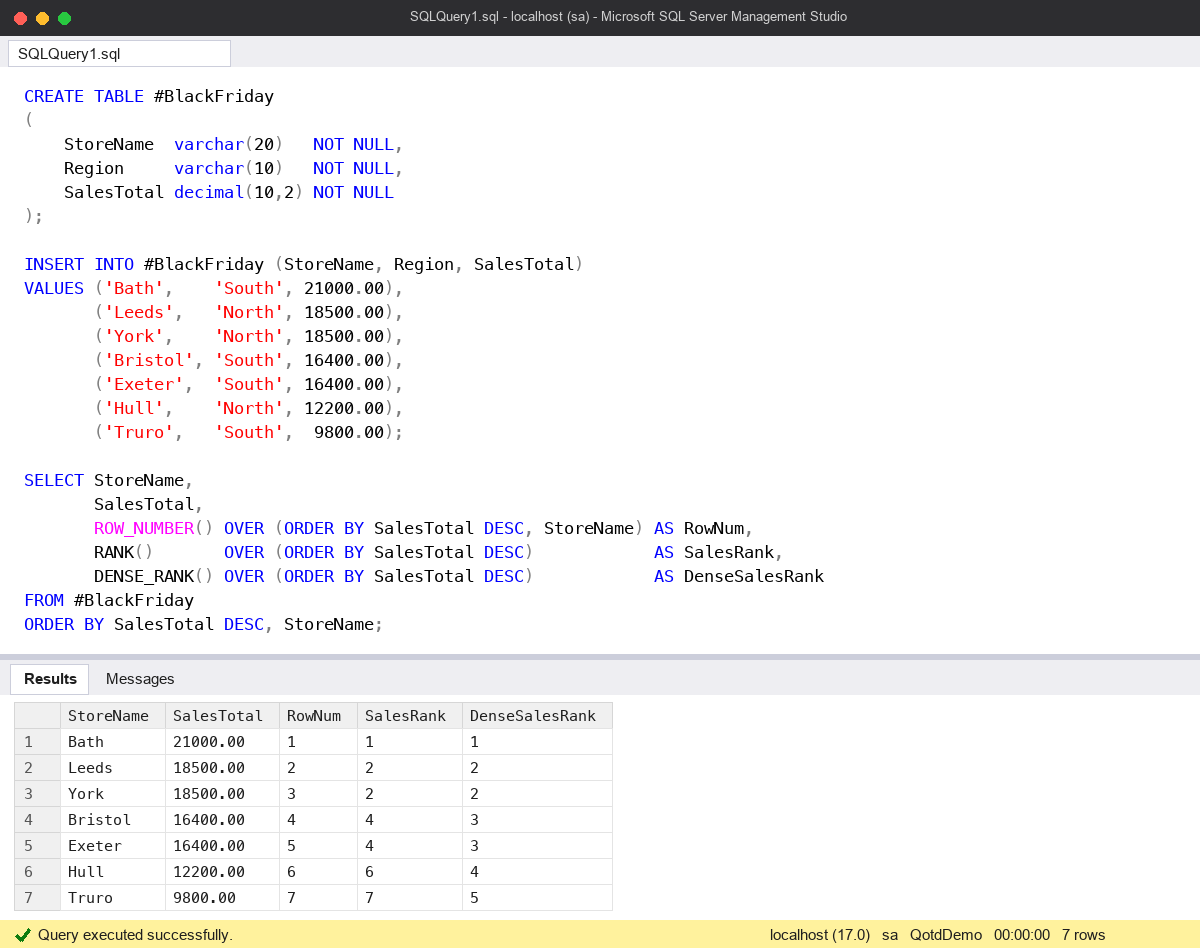
All three are window functions. They need an OVER clause with an ORDER BY, and they can take a PARTITION BY to restart the numbering for each group. Here’s a small set of Black Friday sales totals with a couple of deliberate ties:
CREATE TABLE #BlackFriday
(
    StoreName  varchar(20)   NOT NULL,
    Region     varchar(10)   NOT NULL,
    SalesTotal decimal(10,2) NOT NULL
);

INSERT INTO #BlackFriday (StoreName, Region, SalesTotal)
VALUES ('Bath',    'South', 21000.00),
       ('Leeds',   'North', 18500.00),
       ('York',    'North', 18500.00),
       ('Bristol', 'South', 16400.00),
       ('Exeter',  'South', 16400.00),
       ('Hull',    'North', 12200.00),
       ('Truro',   'South',  9800.00);

SELECT StoreName,
       SalesTotal,
       ROW_NUMBER() OVER (ORDER BY SalesTotal DESC, StoreName) AS RowNum,
       RANK()       OVER (ORDER BY SalesTotal DESC)            AS SalesRank,
       DENSE_RANK() OVER (ORDER BY SalesTotal DESC)            AS DenseSalesRank
FROM #BlackFriday
ORDER BY SalesTotal DESC, StoreName;
The results:
StoreName  SalesTotal  RowNum  SalesRank  DenseSalesRank
Bath       21000.00    1       1          1
Leeds      18500.00    2       2          2
York       18500.00    3       2          2
Bristol    16400.00    4       4          3
Exeter     16400.00    5       4          3
Hull       12200.00    6       6          4
Truro 9800.00 7 7 5- ROW_NUMBER never repeats a number. Tied rows still get different numbers, so you need a tie-breaker in the
ORDER BY(I’ve usedStoreName) or SQL Server is free to number them either way round. - RANK gives ties the same number, then skips. Two stores share 2nd place, so the next one is 4th. It’s the sports-table way of ranking: the number tells you how many rows beat you.
- DENSE_RANK gives ties the same number and doesn’t skip. Bristol and Exeter are 3rd because theirs is the third-highest distinct total.
The fourth ranking function, NTILE(n), splits the rows into n roughly equal buckets. It answers a different question (“which quartile is this store in?”), so I’ll leave it there.
Top N per group with DENSE_RANK
The usual job is “the top two stores in each region”. Add PARTITION BY, and filter in an outer query, because a window function can’t go in the WHERE clause of the query that calculates it:
WITH Ranked AS
(
    SELECT Region,
           StoreName,
           SalesTotal,
           DENSE_RANK() OVER (PARTITION BY Region
                              ORDER BY SalesTotal DESC) AS RegionRank
    FROM #BlackFriday
)
SELECT Region, StoreName, SalesTotal, RegionRank
FROM Ranked
WHERE RegionRank <= 2
ORDER BY Region, RegionRank, StoreName;
That returns six rows, not four: Leeds and York tie for 1st in the North with Hull 2nd, and Bristol and Exeter tie for 2nd in the South behind Bath. Whether that’s right depends on what the business meant by “top two”, which is the whole point of this post.
The common mistake with RANK vs DENSE_RANK
The mistake I see most is picking a function without asking what “top 3” means, then not noticing because the test data had no ties. Each function gives a different answer:
- ROW_NUMBER <= 3 gives exactly three rows. If 3rd and 4th place are tied, one of them is dropped, and without a tie-breaker which one is dropped can change from run to run. That’s the version that produces “why isn’t my store on the list?” emails.
- RANK <= 3 gives the stores with fewer than three stores ahead of them. That can be more than three rows (ties at 3rd) or include fewer distinct totals than you expect, because of the gaps.
- DENSE_RANK <= 3 gives every store with one of the three highest totals. With lots of ties that can be a long list.
None of them is wrong. They answer different questions, so ask which one the person meant, and put a tie in your test data so you can see the difference before the report goes out.
The second mistake is trying to filter directly:
-- Fails with Msg 4108: Windowed functions can only appear
-- in the SELECT or ORDER BY clauses.
SELECT StoreName, SalesTotal
FROM #BlackFriday
WHERE RANK() OVER (ORDER BY SalesTotal DESC) = 1;
Window functions are worked out after WHERE, GROUP BY and HAVING, so they don’t exist yet when the filter runs. Wrap the query in a CTE or derived table, as above. The same logical order explains why you can use a column alias in ORDER BY but not in WHERE, which I covered in ORDER BY Alias.
Watch out for
- Non-unique ORDER BY with ROW_NUMBER. If the ordering columns can tie, the numbering isn’t deterministic. Add a unique column as a tie-breaker.
- NULLs. NULLs are treated as equal, so they tie with each other. They sort first in ascending order and last with
DESC. - The OVER clause’s ORDER BY doesn’t sort the output. It only controls the numbering. Add a final
ORDER BYif the order of the result matters. - Performance. Each different
PARTITION BY/ORDER BYcombination can need its own sort. An index on the partition and order columns, for example(Region, SalesTotal DESC), lets the optimiser avoid the sort. See T-SQL Performance Anti-Patterns for more of that kind of thing.
Microsoft’s reference is Ranking Functions (Transact-SQL), with a page each for DENSE_RANK and the others. More of my everyday T-SQL notes are in the SQL Server DBA Handbook.
This topic came up in the SQLServerCentral Question of the Day: Finding the Black Friday Sales Ranking.
Clive Roberts DBA